

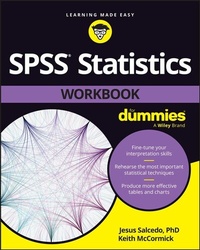
SPSS Statistics Workbook For Dummies
1st Edition
Published on 24. May 2023
336 pages
978-1-394-15632-0 (ISBN)
Description

Practice making sense of data with IBM's SPSS Statistics software
SPSS Statistics Workbook For Dummies gives you the practice you need to navigate the leading statistical software suite. Data management and analysis, advanced analytics, business intelligence--SPSS is a powerhouse of a research platform, and this book helps you master the fundamentals and analyze data more effectively. You'll work through practice problems that help you understand the calculations you need to perform, complete predictive analyses, and produce informative graphs. This workbook gives you hands-on exercises to hone your statistical analysis skills with SPSS Statistics 28. Plus, explanations and insider tips help you navigate the software with ease. Practical and easy-to-understand, in classic Dummies style.
* Practice organizing, analyzing, and graphing data
* Learn to write, edit, and format SPSS syntax
* Explore the upgrades and features new to SPSS 28
* Try your hand at advanced data analysis procedures
For academics using SPSS for research, business analysts and market researchers looking to extract valuable insights from data, and anyone with a hankering for more stats practice.
SPSS Statistics Workbook For Dummies gives you the practice you need to navigate the leading statistical software suite. Data management and analysis, advanced analytics, business intelligence--SPSS is a powerhouse of a research platform, and this book helps you master the fundamentals and analyze data more effectively. You'll work through practice problems that help you understand the calculations you need to perform, complete predictive analyses, and produce informative graphs. This workbook gives you hands-on exercises to hone your statistical analysis skills with SPSS Statistics 28. Plus, explanations and insider tips help you navigate the software with ease. Practical and easy-to-understand, in classic Dummies style.
* Practice organizing, analyzing, and graphing data
* Learn to write, edit, and format SPSS syntax
* Explore the upgrades and features new to SPSS 28
* Try your hand at advanced data analysis procedures
For academics using SPSS for research, business analysts and market researchers looking to extract valuable insights from data, and anyone with a hankering for more stats practice.
More details
Other editions
Additional editions
Jesus Salcedo | Keith McCormick
SPSS Statistics Workbook For Dummies
Book
07/2023
Wiley
€29.00
Shipment within 15-20 days
Content
- Intro
- Title Page
- Copyright Page
- Table of Contents
- Introduction
- About This Book
- Foolish Assumptions
- Icons Used in This Book
- Beyond the Book
- Where to Go from Here
- Part 1 Getting Data into and out of SPSS
- Chapter 1 Working Through Import and Export Challenges
- Importing Data
- Exporting Results
- Answers to Problems in Working Through Import and Export Challenges
- Chapter 2 Defining Data
- Defining Metadata
- Working with Dates and Times
- Copying Data Properties
- Answers to Problems in Defining Data
- Part 2 Messing with Data in SPSS
- Chapter 3 Using the Data Menu
- Selecting Data
- Splitting Data
- Merging Files by Adding Cases
- Merging Files Adding Variables
- Answers to Problems in Using the Data Menu
- Chapter 4 Putting the Transform Menu to Work
- Counting Case Occurrences
- Recoding Variables
- Recoding into different variables
- Automatic recoding
- Binning
- Answers to Problems in Putting the Transform Menu to Work
- Chapter 5 Computing Variables
- Calculating a New Variable
- Computing More Complex Variables
- Using System Variables
- Using String Functions
- Using Multiple String Functions
- Answers to Problems in Computing Variables
- Part 3 Analyzing Data
- Chapter 6 Using Descriptive Statistics
- Level of Measurement
- Focusing on Frequencies
- Summarizing Variables with the Descriptives Procedure
- Working with Z-Scores
- Answers to Problems in Using Descriptive Statistics
- Chapter 7 Testing Relationships with the Chi-Square Test of Independence
- Running the Chi-Square Test of Independence
- Comparing Column Proportions
- Creating a Clustered Bar Chart
- Answers to Problems in Testing Relationships with the Chi-Square Test of Independence
- Chapter 8 Comparing Two Groups with T-Tests
- Running the Independent-Samples T-Test Procedure
- Running the Paired-Samples T-Test Procedure
- Comparing the Means Graphically
- Answers to Problems in Comparing Two Groups with T-Tests
- Chapter 9 Comparing More Than Two Groups with ANOVA
- Running the One-Way ANOVA Procedure
- Conducting Post Hoc Tests
- Comparing the Means Graphically
- Answers to Problems in Comparing More Than Two Groups with ANOVA
- Chapter 10 Testing Relationships with Correlation
- Viewing Relationships
- Running the Bivariate Procedure
- Answers to Problems in Testing Relationships with Correlation
- Chapter 11 Making Predictions Using Linear Regression
- Performing Simple Linear Regression
- Performing Multiple Linear Regression
- Answers to Problems in Regression
- Part 4 Producing and Editing Output
- Chapter 12 Building Graphs with Bars, Lines, and Wedges
- Building Bar Graphs
- Creating Line Charts
- Making Pie Charts
- Constructing Histograms
- Answers to Problems in Building Graphs with Bars, Lines, and Wedges
- Chapter 13 Building Slightly More Complex Graphs
- Building Clustered Graphs
- Creating Multiple Line Charts
- Using Error Bar Charts to Compare Means
- Viewing Relationships between Continuous Variables
- Identifying Outliers with Boxplots
- Answers to Problems in Building Slightly More Complex Graphs
- Chapter 14 Editing Output
- Editing Graphs
- Editing Tables
- Answers to Problems in Editing Output
- Part 5 Programming SPSS with Command Syntax
- Chapter 15 Working with Pasted SPSS Syntax
- Pasting Procedures
- Pasting Transformations
- Controlling Variable View Specifications with Syntax
- Answers to Problems in Pasting and Modifying Syntax
- Chapter 16 Computing Variables with Syntax
- Calculating New Variable with Syntax
- Using DO IF . . . END IF
- Answers to Problems in Computing Variables with Syntax
- Part 6 The Part of Tens
- Chapter 17 Ten Tricky SPSS Skills to Practice
- Using RECODE INTO SAME
- Using COMPUTE with System Missing and Other Missing Values
- Merging Two or More Files
- Creating Consistent Charts
- Creating Consistent Tables
- Replicating a Multistep Process in Syntax
- Producing Tables with Custom Tables
- Using the TEMPORARY Command
- Explaining P-Values to Others
- Explaining Statistical Assumptions to Others
- Chapter 18 Ten Practice Certification Questions
- Answers to Practice Questions
- Index
- EULA
