

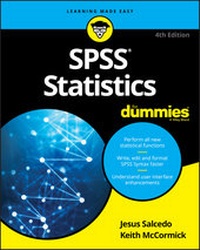
SPSS Statistics For Dummies
4th Edition
Published on 11. August 2020
480 pages
978-1-119-56087-6 (ISBN)
Description

The fun and friendly guide to mastering IBM's Statistical Package for the Social Sciences
Written by an author team with a combined 55 years of experience using SPSS, this updated guide takes the guesswork out of the subject and helps you get the most out of using the leader in predictive analysis.
Covering the latest release and updates to SPSS 27.0, and including more than 150 pages of basic statistical theory, it helps you understand the mechanics behind the calculations, perform predictive analysis, produce informative graphs, and more. You'll even dabble in programming as you expand SPSS functionality to suit your specific needs.
* Master the fundamental mechanics of SPSS
* Learn how to get data into and out of the program
* Graph and analyze your data more accurately and efficiently
* Program SPSS with Command Syntax
Get ready to start handling data like a pro--with step-by-step instruction and expert advice!
Written by an author team with a combined 55 years of experience using SPSS, this updated guide takes the guesswork out of the subject and helps you get the most out of using the leader in predictive analysis.
Covering the latest release and updates to SPSS 27.0, and including more than 150 pages of basic statistical theory, it helps you understand the mechanics behind the calculations, perform predictive analysis, produce informative graphs, and more. You'll even dabble in programming as you expand SPSS functionality to suit your specific needs.
* Master the fundamental mechanics of SPSS
* Learn how to get data into and out of the program
* Graph and analyze your data more accurately and efficiently
* Program SPSS with Command Syntax
Get ready to start handling data like a pro--with step-by-step instruction and expert advice!
More details
Other editions
Additional editions
Keith McCormick | Jesus Salcedo
SPSS Statistics for Dummies
Book
08/2020
4th Edition
Wiley
€37.50
Shipment within 15-20 days
Persons
Jesus Salcedo is an independent statistical and data-mining consultant who has been using SPSS products for more than 25 years. He has written numerous SPSS courses and trained thousands of users. Keith McCormick has been all over the world training and consulting in all things SPSS, statistics, and data mining. He now authors courses on the LinkedIn Learning platform and coaches executives on how to effectively manage their analytics teams.
Content
- Intro
- Title Page
- Copyright Page
- Table of Contents
- Introduction
- About This Book
- About the Fourth Edition
- Foolish Assumptions
- Icons Used in This Book
- Beyond the Book
- Where to Go from Here
- Part 1 Getting Started with SPSS
- Chapter 1 Introducing SPSS
- SPSS's Job, Our Job, and Your Job
- SPSS's job
- Our job
- Your job
- Garbage In, Garbage Out: Recognizing the Importance of Good Data
- Talking to SPSS: Can You Hear Me Now?
- The graphical user interface
- Syntax
- Programmability
- How SPSS works
- Getting Help When You Need It
- Chapter 2 Finding the Best SPSS for You
- Campus Editions
- Subscription Plans
- Commercial Editions
- What's New in Version 27
- Chapter 3 Getting to Know SPSS by Running a Simple Session
- Opening a Dataset
- Running an Analysis
- Interpreting Results
- Creating Graphs
- Investigating Data
- Part 2 Getting Data into and out of SPSS
- Chapter 4 Understanding SPSS Data: Defining Metadata
- Entering Variable Definitions on the Variable View Tab
- Name
- Type
- Width
- Decimals
- Label
- Values
- Missing
- Columns
- Align
- Measure
- Role
- Entering and Viewing Data Items on the Data View Tab
- Chapter 5 Opening Data Files
- Getting Acquainted with the SPSS File Format
- Reading Simple Data from a Text File
- Transferring Data from Another Program
- Reading an Excel file
- Reading from an unknown program type
- Saving Data
- Chapter 6 Getting Data and Results from SPSS
- Exporting Data to Another Program
- Navigating SPSS Statistics Viewer
- Moving SPSS Output to Other Applications
- Copying and pasting output
- Exporting output
- Printing Data
- Chapter 7 More about Defining Your Data
- Working with Dates and Times
- Using the Date and Time Wizard
- Creating and Using a Multiple-Response Set
- Copying Data Properties
- Part 3 Messing with Data in SPSS
- Chapter 8 The Transform and Data Menus
- Sorting Cases
- Selecting the Data You Want to Look At
- Splitting Data for Easier Analysis
- Counting Case Occurrences
- Recoding Variables
- Recoding into different variables
- Automatic recoding
- Binning
- Optimal Binning
- Chapter 9 Computing New Variables
- Calculating a New Variable with a Formula
- Calculating a New Variable with a Condition
- Using System Variables
- Contrasting $Sysmis with SYSMIS
- Understanding Missing Data in Formulas
- Efficiently Calculating with Multiple Formulas
- Chapter 10 Some Useful Functions
- The LENGTH Function
- The ANY Function
- The MEAN Function and Missing Data
- RND, TRUNC, and MOD
- Logicals, the MISSING Function, and the NOT Function
- String Parsing and Nesting Functions
- Calculating Lags
- Chapter 11 Combining Files
- Merging Files by Adding Cases
- Merging Files by Adding Variables
- Part 4 Graphing Data
- Chapter 12 On the Menu: Graphing Choices in SPSS
- Building Graphs the Chart Builder Way
- The Gallery tab
- The Basic Elements tab
- The Groups/Point ID tab
- The Titles/Footnotes tab
- The Element Properties tab
- The Chart Appearance tab
- The Options tab
- Building Graphs with Graphboard Template Chooser
- Chapter 13 Building Graphs Using Chart Builder
- Simple Graphs
- Simple scatterplots
- Simple dot plots
- Simple bar graphs
- Simple error bars
- Simple histograms
- Population pyramids
- Stacked area charts
- Fancy Graphs
- Charts with multiple lines
- Colored scatterplots
- Scatterplot matrices
- Stacked bar charts
- Pie charts
- Clustered range bar graphs
- Differenced area graphs
- Dual-axis graph
- Fancy Maps Using Graphboard Template Chooser
- Heat map
- Choropleth of values
- Coordinates on a reference map
- Part 5 Analyzing Data
- Chapter 14 Using Descriptive Statistics
- Looking at Levels of Measurement
- Defining the four levels of measurement
- Defining summary statistics
- Focusing on Frequencies for Categorical Variables
- Understanding Frequencies for Continuous Variables
- Summarizing Continuous Variables with the Descriptives Procedure
- Chapter 15 Knowing When Not to Trust Your Data
- Sampling
- Understanding Sample Size
- Testing Hypotheses
- Calculating Confidence Intervals
- Conducting In-Depth Hypothesis Testing
- Using the Normal Distribution
- Working with Z-Scores
- Chapter 16 Testing One Group
- Conducting Inferential Tests
- Running the Chi-Square Goodness of Fit Test
- Running the One-Sample T-Test Procedure
- Chapter 17 Showing Relationships between Categorical Variables
- Running the Crosstabs Procedure
- Running the Chi-Square Test of Independence
- Comparing Column Proportions
- Adding Control Variables
- Creating a Clustered Bar Chart
- Chapter 18 Showing Relationships between Continuous Dependent and Categorical Independent Variables
- Conducting Inferential Tests
- Using the Compare Means Dialog
- Running the Independent-Samples T-Test Procedure
- Comparing the Means Graphically
- Running the Summary Independent-Samples T-Test Procedure
- Running the Paired-Samples T-Test Procedure
- Chapter 19 Showing Relationships between Continuous Variables
- Viewing Relationships
- Running the Bivariate Procedure
- Running the Simple Linear Regression Procedure
- Part 6 Getting More Advanced with Analyzing Data
- Chapter 20 Doing More Advanced Analyses
- Running the One-Way ANOVA Procedure
- Conducting Post Hoc Tests
- Comparing Means Graphically
- Running the Multiple Linear Regression Procedure
- Viewing Relationships
- Chapter 21 What Is Normal Anyway?
- Understanding Nonparametric Tests
- Understanding Distributions
- Running a Nonparametric Independent Samples Test
- Running a Nonparametric Related Samples Test
- Chapter 22 When to Do What
- Determining Which Statistical Test to Perform
- Using Advanced Techniques
- Part 7 Making SPSS Your Own
- Chapter 23 Changing Settings
- General Options
- Language Options
- Viewer Options
- Data Options
- Currency Options
- Output Options
- Chart Options
- Pivot Tables Options
- File Locations Options
- Scripts Options
- Multiple Imputations Options
- Syntax Editor Options
- Privacy Options
- Chapter 24 Editing Charts and Chart Templates
- Changing and Editing Axes
- Changing the axis range
- Scaling the axis range
- Changing Style: Lines and Symbols
- Editing chart lines
- Editing data points
- Applying Templates
- Chapter 25 Editing Tables
- Working with TableLooks
- Style Output
- Pivoting Trays
- Part 8 Programming SPSS with Command Syntax
- Chapter 26 Getting Acquainted with Syntax
- Pasting
- Performing a Series of Related Compute Statements
- Labeling
- Repeatedly Generating the Same Report
- Chapter 27 Adding Syntax to Your Toolkit
- Your Wish Is My Command
- Understanding Keywords
- Declaring Data
- Commenting Your Way to Clarity
- Running Your Code
- Controlling Flow and Executing Conditionals
- IF
- DO IF
- SELECT IF
- Part 9 The Part of Tens
- Chapter 28 Ten (or So) Modules You Can Add to SPSS
- The Advanced Statistics Module
- The Custom Tables Module
- The Regression Module
- The Categories Module
- The Data Preparation Module
- The Decision Trees Module
- The Forecasting Module
- The Missing Values Module
- The Bootstrapping Module
- The Complex Samples Module
- The Conjoint Module
- The Direct Marketing Module
- The Exact Tests Module
- The Neural Networks Module
- Chapter 29 Ten Useful SPSS Resources
- Supporting Websites for This Book
- LinkedIn and LinkedIn Groups
- IBM SPSS Statistics Certification
- IBM Data Science Community
- SPSSX-L
- Online Videos
- Live Instruction
- Asynchronous Instruction and Tutorials
- SPSS Statistics for Data Analysis and Visualization
- Chapter 30 Ten SPSS Statistics Gotchas
- Failing to Declare Level of Measurement
- Conflating String Values with Labels
- Failing to Declare Missing Data
- Failing to Find Add-On Modules and Plug-Ins
- Failing to Meet Statistical and Software Assumptions
- Confusing Pasting Syntax with Copy and Paste
- Thinking You Create Variables in SPSS as You Do in Excel
- Getting Confused by Listwise Deletion
- Losing Track of Your Active Dataset
- Forgetting to Turn Off Select and Split and Weight
- Index
- EULA
