

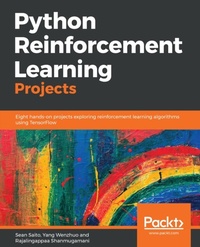
Python Reinforcement Learning Projects
Eight hands-on projects exploring reinforcement learning algorithms using TensorFlow
1st Edition
Published on 29. September 2018
296 pages
978-1-78899-322-7 (ISBN)
Description

Implement state-of-the-art deep reinforcement learning algorithms using Python and its powerful librariesKey Features - Implement Q-learning and Markov models with Python and OpenAI
- Explore the power of TensorFlow to build self-learning models
- Eight AI projects to gain confidence in building self-trained applications
Book DescriptionReinforcement learning is one of the most exciting and rapidly growing fields in machine learning. This is due to the many novel algorithms developed and incredible results published in recent years. In this book, you will learn about the core concepts of RL including Q-learning, policy gradients, Monte Carlo processes, and several deep reinforcement learning algorithms. As you make your way through the book, you'll work on projects with datasets of various modalities including image, text, and video. You will gain experience in several domains, including gaming, image processing, and physical simulations. You'll explore technologies such as TensorFlow and OpenAI Gym to implement deep learning reinforcement learning algorithms that also predict stock prices, generate natural language, and even build other neural networks. By the end of this book, you will have hands-on experience with eight reinforcement learning projects, each addressing different topics and/or algorithms. We hope these practical exercises will provide you with better intuition and insight about the field of reinforcement learning and how to apply its algorithms to various problems in real life.What you will learn - Train and evaluate neural networks built using TensorFlow for RL
- Use RL algorithms in Python and TensorFlow to solve CartPole balancing
- Create deep reinforcement learning algorithms to play Atari games
- Deploy RL algorithms using OpenAI Universe
- Develop an agent to chat with humans
- Implement basic actor-critic algorithms for continuous control
- Apply advanced deep RL algorithms to games such as Minecraft
- Autogenerate an image classifier using RL
Who this book is forPython Reinforcement Learning Projects is for data analysts, data scientists, and machine learning professionals, who have working knowledge of machine learning techniques and are looking to build better performing, automated, and optimized deep learning models. Individuals who want to work on self-learning model projects will also find this book useful.
- Explore the power of TensorFlow to build self-learning models
- Eight AI projects to gain confidence in building self-trained applications
Book DescriptionReinforcement learning is one of the most exciting and rapidly growing fields in machine learning. This is due to the many novel algorithms developed and incredible results published in recent years. In this book, you will learn about the core concepts of RL including Q-learning, policy gradients, Monte Carlo processes, and several deep reinforcement learning algorithms. As you make your way through the book, you'll work on projects with datasets of various modalities including image, text, and video. You will gain experience in several domains, including gaming, image processing, and physical simulations. You'll explore technologies such as TensorFlow and OpenAI Gym to implement deep learning reinforcement learning algorithms that also predict stock prices, generate natural language, and even build other neural networks. By the end of this book, you will have hands-on experience with eight reinforcement learning projects, each addressing different topics and/or algorithms. We hope these practical exercises will provide you with better intuition and insight about the field of reinforcement learning and how to apply its algorithms to various problems in real life.What you will learn - Train and evaluate neural networks built using TensorFlow for RL
- Use RL algorithms in Python and TensorFlow to solve CartPole balancing
- Create deep reinforcement learning algorithms to play Atari games
- Deploy RL algorithms using OpenAI Universe
- Develop an agent to chat with humans
- Implement basic actor-critic algorithms for continuous control
- Apply advanced deep RL algorithms to games such as Minecraft
- Autogenerate an image classifier using RL
Who this book is forPython Reinforcement Learning Projects is for data analysts, data scientists, and machine learning professionals, who have working knowledge of machine learning techniques and are looking to build better performing, automated, and optimized deep learning models. Individuals who want to work on self-learning model projects will also find this book useful.
All prices
More details
Other editions
Additional editions
Sean Saito | Yang Wenzhuo | Rajalingappaa Shanmugamani
Python Reinforcement Learning Projects
Eight hands-on projects exploring reinforcement learning algorithms using TensorFlow
Book
09/2018
Packt Publishing
€55.90
Shipment within 3-4 weeks
Content
- Cover
- Title Page
- Copyright and Credits
- Packt Upsell
- Contributors
- Table of Contents
- Preface
- Chapter 1: Up and Running with Reinforcement Learning
- Introduction to this book
- Expectations
- Hardware and software requirements
- Installing packages
- What is reinforcement learning?
- The agent
- Policy
- Value function
- Model
- Markov decision process (MDP)
- Deep learning
- Neural networks
- Backpropagation
- Convolutional neural networks
- Advantages of neural networks
- Implementing a convolutional neural network in TensorFlow
- TensorFlow
- The Fashion-MNIST dataset
- Building the network
- Methods for building the network
- build method
- fit method
- Summary
- References
- Chapter 2: Balancing CartPole
- OpenAI Gym
- Gym
- Installation
- Running an environment
- Atari
- Algorithmic tasks
- MuJoCo
- Robotics
- Markov models
- CartPole
- Summary
- Chapter 3: Playing Atari Games
- Introduction to Atari games
- Building an Atari emulator
- Getting started
- Implementation of the Atari emulator
- Atari simulator using gym
- Data preparation
- Deep Q-learning
- Basic elements of reinforcement learning
- Demonstrating basic Q-learning algorithm
- Implementation of DQN
- Experiments
- Summary
- Chapter 4: Simulating Control Tasks
- Introduction to control tasks
- Getting started
- The classic control tasks
- Deterministic policy gradient
- The theory behind policy gradient
- DPG algorithm
- Implementation of DDPG
- Experiments
- Trust region policy optimization
- Theory behind TRPO
- TRPO algorithm
- Experiments on MuJoCo tasks
- Summary
- Chapter 5: Building Virtual Worlds in Minecraft
- Introduction to the Minecraft environment
- Data preparation
- Asynchronous advantage actor-critic algorithm
- Implementation of A3C
- Experiments
- Summary
- Chapter 6: Learning to Play Go
- A brief introduction to Go
- Go and other board games
- Go and AI research
- Monte Carlo tree search
- Selection
- Expansion
- Simulation
- Update
- AlphaGo
- Supervised learning policy networks
- Reinforcement learning policy networks
- Value network
- Combining neural networks and MCTS
- AlphaGo Zero
- Training AlphaGo Zero
- Comparison with AlphaGo
- Implementing AlphaGo Zero
- Policy and value networks
- preprocessing.py
- features.py
- network.py
- Monte Carlo tree search
- mcts.py
- Combining PolicyValueNetwork and MCTS
- alphagozero_agent.py
- Putting everything together
- controller.py
- train.py
- Summary
- References
- Chapter 7: Creating a Chatbot
- The background problem
- Dataset
- Step-by-step guide
- Data parser
- Data reader
- Helper methods
- Chatbot model
- Training the data
- Testing and results
- Summary
- Chapter 8: Generating a Deep Learning Image Classifier
- Neural Architecture Search
- Generating and training child networks
- Training the Controller
- Training algorithm
- Implementing NAS
- child_network.py
- cifar10_processor.py
- controller.py
- Method for generating the Controller
- Generating a child network using the Controller
- train_controller method
- Testing ChildCNN
- config.py
- train.py
- Additional exercises
- Advantages of NAS
- Summary
- Chapter 9: Predicting Future Stock Prices
- Background problem
- Data used
- Step-by-step guide
- Actor script
- Critic script
- Agent script
- Helper script
- Training the data
- Final result
- Summary
- Chapter 10: Looking Ahead
- The shortcomings of reinforcement learning
- Resource efficiency
- Reproducibility
- Explainability/accountability
- Susceptibility to attacks
- Upcoming developments in reinforcement learning
- Addressing the limitations
- Transfer learning
- Multi-agent reinforcement learning
- Summary
- References
- Other Books You May Enjoy
- Index

