

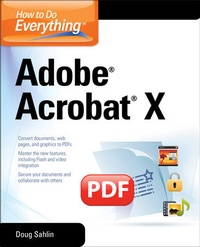
How to Do Everything Adobe Acrobat X
1st Edition
Published on 16. July 2016
428 pages
978-0-07-175294-7 (ISBN)
Description

Unlock the full potential of Adobe Acrobat X!Now it's easier than ever to create interactive electronic documents that retain the look and feel of the originals. How to Do Everything: Adobe Acrobat X shows you how to create, secure, optimize, and distribute PDFs. Get tips for adding multimedia features, collaborating with other users, streamlining document reviews, and collecting different file types in a PDF Portfolio. Based on Acrobat X Pro, which includes all the features of Acrobat X Standard and more, this hands-on guide helps you maximize the capabilities of this powerful software in no time. - Convert virtually any document to PDF
- Use Quick Tools and set Acrobat preferences
- Create PDF documents in authoring applications, including Microsoft Office 2010
- Capture PDF documents from a scanner or Web page
- Create navigation devices, including bookmarks, thumbnails, and links
- Use the Action Wizard and JavaScript to add interactivity
- Review, edit, and annotate PDF documents
- Add digital signatures and document security
- Optimize PDF documents for print, CD/DVD applications, the Web, and other uses
- Use Acrobat online
- Create interactive PDF forms
- Add multimedia elements
- Use Quick Tools and set Acrobat preferences
- Create PDF documents in authoring applications, including Microsoft Office 2010
- Capture PDF documents from a scanner or Web page
- Create navigation devices, including bookmarks, thumbnails, and links
- Use the Action Wizard and JavaScript to add interactivity
- Review, edit, and annotate PDF documents
- Add digital signatures and document security
- Optimize PDF documents for print, CD/DVD applications, the Web, and other uses
- Use Acrobat online
- Create interactive PDF forms
- Add multimedia elements
More details
Other editions
Additional editions
Doug Sahlin
How to Do Everything Adobe Acrobat X
Book
05/2011
Osborne/McGraw-Hill
€27.50
Shipment within 15-20 days
Person
Author
Doug Sahlin (Venice, Florida), is a best selling author, photographer, and Acrobat instructor. He teaches businesses, government, and medical organizations how to streamline their workflow and save time and money by converting electronic and paper documents into enhanced, interactive PDFs. His books include earlier editions of How to Do Everything with Adobe Acrobat (for versions 5.0, 6.0, 7.0, 8.0, and 9.0), Digital Photography Quicksteps, 2nd Edition, Digital Portrait Photography for Dummies, and Digital Photography Workbook for Dummies.
Content
Chapter 1 Get to Know Acrobat X
Chapter 2 Utilize the Acrobat Workspace
Chapter 3 Read PDF Documents
Chapter 4 Create PDF Documents
Chapter 5 Create PDF Documents in Other Applications
Chapter 6 Capture PDF Documents
Chapter 7 Create PDF Navigation
Chapter 8 Create Interactive PDF Navigation
Chapter 9 Edit Your PDF Documents
Chapter 10 Review PDF Documents
Chapter 11 Secure and Sign PDF Documents
Chapter 12 Optimize PDF Documents
Chapter 13 PDF Online
Chapter 14 Create Interactive PDF Forms
Chapter 15 Create Forms with Adobe LiveCycle Designer (Windows Only)
Chapter 16 Optimize PDF Document for Print
Chapter 17 Add Multimedia Files to PDF Documents
Chapter 18 Create a Searchable PDF
Chapter 2 Utilize the Acrobat Workspace
Chapter 3 Read PDF Documents
Chapter 4 Create PDF Documents
Chapter 5 Create PDF Documents in Other Applications
Chapter 6 Capture PDF Documents
Chapter 7 Create PDF Navigation
Chapter 8 Create Interactive PDF Navigation
Chapter 9 Edit Your PDF Documents
Chapter 10 Review PDF Documents
Chapter 11 Secure and Sign PDF Documents
Chapter 12 Optimize PDF Documents
Chapter 13 PDF Online
Chapter 14 Create Interactive PDF Forms
Chapter 15 Create Forms with Adobe LiveCycle Designer (Windows Only)
Chapter 16 Optimize PDF Document for Print
Chapter 17 Add Multimedia Files to PDF Documents
Chapter 18 Create a Searchable PDF
