

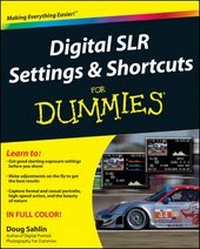
Digital SLR Settings and Shortcuts For Dummies
Published on 10. December 2010
368 pages
978-1-118-02158-3 (ISBN)
Description

Discover the easy path to taking brilliant and memorablephotos
The popularity of DSLR cameras remains on the rise, yet thesedigital cameras still present a challenge to novice photographerswho lack a foundation in photography skills. Thisstraightforward-but-friendly guide walks you through the 100 mostcommon photos that amateur photographers like to include in theirpersonal portfolios and offers specific advice on getting thecorrect exposure settings, composition, and lighting while sparingyou the technical jargon. Seasoned author and photographer DougSahlin includes more than 300 full-color photos on everything fromfamily portraits and pets to nature and sporting events, all aimedat providing you with inspiration as you work to find your ownindividual style.
* Skips the technical jargon and shows you where to start foroptimal exposure settings.
* Offers shortcuts, tips, and advice for setting the camera tomake specific shots and making impromptu adjustments whenneeded
* Includes more than 300 full-color photos of people, nature,sports, events, and places that serve as example andinspiration
* Helps you get the best photographs from your DSLR while youwork with movement in action photos, finicky lighting withfireworks or amusement parks at night, or distance, blur, andintricate details
* Walks you through troubleshooting the most common digitalphotography problems
Digital SLR Settings & Shortcuts For Dummies deliversthe starting point for getting the necessary settings so you canget great digital photos.
More details
Other editions
Additional editions
Doug Sahlin
Digital SLR Settings and Shortcuts For Dummies
Book
01/2011
Wiley
€31.90
Article exhausted; check different version
Person
Doug Sahlin is a professional author and photographer. He has written numerous books, including Digital Portrait Photography For Dummies, Digital Photography Workbook For Dummies, and Canon EOS 7D For Dummies. Doug maintains a site for his photography business at dasdesigns.net.
Content
- Digtal SLR Settings & Shortcuts For Dummies
- Dedication
- About the Author
- Author's Acknowledgments
- Table of Contents
- Introduction
- About Digital SLR Settings & Shortcuts For Dummies
- Foolish Assumptions
- Conventions Used in This Book
- What You Don't Have to Read
- What I Encourage You to Read
- How This Book Is Organized
- Icons Used in This Book
- Where to Go from Here
- Part I: Action
- Chapter 1: Children Playing Sports
- Setting the Camera
- Taking the Picture
- Troubleshooting
- Chapter 2: Runners
- Setting the Camera
- Taking the Picture
- Troubleshooting
- Chapter 3: Bikers
- Setting the Camera
- Taking the Picture
- Troubleshooting
- Chapter 4: Sporting Events
- Setting the Camera
- Taking the Picture
- Troubleshooting
- Chapter 5: Race Car (Stop-Action)
- Setting the Camera
- Taking the Picture
- Troubleshooting
- Chapter 6: Race Car (Motion Blur)
- Setting the Camera
- Taking the Picture
- Troubleshooting
- Chapter 7: Horse Racing
- Setting the Camera
- Taking the Picture
- Troubleshooting
- Part II: Animals
- Chapter 8: Wading Birds
- Setting the Camera
- Taking the Picture
- Troubleshooting
- Chapter 9: Birds in Flight
- Setting Your Camera
- Taking the Picture
- Troubleshooting
- Chapter 10: Birds of Prey
- Setting the Camera
- Taking the Picture
- Troubleshooting
- Chapter 11: Small Birds
- Setting the Camera
- Taking the Picture
- Troubleshooting
- Chapter 12: Pet Birds
- Setting the Camera
- Taking the Picture
- Troubleshooting
- Chapter 13: Cats Playing
- Setting the Camera
- Taking the Picture
- Troubleshooting
- Chapter 14: Cat Portrait
- Setting the Camera
- Taking the Picture
- Troubleshooting
- Chapter 15: Dogs Playing
- Setting the Camera
- Taking the Picture
- Troubleshooting
- Chapter 16: Dog Portrait
- Setting the Camera
- Taking the Picture
- Troubleshooting
- Chapter 17: Animals at a Zoo
- Setting the Camera
- Taking the Picture
- Troubleshooting
- Chapter 18: Animals in the Wild
- Setting the Camera
- Taking the Picture
- Troubleshooting
- Chapter 19: Dangerous Animals in the Wild
- Setting the Camera
- Taking the Picture
- Troubleshooting
- Chapter 20: Fish in a Public Aquarium
- Setting the Camera
- Taking the Picture
- Troubleshooting
- Part III: Landscapes and Nature
- Chapter 21: Desert
- Setting the Camera
- Taking the Picture
- Troubleshooting
- Chapter 22: Forest
- Setting the Camera
- Taking the Picture
- Troubleshooting
- Chapter 23: Landscapes
- Setting the Camera
- Taking the Picture
- Troubleshooting
- Chapter 24: Landscape Panorama
- Setting the Camera
- Taking the Picture
- Troubleshooting
- Chapter 25: Mountains
- Setting the Camera
- Taking the Picture
- Troubleshooting
- Chapter 26: Swamps
- Setting the Camera
- Taking the Picture
- Troubleshooting
- Chapter 27: Sunrise
- Setting the Camera
- Taking the Picture
- Troubleshooting
- Chapter 28: Beach at Sunset
- Setting the Camera
- Taking the Picture
- Troubleshooting
- Chapter 29: Ocean Waves
- Setting the Camera
- Taking the Picture
- Troubleshooting
- Chapter 30: Lakes
- Setting the Camera
- Taking the Picture
- Troubleshooting
- Chapter 31: Rivers
- Setting the Camera
- Taking the Picture
- Troubleshooting
- Chapter 32: Streams
- Setting the Camera
- Taking the Picture
- Troubleshooting
- Chapter 33: Still Water (Reflections)
- Setting the Camera
- Taking the Picture
- Troubleshooting
- Chapter 34: Waterfall
- Setting the Camera
- Taking the Picture
- Troubleshooting
- Chapter 35: Landscapes in Stormy Weather
- Setting the Camera
- Taking the Picture
- Troubleshooting
- Chapter 36: Flower Close-Up
- Setting the Camera
- Taking the Picture
- Troubleshooting
- Chapter 37: Insect and Other Creepy Crawly Close-Ups
- Setting the Camera
- Taking the Picture
- Troubleshooting
- Chapter 38: Lightning
- Setting the Camera
- Taking the Picture
- Troubleshooting
- Chapter 39: Nature Details
- Setting the Camera
- Taking the Picture
- Troubleshooting
- Chapter 40: Rain
- Setting the Camera
- Taking the Picture
- Troubleshooting
- Chapter 41: Rainbows
- Setting the Camera
- Taking the Picture
- Troubleshooting
- Chapter 42: Snow
- Setting the Camera
- Taking the Picture
- Troubleshooting
- Precautions
- Chapter 43: Starry Skies
- Setting the Camera
- Taking the Picture
- Troubleshooting
- Chapter 44: Star Trails
- Setting the Camera
- Taking the Picture
- Troubleshooting
- Chapter 45: Nature in Foggy Weather
- Setting the Camera
- Taking the Picture
- Troubleshooting
- Part IV: People
- Chapter 46: Children Playing
- Setting the Camera
- Taking the Picture
- Troubleshooting
- Chapter 47: Artist Creating
- Setting the Camera
- Taking the Picture
- Troubleshooting
- Chapter 48: Adults Playing Sports
- Setting the Camera
- Taking the Picture
- Troubleshooting
- Chapter 49: Candid Portrait
- Setting the Camera
- Taking the Picture
- Troubleshooting
- Chapter 50: People of Other Cultures
- Setting the Camera
- Taking the Picture
- Troubleshooting
- Chapter 51: Child's Birthday Party
- Setting the Camera
- Taking the Picture
- Troubleshooting
- Chapter 52: Family Gathering
- Setting the Camera
- Taking the Picture
- Troubleshooting
- Chapter 53: Graduation
- Setting the Camera
- Taking the Picture
- Troubleshooting
- Chapter 54: Parades
- Setting the Camera
- Taking the Picture
- Troubleshooting
- Chapter 55: Wedding (Journalistic)
- Setting the Camera
- Taking the Picture
- Troubleshooting
- Chapter 56: Wedding (Traditional)
- Setting the Camera
- Taking the Picture
- Troubleshooting
- Chapter 57: Wedding Formals
- Setting the Camera
- Taking the Picture
- Troubleshooting
- Chapter 58: Wedding Reception
- Setting the Camera
- Taking the Picture
- Troubleshooting
- Chapter 59: Backlit Portrait
- Setting the Camera
- Taking the Picture
- Troubleshooting
- Chapter 60: Self-Portrait
- Setting the Camera
- Taking the Picture
- Troubleshooting
- Chapter 61: Beach Portrait
- Setting the Camera
- Taking the Picture
- Troubleshooting
- Chapter 62: Double Exposure
- Setting the Camera
- Taking the Picture
- Troubleshooting
- Chapter 63: Candlelight Portrait
- Setting the Camera
- Taking the Picture
- Troubleshooting
- Chapter 64: A Happy Couple
- Setting the Camera
- Taking the Picture
- Troubleshooting
- Chapter 65: Formal Portrait
- Setting the Camera
- Taking the Picture
- Troubleshooting
- Chapter 66: Portrait of a Person at Work
- Setting the Camera
- Taking the Picture
- Troubleshooting
- Chapter 67: Extreme Close-Up Portrait
- Setting the Camera
- Taking the Picture
- Troubleshooting
- Chapter 68: Head-and-Shoulders Portrait
- Setting the Camera
- Taking the Picture
- Troubleshooting
- Chapter 69: Group Portrait
- Setting the Camera
- Taking the Picture
- Troubleshooting
- Chapter 70: Lifestyle Portrait
- Setting the Camera
- Taking the Picture
- Troubleshooting
- Chapter 71: Outdoor Portrait
- Setting the Camera
- Taking the Picture
- Troubleshooting
- Chapter 72: Newborn Baby Portrait
- Setting the Camera
- Taking the Picture
- Troubleshooting
- Chapter 73: Portrait by Window Light
- Setting the Camera
- Taking the Picture
- Troubleshooting
- Chapter 74: Portrait of a Mature Person
- Setting the Camera
- Taking the Picture
- Troubleshooting
- Chapter 75: Musicians
- Setting the Camera
- Taking the Picture
- Troubleshooting
- Chapter 76: Silhouette Portrait
- Setting the Camera
- Taking the Picture
- Troubleshooting
- Chapter 77: Man and His Best Friend
- Setting the Camera
- Taking the Picture
- Troubleshooting
- Chapter 78: High Key Portrait
- Setting the Camera
- Taking the Picture
- Troubleshooting
- Chapter 79: Low Key Portrait
- Setting the Camera
- Taking the Picture
- Troubleshooting
- Part V: Places
- Chapter 80: Churches
- Setting the Camera
- Taking the Picture
- Troubleshooting
- Chapter 81: City Skyline
- Setting the Camera
- Taking the Picture
- Troubleshooting
- Chapter 82: City at Dusk
- Setting the Camera
- Taking the Picture
- Troubleshooting
- Chapter 83: City Streets at Night
- Setting the Camera
- Taking the Picture
- Troubleshooting
- Chapter 84: City in Wet Weather
- Setting the Camera
- Taking the Picture
- Troubleshooting
- Chapter 85: Street Life
- Setting the Camera
- Taking the Picture
- Troubleshooting
- Chapter 86: Amusement Park
- Setting the Camera
- Taking the Picture
- Troubleshooting
- Chapter 87: Marinas
- Setting the Camera
- Taking the Picture
- Troubleshooting
- Chapter 88: Famous Places
- Setting the Camera
- Taking the Picture
- Troubleshooting
- Chapter 89: Historical Landmarks
- Setting the Camera
- Taking the Picture
- Troubleshooting
- Part VI: Things
- Chapter 90: Buildings
- Setting the Camera
- Taking the Picture
- Troubleshooting
- Chapter 91: Architectural Details
- Setting the Camera
- Taking the Picture
- Troubleshooting
- Chapter 92: Famous Buildings
- Setting the Camera
- Taking the Picture
- Troubleshooting
- Chapter 93: Lighthouses
- Setting the Camera
- Taking the Picture
- Troubleshooting
- Chapter 94: Cars and Motorcycles
- Setting the Camera
- Taking the Picture
- Troubleshooting
- Chapter 95: Boats
- Setting the Camera
- Taking the Picture
- Troubleshooting
- Chapter 96: Ferris Wheels
- Setting the Camera
- Taking the Picture
- Troubleshooting
- Chapter 97: Fireworks
- Setting the Camera
- Taking the Picture
- Troubleshooting
- Chapter 98: Still Life
- Setting the Camera
- Taking the Picture
- Troubleshooting
- Chapter 99: Flower Arrangement
- Setting the Camera
- Taking the Picture
- Troubleshooting
- Chapter 100: HDR Photography
- Setting the Camera
- Taking the Picture
- Troubleshooting
- Appendix: Beyond Point and Shoot Photography
- Mastering Your Camera Controls
- Understanding How a Picture Is Made
- Using the Histogram
- Understanding ISO
- Using Fill Flash
- Composing Your Images
- Visualizing Your Photograph
- Establishing a Post Shoot Ritual
- Camera Accessories
- Working with RAW Files
- Index
