

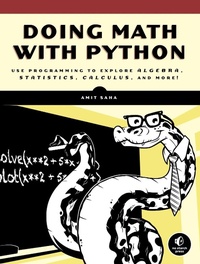
Doing Math with Python
Use Programming to Explore Algebra, Statistics, Calculus, and More!
Published on 1. August 2015
264 pages
978-1-59327-719-2 (ISBN)
Description

Doing Math with Python shows you how to use Python to delve into high school-level math topics like statistics, geometry, probability, and calculus. You'll start with simple projects, like a factoring program and a quadratic-equation solver, and then create more complex projects once you've gotten the hang of things.
Along the way, you'll discover new ways to explore math and gain valuable programming skills that you'll use throughout your study of math and computer science. Learn how to:
-Describe your data with statistics, and visualize it with line graphs, bar charts, and scatter plots
-Explore set theory and probability with programs for coin flips, dicing, and other games of chance
-Solve algebra problems using Python's symbolic math functions
-Draw geometric shapes and explore fractals like the Barnsley fern, the Sierpinski triangle, and the Mandelbrot set
-Write programs to find derivatives and integrate functions
Creative coding challenges and applied examples help you see how you can put your new math and coding skills into practice. You'll write an inequality solver, plot gravity's effect on how far a bullet will travel, shuffle a deck of cards, estimate the area of a circle by throwing 100,000 "darts" at a board, explore the relationship between the Fibonacci sequence and the golden ratio, and more.
Whether you're interested in math but have yet to dip into programming or you're a teacher looking to bring programming into the classroom, you'll find that Python makes programming easy and practical. Let Python handle the grunt work while you focus on the math.
Uses Python 3
Along the way, you'll discover new ways to explore math and gain valuable programming skills that you'll use throughout your study of math and computer science. Learn how to:
-Describe your data with statistics, and visualize it with line graphs, bar charts, and scatter plots
-Explore set theory and probability with programs for coin flips, dicing, and other games of chance
-Solve algebra problems using Python's symbolic math functions
-Draw geometric shapes and explore fractals like the Barnsley fern, the Sierpinski triangle, and the Mandelbrot set
-Write programs to find derivatives and integrate functions
Creative coding challenges and applied examples help you see how you can put your new math and coding skills into practice. You'll write an inequality solver, plot gravity's effect on how far a bullet will travel, shuffle a deck of cards, estimate the area of a circle by throwing 100,000 "darts" at a board, explore the relationship between the Fibonacci sequence and the golden ratio, and more.
Whether you're interested in math but have yet to dip into programming or you're a teacher looking to bring programming into the classroom, you'll find that Python makes programming easy and practical. Let Python handle the grunt work while you focus on the math.
Uses Python 3
More details
Other editions
Additional editions
Book
08/2015
1st Edition
No Starch Press
€42.50
Article not available at the moment
Person
Amit Saha is a software engineer who has worked for Red Hat and Sun Microsystems. He created and maintains Fedora Scientific, a Linux distribution for scientific and educational users. He is also the author of Write Your First Program (Prentice Hall Learning).
Content
- Intro
- Title Page
- Copyright Page
- Dedication
- Brief Contents
- Contents in Detail
- Acknowledgments
- Introduction
- Who Should Read This Book
- What's in This Book?
- Scripts, Solutions, and Hints
- Chapter 1: Working with Numbers
- Basic Mathematical Operations
- Labels: Attaching Names to Numbers
- Different Kinds of Numbers
- Working with Fractions
- Complex Numbers
- Getting User Input
- Handling Exceptions and Invalid Input
- Fractions and Complex Numbers as Input
- Writing Programs That Do the Math for You
- Calculating the Factors of an Integer
- Generating Multiplication Tables
- Converting Units of Measurement
- Finding the Roots of a Quadratic Equation
- What You Learned
- Programming Challenges
- #1: Even-Odd Vending Machine
- #2: Enhanced Multiplication Table Generator
- #3: Enhanced Unit Converter
- #4: Fraction Calculator
- #5: Give Exit Power to the User
- Chapter 2: Visualizing Data with Graphs
- Understanding the Cartesian Coordinate Plane
- Working with Lists and Tuples
- Iterating over a List or Tuple
- Creating Graphs with Matplotlib
- Marking Points on Your Graph
- Graphing the Average Annual Temperature in New York City
- Comparing the Monthly Temperature Trends of New York City
- Customizing Graphs
- Adding a Title and Labels
- Customizing the Axes
- Plotting Using pyplot
- Saving the Plots
- Plotting with Formulas
- Newton's Law of Universal Gravitation
- Projectile Motion
- Generating Equally Spaced Floating Point Numbers
- Drawing the Trajectory
- Comparing the Trajectory at Different Initial Velocities
- What You Learned
- Programming Challenges
- #1: How Does the Temperature Vary During the Day?
- #2: Exploring a Quadratic Function Visually
- #3: Enhanced Projectile Trajectory Comparison Program
- #4: Visualizing Your Expenses
- #5: Exploring the Relationship Between the Fibonacci Sequence and the Golden Ratio
- Chapter 3: Describing Data with Statistics
- Finding the Mean
- Finding the Median
- Finding the Mode and Creating a Frequency Table
- Finding the Most Common Elements
- Finding the Mode
- Creating a Frequency Table
- Measuring the Dispersion
- Finding the Range of a Set of Numbers
- Finding the Variance and Standard Deviation
- Calculating the Correlation Between Two Data Sets
- Calculating the Correlation Coefficient
- High School Grades and Performance on College Admission Tests
- Scatter Plots
- Reading Data from Files
- Reading Data from a Text File
- Reading Data from a CSV File
- What You Learned
- Programming Challenges
- #1: Better Correlation Coefficient-Finding Program
- #2: Statistics Calculator
- #3: Experiment with Other CSV Data
- #4: Finding the Percentile
- #5: Creating a Grouped Frequency Table
- Chapter 4: Algebra and Symbolic Math with SymPy
- Defining Symbols and Symbolic Operations
- Working with Expressions
- Factorizing and Expanding Expressions
- Pretty Printing
- Printing a Series
- Substituting in Values
- Calculating the Value of a Series
- Converting Strings to Mathematical Expressions
- Expression Multiplier
- Solving Equations
- Solving Quadratic Equations
- Solving for One Variable in Terms of Others
- Solving a System of Linear Equations
- Plotting Using SymPy
- Plotting Expressions Input by the User
- Plotting Multiple Functions
- What You Learned
- Programming Challenges
- #1: Factor Finder
- #2: Graphical Equation Solver
- #3: Summing a Series
- #4: Solving Single-Variable Inequalities
- Hints: Handy Functions
- Chapter 5: Playing with Sets and Probability
- What's a Set?
- Set Construction
- Checking Whether a Number Is in a Set
- Creating an Empty Set
- Creating Sets from Lists or Tuples
- Set Repetition and Order
- Subsets, Supersets, and Power Sets
- Set Operations
- Union and Intersection
- Cartesian Product
- Applying a Formula to Multiple Sets of Variables
- Different Gravity, Different Results
- Probability
- Probability of Event A or Event B
- Probability of Event A and Event B
- Generating Random Numbers
- Simulating a Die Roll
- Can You Roll That Score?
- Is the Target Score Possible?
- Nonuniform Random Numbers
- What You Learned
- Programming Challenges
- #1: Using Venn Diagrams to Visualize Relationships Between Sets
- #2: Law of Large Numbers
- #3: How Many Tosses Before You Run Out of Money?
- #4: Shuffling a Deck of Cards
- #5: Estimating the Area of a Circle
- Estimating the Value of Pi
- Chapter 6: Drawing Geometric Shapes and Fractals
- Drawing Geometric Shapes with Matplotlib's Patches
- Drawing a Circle
- Creating Animated Figures
- Animating a Projectile's Trajectory
- Drawing Fractals
- Transformations of Points in a Plane
- Drawing the Barnsley Fern
- What You Learned
- Programming Challenges
- #1: Packing Circles into a Square
- #2: Drawing the Sierpinski Triangle
- #3: Exploring Hénon's Function
- #4: Drawing the Mandelbrot Set
- The imshow() Function
- Creating a List of Lists
- Drawing the Mandelbrot Set
- Chapter 7: Solving Calculus Problems
- What Is a Function?
- Domain and Range of a Function
- An Overview of Common Mathematical Functions
- Assumptions in SymPy
- Finding the Limit of Functions
- Continuous Compound Interest
- Instantaneous Rate of Change
- Finding the Derivative of Functions
- A Derivative Calculator
- Calculating Partial Derivatives
- Higher-Order Derivatives and Finding the Maxima and Minima
- Finding the Global Maximum Using Gradient Ascent
- A Generic Program for Gradient Ascent
- A Word of Warning About the Initial Value
- The Role of the Step Size and Epsilon
- Finding the Integrals of Functions
- Probability Density Functions
- What You Learned
- Programming Challenges
- #1: Verify the Continuity of a Function at a Point
- #2: Implement the Gradient Descent
- #3: Area Between Two Curves
- #4: Finding the Length of a Curve
- Afterword
- Things to Explore Next
- Project Euler
- Python Documentation
- Books
- Getting Help
- Conclusion
- Appendix A: Software Installation
- Microsoft Windows
- Updating SymPy
- Installing matplotlib-venn
- Starting the Python Shell
- Linux
- Updating SymPy
- Installing matplotlib-venn
- Starting the Python Shell
- Mac OS X
- Updating SymPy
- Installing matplotlib-venn
- Starting the Python Shell
- Appendix B: Overview of Python Topics
- if __name__ == '__main__'
- List Comprehensions
- Dictionary Data Structure
- Multiple Return Values
- Exception Handling
- Specifying Multiple Exception Types
- The else Block
- Reading Files in Python
- Reading All the Lines at Once
- Specifying the Filename as Input
- Handling Errors When Reading Files
- Reusing Code
- Index
- Footnotes
- Chapter 3: Describing Data with Statistics
- Chapter 6: Drawing Geometric Shapes and Fractals
- Chapter 7: Solving Calculus Problems
- Afterword
- Resources
- About the Author
