

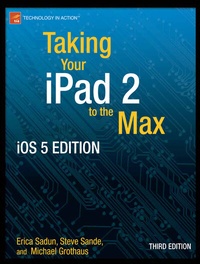
Taking Your iPad to the Max, iOS 5 Edition
Maximize iCloud, Newsstand, Reminders, FaceTime, and iMessage
3rd Edition
Published on 20. March 2012
XIII, 520 pages
978-1-4302-4069-3 (ISBN)
Description

Taking Your iPad to the Max, iOS 5 Edition is written so that anyone can quickly get up to speed on Apple's latest hit. As bloggers at The Unofficial Apple Weblog (TUAW.com), the authors have the happy privilege of working with Apple products every day, and they'll guide you through all of the perks of being an iPad owner with access to all the new and amazing features in iOS 5. This book takes you from selecting and buying an iPad, to connecting it to the Internet, to using the incredible power of the iPad and all its apps to enhance your life.
Whether you're using your iPad to surf the Internet, admire or edit family photos, listen to music, watch movies, create or edit movies, or read a book, this book will help guide you. Discover how your iPad can be a virtual shopping mall, opening the door to purchases of music, books, videos, and movies. This book will help you organize your daily life through the use of Calendar, Notes, and Contacts, communicate with friends and colleagues with Mail, and find your way with Maps. You'll also learn how get the most out of your iPad's two cameras, and you'll learn how iCloud keeps all of your documents and photos in sync across all your Apple devices. You'll also learn about great new iOS 5 features like Reminders, Notification Center, iMessage, Newsstand, and PC-Free updates.
Taking Your iPad to the Max, iOS 5 Edition introduces the essentials of using your iPad for recreation, travel, and work-and includes the basics of Apple's iWork suite for iPad. Learn to create business or personal documents with Pages, make professional presentations with Keynote, and keep data and finances under control with Numbers. You'll also learn how to use iLife's suite of apps, including iPhoto, iMovie, and GarageBand on the iPad.
No matter how you use your iPad, Taking Your iPad to the Max, iOS 5 Edition will show you how to make themost of it.
More details
Other editions
Additional editions
Erica Sadun | Michael Grothaus
Taking Your iPad to the Max, iOS 5 Edition
Maximize iCloud, Newsstand, Reminders, FaceTime, and iMessage
Book
12/2011
3rd Edition
APress
€28.84
Shipment within 15-20 days
Persons
Erica Sadun holds a Ph.D. in computer science from the Georgia Institute of Technology. She has written, co-written, and contributed to almost two dozen books about technology, particularly in the areas of programming, digital video, and digital photography. An unrepentant geek, Sadun has never met a gadget she didn't need. Her checkered past includes run-ins with NeXT, Newton, and a vast myriad of both successful and unsuccessful technologies. When not writing, she and her geek husband parent three adorable geeks-in-training, who regard their parents with restrained bemusement. Eight Ways to Get the Most out of Your Zune, the O'Reilly shortcut, and Modding Mac OS X, also from O'Reilly, are her latest books. She also wrote Taking Your iPhone to the Max.
Content
- Bringing Your iPad Home
- Putting Your Data and Media on Your iPad
- Exploring the iPad Hardware
- Interacting with Your iPad
- Connecting to the Internet
- Browsing the Internet with Safari
- Touching Your Music and Video
- Shopping for Apps, Books, Music, and More
- Using iBooks
- Leveraging Your Desk Set
- Setting Up and Using Mail
- Working with Maps
- Touching Your Digital Photos
- On the Go with iWork
- Using the iPad Cameras with Camera, Photobooth, and FaceTime
- Other Great Ways to Use Your iPad
