


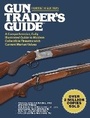
Gun Trader's Guide, Fortieth Edition
A Comprehensive, Fully Illustrated Guide to Modern Collectible Firearms with Current Market Values
40th Edition
Published on 2. October 2018
608 pages
978-1-5107-3839-3 (ISBN)
Description

If you are seeking a comprehensive reference for collectible gun values, the Gun Trader's Guide is the only book you need. For more than half a century, this guide has been the standard reference for collectors, curators, dealers, shooters, and gun enthusiasts. Updated annually, it remains the definitive source for making informed decisions on used firearms purchases. Included are extensive listings for handguns, shotguns, and rifles from some of the most popular manufacturers, including Beretta, Browning, Colt, Remington, Savage, Smith & Wesson, Winchester, and many more.
This fortieth edition boasts dozens of new entries since last year's edition and includes a complete index and a guide on how to properly and effectively use this book in order to find the market value for your collectible modern firearm. Determine the new prices for any firearm you want to sell or trade, whether its condition is in-box, excellent, or good. With new introductory materials that every gun collector and potential buyer should read, this book is the ultimate guide to purchasing classic or discontinued firearms. No matter what kind of modern firearm you own or collect, the Gun Trader's Guide should remain close at hand.
This fortieth edition boasts dozens of new entries since last year's edition and includes a complete index and a guide on how to properly and effectively use this book in order to find the market value for your collectible modern firearm. Determine the new prices for any firearm you want to sell or trade, whether its condition is in-box, excellent, or good. With new introductory materials that every gun collector and potential buyer should read, this book is the ultimate guide to purchasing classic or discontinued firearms. No matter what kind of modern firearm you own or collect, the Gun Trader's Guide should remain close at hand.
More details
Other editions
Additional editions
Robert A. Sadowski
Gun Trader's Guide, Fortieth Edition
A Comprehensive, Fully Illustrated Guide to Modern Collectible Firearms with Current Market Values
Book
10/2018
40th Edition
Skyhorse Publishing
€47.28
No shipping information available
Person
Robert A. Sadowski has written about firearms and hunting for nearly fifteen years. He is the author of several gun books, editor of three others, and contributor to numerous gun-enthusiast magazines, including Combat Handguns, Black Guns, Special Weapons for Military and Police, Gun Tests, Personal and Home Defense, GunHunter, SHOT Business, and others.
Content
- Intro
- Title Page
- Copyright
- Contents
- Introduction
- How to Use GTG
- Firearms Grading
- The Art of Gun Trading
- Gun Shows
- Online Buying and Selling
- Handguns
- Rifles
- Shotguns
- Index
