

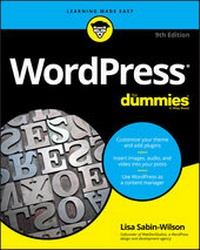
WordPress For Dummies
Description

WordPress For Dummies, 9th Edition helps readers discover the power of the WordPress web content building tool. Web builders have created 75 million websites using WordPress and this book will show you how to add your blogs and websites to that count.
WordPress For Dummies, 9th Edition drops you right into the fast lane to publishing your first website or blog by teaching you to:
· Customize a theme
· Create your first post
· Use WordPress as a content management system
· Work with multimedia formats
· Add plugins to your site
· Establish a publishing routine
Perfect for new bloggers, experienced bloggers converting to WordPress for the first time, and people accustomed to WordPress who want to learn more about the full potential of the technology, WordPress for Dummies, 9th Edition is an indispensable addition to the library of every blogger and webmaster.
More details
Other editions
Additional editions
Person
Content
Chapter 1
What WordPress Can Do for You
IN THIS CHAPTER
Seeing how WordPress can benefit you
Participating in the WordPress community
Understanding the different versions of WordPress
In a world in which technology advances in the blink of an eye, WordPress really does make building websites easy - and free! How else can you get your content out to a potential audience of millions worldwide and spend exactly nothing? There may be no such thing as a free lunch in this world, but you can bet your bottom dollar that there are free websites and blogs. WordPress serves them all up in one nifty package.
The software's free price tag, its ease of use, and the speed at which you can get your website up and running are great reasons to use WordPress to power your personal blog or business website. An even greater reason is the incredibly supportive and passionate WordPress community. In this chapter, I introduce you to the WordPress software so that you can begin to discover how effective it is as a tool for creating your website.
Discovering the Benefits of WordPress
I work with first-time website owners all the time - folks who are new to the idea of publishing content on the Internet. One of the questions I'm most frequently asked is "How can I run a website? I don't even know how to code or create websites."
Enter WordPress. You no longer need to worry about knowing the code because the WordPress software does the code part for you. When you log in to your website, you have to do only two simple things to publish your thoughts and ideas:
- Write your content.
- Click a button to publish your content.
That's it!
WordPress offers the following competitive advantages as the most popular content management tool on the market:
-
Diverse options: Two versions of WordPress are available to suit nearly every type of website owner:
- WordPress.com: A hosted turnkey solution; primarily used for blogging
- WordPress.org: A self-hosted version to install on the web server of your choice; used for building blogs and websites
I go into detail about each of these versions later in this chapter, in the "Choosing a WordPress Platform" section.
- Ease of use: WordPress setup is quick, and the software is easy to use.
- Extensibility: WordPress is extremely extensible, meaning that you can easily obtain plugins and tools that let you customize it to suit your purposes.
- Strong community of users: WordPress has a large and loyal members-helping-members community via public support forums, blogs, and websites geared to the use of WordPress.
The following sections fill in a few details about these features and point you to places in the book where you can find out more about them.
Getting set up the fast and easy way
WordPress is one of the only platforms that can brag about a five-minute installation - and stand behind it! Both versions of WordPress take you approximately the same amount of time to set up.
Mind you, five minutes is an approximate time for installing the WordPress.org software. This estimate doesn't include the time required to obtain domain registration and web-hosting services or to set up the options in the Dashboard. (You can find information on web-hosting services in Chapter 3.)
When you complete the installation, however, the world of WordPress awaits you. The Dashboard is well organized and easy on the eyes. Everything is clear and logical, making it easy for even a first-time user to see where to go to manage settings and options.
The WordPress software surely has enough meat on it to keep the most experienced developer busy and happy. At the same time, however, it's friendly enough to make a novice user giddy about how easy it is to get started. Each time you use WordPress, you can find out something exciting and new.
Extending WordPress's capabilities
I've found that the most exciting and fun part of running a WordPress website is exploring the flexibility of the software. Hundreds of plugins and themes (designs) are available to let you create a website that functions the way you need it to.
If you think of your website as a vacuum cleaner, plugins are the attachments. The attachments don't function alone. When you add them to your vacuum cleaner, however, you add to the functionality of your vacuum, possibly improving its performance.
All WordPress websites are pretty much the same at their core, so by using plugins, you can truly individualize your website by providing additional features and tools that benefit you and your readers. When you come upon a WordPress website that has some really different and cool functions, 98 percent of the time, you can include that function on your own website by using a WordPress plugin. If you don't know what plugin that website is using, try dropping the website owner an email or leave a comment. WordPress website owners usually are eager to share the great tools they discover.
Most plugins are available at no charge. You can find out more about WordPress plugins and where to get them in Chapter 7. Chapter 15 lists my top ten choices for popular WordPress plugins available for download.
In addition to using plugins, you can embellish your WordPress site with templates and themes. WordPress comes with a very nice default theme to get you started. Figure 1-1 shows the default Twenty Twenty theme, created by the team from WordPress, which is displayed by default after you install and set up your site for the first time.
FIGURE 1-1: Start a new WordPress website with a theme.
The theme's default style is minimal, with handy settings built into the Customizer that enable you to change the colors and insert an image to use as a header image. (You can find more about tweaking WordPress themes and the Customizer in Chapters 9 through 12.)
The Twenty Twenty theme (refer to Figure 1-1) includes all the basic elements that you need to start a new WordPress site. You can extend your WordPress site in a hundred ways with plugins and themes released by members of the WordPress community, but this default theme is a nice place to start.
Using some of the thousands of plugins and themes available, you can truly manage many kinds of content on your website. WordPress isn't just for blogging anymore (although it does still excel at it!). Although WordPress became well known as a blogging platform, you can use it to power diverse and dynamic websites that allow you to do things like develop an e-commerce site (selling products online), create a members-only site where your content is curated only for those who have registered and become members of your site, or create a large corporate business site like the one you can see in the Microsoft News Center at https://news.microsoft.com.
Using WordPress as a content management system (CMS) frees you from running only a blog on the platform. (See Chapter 12 for more about the technique of designing for WordPress as a CMS.)
Taking part in the community
Allow me to introduce you to the fiercely loyal folks who make up the user base, better known as the vast WordPress community. This band of merry ladies and gentlemen comes from all around the globe, from California to Cairo, Florida to Florence, and all points in between and beyond.
In March 2005, Matt Mullenweg of WordPress proudly proclaimed that the number of WordPress downloads had reached 900,000 - an amazing landmark in the history of the software. But the real excitement occurred in August 2006, when WordPress logged more than 1 million downloads, and in 2007, when the software had more than 3 million downloads. WordPress downloads have broken the ceiling since then, with more than 30 million downloads by the beginning of 2020, and the number is growing daily. WordPress is easily the most popular CMS available on the web today. By the first half of 2020, it powered approximately 35 percent of all the websites on the Internet in 2020 - roughly two of every six sites you encounter on the World Wide Web.
Don't let the sheer volume of users fool you: WordPress also has bragging rights to the most helpful community on the web. You can find users helping other users in the support forums at https://wordpress.org/support. You can also find users contributing to the very helpful WordPress Codex (a collection of how-to documents) at https://codex.wordpress.org. Finally, across the Internet, you can find multiple websites about WordPress itself, with users sharing their experiences and war stories in the hope of helping the next person who comes along.
You can subscribe to various mailing lists, too. These lists offer you the opportunity to become involved in various aspects of the WordPress community as well as in the ongoing development of the software.
Joining the WordPress community is easy: Simply start your own website by using one of the two WordPress software options. If you're already publishing on a different platform, such as Blogger or Movable Type, WordPress enables you to easily migrate your current data from that platform to a new...
