

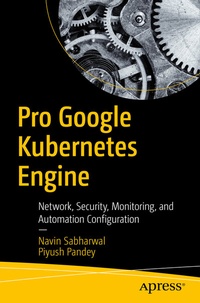
Pro Google Kubernetes Engine
Network, Security, Monitoring, and Automation Configuration
Published on 7. November 2020
XIV, 418 pages
978-1-4842-6243-6 (ISBN)
Description

Discover methodologies and best practices for getting started with Google Kubernetes Engine (GKE). This book helps you understand how GKE provides a fully managed environment to deploy and operate containerized applications on Google Cloud infrastructure.
You will see how Kubernetes makes it easier for users to manage clusters and the container ecosystem. And you will get detailed guidance on deploying and managing applications, handling administration of container clusters, managing policies, and monitoring cluster resources. You will learn how to operate the GKE environment through the GUI-based Google Cloud console and the "gcloud" command line interface.
What You Will Learn
Who This Book Is For
Architects, developers, and DevOps engineers who want to learn Google Kubernetes Engine
You will see how Kubernetes makes it easier for users to manage clusters and the container ecosystem. And you will get detailed guidance on deploying and managing applications, handling administration of container clusters, managing policies, and monitoring cluster resources. You will learn how to operate the GKE environment through the GUI-based Google Cloud console and the "gcloud" command line interface.
The book starts with an introduction to GKE and associated services. The authors provide hands-on examples to set up Container Registry and GKE Cluster, and you will follow through an application deployment on GKE. Later chapters focus on securing your GCP GKE environment, GKE monitoring anddashboarding, and CI/CD automation. All of the code presented in the book is provided in the form of scripts, which allow you to try out the examples and extend them in interesting ways.
What You Will Learn
-
Understand the main container services in GCP (Google Container Registry, Google Kubernetes Engine, Kubernetes Engine, Management Services)
- Perform hands-on steps to deploy, secure, scale, monitor, and automate your containerized environment
- Deploy a sample microservices application on GKE
- Deploy monitoring for your GKE environment
- Use DevOps automation in the CI/CD pipeline and integrate it with GKE
Who This Book Is For
Architects, developers, and DevOps engineers who want to learn Google Kubernetes Engine
More details
Series
Edition
1st ed.
Language
English
Place of publication
Berkeley
United States
Publishing group
APRESS
Target group
Professional and scholarly
Product notice
Reflowable
Illustrations
XIV, 418 p. 499 illus.
File size
25,17 MB
ISBN-13
978-1-4842-6243-6 (9781484262436)
DOI
10.1007/978-1-4842-6243-6
Schweitzer Classification
Other editions
Additional editions
Navin Sabharwal | Piyush Pandey
Pro Google Kubernetes Engine
Network, Security, Monitoring, and Automation Configuration
Book
11/2020
APress
€64.19
Shipment within 15-20 days
Persons
Navin Sabharwal
has more than 20 years of industry experience and is an innovator, thought leader, patent holder, and author in the areas of cloud computing, artificial intelligence and machine learning, public cloud, DevOps, AIOPS, infrastructure services, monitoring and management platforms, big data analytics, and software product development. He works at HCL Technologies and is responsible for DevOps, artificial intelligence, cloud life cycle management, service management, monitoring and management, IT Ops Analytics, AIOPs and machine learning, automation, operational efficiency of scaled delivery through Lean Ops, strategy, and delivery.
Piyush Pandey has more than 10 years of industry experience. He is currently working at HCL Technologies as Automation Architect, delivering solutions catering to hybrid cloud using cloud-native and third-party solutions. The automation solutions cover use cases such as Enterprise Observability, Infra as Code, Server Automation, Runbook Automation, Cloud Management Platform, Cloud Native Automation, and Dashboard/Visibility. He is responsible for designing end-to-end solutions and architecture for enterprise automation adoption.
Piyush Pandey has more than 10 years of industry experience. He is currently working at HCL Technologies as Automation Architect, delivering solutions catering to hybrid cloud using cloud-native and third-party solutions. The automation solutions cover use cases such as Enterprise Observability, Infra as Code, Server Automation, Runbook Automation, Cloud Management Platform, Cloud Native Automation, and Dashboard/Visibility. He is responsible for designing end-to-end solutions and architecture for enterprise automation adoption.
Content
Chapter 1: Introduction to GKE.- Chapter 2: Setting Up Environment on GCP.- Chapter 3: Container Image Management Using Google Container Registry.- Chapter 4: GKE Networking.- Chapter 5: Deploying Containerized Applications with GKE.- Chapter 6: GKE Security.- Chapter 7: GKE Dashboarding Using Stackdriver and Grafana.- Chapter 8: Monitoring Using Sysdig.- Chapter 9: GKE Monitoring Using Prometheus.- Chapter 10: Automation of GKE: Cluster, Application, and Monitoring Deployments.
