

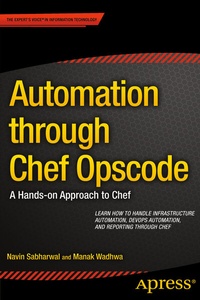
Automation through Chef Opscode
A Hands-on Approach to Chef
Published on 17. July 2014
XVII, 264 pages
978-1-4302-6296-1 (ISBN)
Description

Automation through Chef Opscode provides an in-depth understanding of Chef, which is written in Ruby and Erlang for configuration management, cloud infrastructure management, system administration, and network management.
Targeted at administrators, consultants, and architect, the book guides them through the advanced features of the tool which are necessary for infrastructure automation, devops automation, and reporting. The book presumes knowledge of Ruby and Erlang which are used as reference languages for creating recipes and cookbooks and as a refresher on them to help the reader get on speed with the flow of book.
The book provides step by step instructions on installation and configuration of Chef, usage scenarios of Chef, in infrastructure automation by providing common scenarios like virtual machine provisioning, OS configuration for Windows, Linux, and Unix, provisioning and configuration of web servers like Apache along with popular databases like MySQL.
It further elaborates on the creation of recipes, and cookbooks, which help in deployment of servers and applications to any physical, virtual, or cloud location, no matter the size of the infrastructure.
The books covers advanced features like LWRPs and Knife and also contains several illustrative sample cookbooks on MySQL, Apache, and CouchDB deployment using a step by step approach.
More details
Other editions
Additional editions
Book
07/2014
APress
€58.84
Shipment within 15-20 days
Persons
NavinSabharwal is an innovator, thought leader, author, andconsultant in the areas of reporting and Analytics, RDBMS technologiesincluding SQL Server, Oracle, MySQL, big data technologies, Hadoop, MongoDB,and SAP HANA. Navin has been using big data technologies in creating productsand services in the areas of IT service management, product development, cloudcomputing, cloud lifecycle management, and social network product development.He has created niche award-winning products and solutions and has filednumerous patents in diverse fields such as IT services, assessment engines,ranking algorithms, capacity planning engines, and knowledge management. Navinholds a Master's in Information Technology and is a Certified ProjectManagement Professional.
Content
- Intro
- Contents at a Glance
- Contents
- About the Authors
- About the Technical Reviewers
- Acknowledgments
- Introduction
- Chapter 1: Introduction
- Infrastructure as Code
- Overview
- Nodes
- Workstation
- Server
- Enterprise Chef
- Open Source Chef
- ChefSolo
- Cookbooks
- The Value of Chef
- Why Chef?
- Core Principles of Chef
- Idempotence
- Thick Client, Thick Server
- Order of Execution
- Who Uses Chef?
- Key Technologies
- Ruby
- Variables
- Working with Strings
- Arrays
- Operators
- Methods
- Erlang
- Overview
- Evolution and History
- Erlang Creation
- Erlang Features
- Concurrency
- Distributed
- Sequential Erlang
- Robust
- Software Upgrading in Running Systems
- Portability
- Chapter 2: The Chef Server
- The Chef Server
- Types of Chef Server
- Hosted Enterprise Chef
- Enterprise Chef
- Open Source Chef Server
- Extra Functionalities in Enterprise Chef
- Components of Open Source Chef Server
- Nginx
- Bookshelf
- WebUI
- Erchef
- Message Queue
- Chef Solr
- Postgresql
- Ports
- Chapter 3: Installation
- Install the Chef Server
- Prerequisite
- System Requirements
- Hardware Prerequisite
- Hostname
- Installation
- Steps
- Installation on a Virtual Machine
- Steps
- File System locations
- Configuration
- Optional Settings
- Bookshelf
- Chef Expander
- Chef Solr
- Update Frequency
- erChef
- Postgresql
- WebUI
- Chapter 4: Workstation
- Prerequisite
- Operating System Support
- Install and Configure a Workstation
- Identify the Operating System
- Install the Chef Client Package
- Copy the Key Files from the Chef Server
- Configure Knife
- Install Git (Optional)
- Place the Knife Configuration and Key Files in the .Chef Directory
- Verify the Workstation Configuration
- Chapter 5: Nodes
- Types of Nodes
- Node Names
- Manage Nodes
- Chef Client
- The Chef Run
- Get Configuration Details
- Authenticate with Chef Server
- Rebuild on the Node Object
- Expand the Run List
- Download the Cookbooks on the Node
- Reset Node Attributes
- Identify Resources
- Configure the Node
- Update the Node Object
- Install and Configure the Node
- Identify the Operating System
- Install the Chef Client Package
- Copy the Key Files from the Chef Server
- Bootstrap
- knife client show name_of_node.
- Configuring
- Chapter 6: Working with Knife
- Working with Knife
- Bootstrap
- Client
- Bulk Delete
- Create
- Delete
- Edit
- List
- Reregister
- Show
- Configure
- Cookbook
- Bulk Delete
- Create
- Delete
- Download
- List
- Show
- Test
- Upload
- Cookbook Site
- Download
- Install
- List
- Search
- Show
- Data Bag
- Delete
- Download
- Environment
- Node
- Recipe List
- Role
- Search
- Show
- SSH
- Tag
- Upload
- Chapter 7: Cookbooks
- Basics of Cookbooks
- Cookbook Directory Structure
- Recipes
- Working with Recipes
- Using Data Bags in a Recipe
- Encrypting Data Bag items
- Store Keys on Nodes
- Using Search Results in a Recipe
- Use Ruby in Recipes
- Assign a Value to a Variable
- Using the Case Statement
- Check for a Condition
- Unless Expression
- Include Recipes in Recipes
- Apply Recipes to Run List
- Exception Handlers and Log Files
- Tags
- Recipe DSL
- Platform?
- platform_family?
- value_for_platform?
- value_for_platform_family?
- Resources and Providers
- Resources Syntax
- Resources
- Cookbook_file
- cron
- Directory
- env
- execute
- file
- package
- powershell_script
- remote_file
- script
- service
- Template
- Attributes Files
- Attributes Types
- Attributes Methods
- Precedence
- Definitions
- Libraries
- Metadata
- Chapter 8: Using Cookbooks
- MySQL(4.1.2)
- Platform
- Dependencies
- Prerequisite
- Cookbook Download
- Cookbook Upload
- Client Run
- Nginx(2.4.2)
- Platform
- Dependencies
- Prerequisite
- Cookbook Download
- Cookbook Upload
- Client Run
- Squid (0.4.0)
- Platform
- Cookbook Download
- Cookbook Upload
- Client Run
- Wordpress(2.1.0)
- Platform
- Dependencies
- Prerequisite
- Cookbook Download
- Cookbook Upload
- Client Run
- Tomcat(0.15.0)
- Platform
- Dependencies
- Cookbook Download
- Cookbook Upload
- Client Run
- Chapter 9: Developing a Cookbook
- Developing Your First Cookbook
- Writing a Recipe
- Creating the Index File
- Changing the Metadata
- Uploading the Cookbook
- Running the Cookbook
- Add an Attribute
- Add a Resource to the Default Recipe
- Add the Template File
- Uploading and Running the Cookbook
- Using Environments
- Chapter 10: Lightweight Resource Providers
- Lightweight Resource Providers
- Chef-Maintained LWRPs
- Creating an LWRP
- Chapter 11: High Availability
- Prerequisite
- Setting Up HA
- Streaming Replication
- Setting Up Repmgr
- Master Node Settings
- Slave Node Settings
- Verifying
- Cookbook Replication
- Enterprise Chef HA
- Chapter 12: Cloud Provisioning Using Chef
- Provisioning Using Vagrant and Chef
- Providers and Provisioners
- Installing Vagrant
- Install Virtual Box
- Install Vagrant on Windows
- Verifying Vagrant Installation
- Configuring Vagrant
- Vagrant Boxes (OS Images)
- Two Methods to Download Vagrant Box
- Vagrantfile
- Provisioning a New Instance
- Connecting to a Virtual Machine
- Suspending the Virtual Machine
- Halting the Virtual Machine
- Destroying the Virtual Machine
- Installing Vagrant Plug-Ins
- Vagrant Provisioning Using Chef
- Chef Solo Provisioner
- Options
- Specifying a Run List
- Specifying Roles
- Using Data Bags
- Specifying Node Name
- Custom JSON Data
- Provisioning Chef Client
- Adding Run List
- Deleting the Node Details
- Verifying Chef Client Registration with Chef Server
- AWS and Chef Provisioning Using Vagrant
- Installing the Plug-ins
- Adding the AWS Box to Vagrant
- Vagrantfile for AWS Provisioner
- Provisioning Using Knife
- Knife EC2 Plug-ins
- Installing the Plug-in
- Configuring
- Knife Azure Plug-ins
- Configuring
- Chapter 13: Troubleshooting and Debugging
- Chef Troubleshooting and Debugging
- Debugging Chef Client Run
- Running Chef Client with an Empty Run List
- Running Chef Client in Debug Mode
- Using Chef Client Log Files
- Types of Log Errors
- Using Chef Handler Cookbook
- Debugging Recipes Using Logs
- Common Errors
- Cookbook Not Found
- Package Installation Error
- Using a Log Resource
- Debugging Recipes Using Chef Shell
- Configuring Chef Shell
- Debugging Recipes Using Breakpoint Resource
- Troubleshooting Chef Client
- Chef Client Fails to Run a Recipe Successfully at Bootstrapping
- Reregistering a Removed Client
- Issues Registering Chef Client with the Server
- 401 Unauthorized Errors
- Clock Synchronization Error
- No Such File or Directory: /etc/chef/validation.pem
- Cannot Find Config File
- Index
