

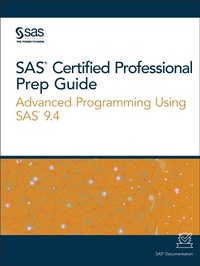
SAS Certified Professional Prep Guide
Advanced Programming Using SAS 9.4
SAS Institute (Publisher)
Published on 18. October 2019
430 pages
978-1-64295-468-5 (ISBN)
Description

The official guide by the SAS Global Certification Program, SAS Certified Professional Prep Guide: Advanced Programming Using SAS 9.4 prepares you to take the new SAS 9.4 Advanced Programming Performance-Based Exam.
New in this edition is a workbook whose sample scenarios require you to write code to solve problems and answer questions. Answers to the chapter quizzes and solutions to the sample scenarios in the workbook are included. You will also find links to exam objectives, practice exams, and other resources such as the Base SAS Glossary and a list of practice data sets. Major topics include SQL processing, SAS macro language processing, and advanced SAS programming techniques.
All exam topics are covered in the following chapters:
SQL Processing with SAS
- PROC SQL Fundamentals
- Creating and Managing Tables
- Joining Tables Using PROC SQL
- Joining Tables Using Set Operators
- Using Subqueries
- Advanced SQL Techniques
SAS Macro Language Processing
- Creating and Using Macro Variables
- Storing and Processing Text
- Working with Macro Programs
- Advanced Macro Techniques
Advanced SAS Programming Techniques
- Defining and Processing Arrays
- Processing Data Using Hash Objects
- Using SAS Utility Procedures
- Using Advanced Functions
Practice Programming Scenarios (Workbook)
More details
Other editions
Additional editions
SAS Certified Professional Prep Guide
Advanced Programming Using SAS 9.4
Book
10/2019
SAS Institute
€106.50
Shipment within 3-4 weeks
Person
Content
- Intro
- Contents
- How to Prepare for the Exam
- Requirements and Details
- Requirements
- Exam Objectives and Updates to This Book
- Take a Practice Exam
- Registering for the Exam
- Additional Resources for Learning SAS Programming
- Using Sample Data
- Setting Up Practice Data for SAS OnDemand for Academics
- Setting Up Practice Data in Other SAS Environments
- Accessibility Features of the Prep Guide
- Overview
- Accessibility Documentation Help
- Documentation Format
- SQL Processing with SAS
- PROC SQL Fundamentals
- PROC SQL Basics
- What Is PROC SQL?
- PROC SQL Syntax
- The PROC SQL SELECT Statement
- A Brief Overview
- SELECT Statement Syntax
- Example: Selecting Columns
- Example: Displaying All Columns Using SELECT *
- Example: Using the FEEDBACK Option
- Example: Creating a New Column
- Example: Eliminating Duplicate Rows from Output
- The FROM Clause
- FROM Clause Syntax
- Example: Querying a Single Table Using the FROM Clause
- The WHERE Clause
- A Brief Overview
- WHERE Clause Syntax
- Example: Using the WHERE Clause
- Subsetting Rows by Using Calculated Values
- Example: Using Calculated Values in a SELECT Clause
- Subsetting Rows Using Conditional Operators
- The GROUP BY Clause
- A Brief Overview
- GROUP BY Clause Syntax
- Example: Determine Total Number of Miles Using the SUM Function
- Number of Argument and Summary Function Processing
- Groups and Summary Function Processing
- SELECT Clause Columns and Summary Function Processing
- Example: Using a Summary Function with a Single Argument (Column)
- Example: Using a Summary Function with Multiple Arguments (Columns)
- Example: Using a Summary Function with Columns outside the Function
- Example: Using a Summary Function with a GROUP BY Clause
- Counting Values by Using the COUNT Summary Function
- Example: Counting All Rows in a Table
- Example: Counting Rows within Groups of Data
- Counting All Nonmissing Values in a Column
- Example: Counting All Unique Values in a Column
- Example: Listing All Unique Values in a Column
- The HAVING Clause
- A Brief Overview
- HAVING Clause Syntax
- Subsetting Grouped Data
- Example: Selecting Groups by Using the HAVING Clause
- Understanding Data Remerging
- The ORDER BY Clause
- A Brief Overview
- ORDER BY Clause Syntax
- Example: Ordering Rows by the Values of a Single Column
- Example: Ordering by Multiple Columns
- Example: Ordering Columns by Position
- PROC SQL Options
- A Brief Overview
- PROC SQL Statement Syntax
- Using Invocation Options
- Validating Query Syntax
- A Brief Overview
- Example: Using the NOEXEC Option
- Example: Using the VALIDATE Keyword
- Quiz
- Creating and Managing Tables
- The CREATE TABLE Statement
- A Brief Overview
- CREATE TABLE Statement Syntax
- Example: Creating an Empty Table by Defining Column Structure
- Specifying Data Types for Columns
- Specifying Column Widths
- Specifying Column Modifiers
- Example: Using Column Modifiers
- Using the LIKE Clause
- LIKE Clause Syntax
- Example: Creating an Empty Table That Is like Another
- Using the AS Keyword
- AS Keyword Syntax
- Example: Creating a Table from a Query Result
- The INSERT Statement
- A Brief Overview
- The SET Clause
- The VALUES Clause
- The INSERT Statement with SELECT and FROM Clauses
- The DESCRIBE TABLE Statement
- A Brief Overview
- DESCRIBE TABLE Statement Syntax
- Example: Displaying the Structure of a Table
- Using Dictionary Tables
- A Brief Overview
- Example: Exploring and Using Dictionary Tables
- Chapter Quiz
- Joining Tables Using PROC SQL
- Understanding Joins
- Generating a Cartesian Product
- Using Inner Joins
- A Brief Overview
- Inner Join Syntax
- Understanding How Joins Are Processed
- Example: Using a FROM Clause with the INNER JOIN Keyword
- Example: Eliminating Duplicate Columns
- Example: Renaming a Column by Using a Column Alias
- Example: Joining Tables That Have Rows with Matching Values
- Specifying a Table Alias
- Example: Complex PROC SQL Inner Join
- Example: PROC SQL Inner Join with Summary Functions
- Using Natural Joins
- A Brief Overview
- Natural Join Syntax
- Example: Using a Natural Join
- Using Outer Joins
- A Brief Overview
- Outer Join Syntax
- Example: Using a Left Outer Join
- Example: Eliminating Duplicate Columns in a Left Outer Join
- Example: Using a Right Outer Join
- Example: Using a Full Outer Join
- Example: Complex Outer Join
- Comparing SQL Joins and DATA Step Match-Merges
- A Brief Overview
- When All of the Values Match
- When Only Some of the Values Match
- COALESCE Function Syntax
- Example: Using the COALESCE Function
- Understanding the Advantages of PROC SQL Joins
- Quiz
- Joining Tables Using Set Operators
- Understanding Set Operators
- Introducing Set Operators
- Set Operator Syntax
- Example: The Basics of Using a Set Operator
- Using Multiple Set Operators
- Processing Unique versus Duplicate Rows
- Combining and Overlaying Columns
- Modifying Results Using Keywords
- Using the EXCEPT Set Operator
- A Brief Overview
- Example: Using the EXCEPT Operator Alone
- Example: Using the Keyword ALL with the EXCEPT Operator
- Example: Using the Keyword CORR with the EXCEPT Operator
- Example: Using the Keywords ALL and CORR with the EXCEPT Operator
- Example: EXCEPT Operator
- Using the INTERSECT Set Operator
- A Brief Overview
- Example: Using the INTERSECT Operator Alone
- Example: Using the Keyword ALL with the INTERSECT Set Operator
- Example: Using the Keyword CORR with the INTERSECT Set Operator
- Example: Using the Keywords ALL and CORR with the INTERSECT Set Operator
- Complex Example Using the INTERSECT Operator
- Using the UNION Set Operator
- A Brief Overview
- Example: Using the UNION Operator Alone
- Example: Using the Keyword ALL with the UNION Operator
- Example: Using the Keyword CORR with the UNION Operator
- Example: Using the Keywords ALL and CORR with the UNION Operator
- Example: Using the UNION Set Operator
- Example: Using a UNION Operator and Summary Functions
- Using the OUTER UNION Set Operator
- A Brief Overview
- Example: Using the OUTER UNION Operator Alone
- Example: Using the Keyword CORR with One OUTER UNION Operator
- Example: Using Two OUTER UNION Operators with the Keyword CORR
- Quiz
- Using Subqueries
- Subsetting Data Using Subqueries
- Introducing Subqueries
- Subsetting Data by Using Noncorrelated Subqueries
- Subsetting Data by Using Correlated Subqueries
- Creating and Managing Views Using PROC SQL
- A Brief Overview
- The CREATE VIEW Statement
- The DESCRIBE VIEW Statement
- Managing PROC SQL Views
- Updating PROC SQL Views
- The DROP VIEW Statement
- Quiz
- Advanced SQL Techniques
- Creating Data-Driven Macro Variables with PROC SQL
- Creating Data-Driven Macro Variables with the INTO Clause
- Displaying Macro Variable Values
- Removing Leading and Trailing Blanks
- Concatenating Values in Macro Variables
- Applying a Format to Character and Numeric Variables
- Accessing DBMS Data with SAS/ACCESS
- A Brief Overview
- SQL Pass-Through Facility
- SAS/ACCESS LIBNAME Engine
- The FedSQL Procedure
- A Brief Overview
- Comparing PROC FedSQL and PROC SQL
- PROC FEDSQL Syntax
- The LIBNAME Statement
- The LIMIT Clause
- The PUT Function
- System Options in FedSQL
- Quiz
- SAS Macro Language Processing
- Creating and Using Macro Variables
- Introducing Macro Variables
- A Brief Overview
- Example: Using Macro Variables
- The SAS Macro Facility
- SAS Processing of Macros
- Tokenization
- Macro Triggers
- Using Macro Variables
- Using User-Defined Macro Variables
- Using Automatic Macro Variables
- Troubleshooting Macro Variable References
- SYMBOLGEN Option Syntax
- Example: Using the SYMBOLGEN Option
- %PUT Statement Syntax
- Example: Using the %PUT Statement
- The %SYMDEL Statement
- Delimiting Macro Variable References
- A Brief Overview
- Example: Using a Delimiter to Reference Macro Variables
- Quiz
- Storing and Processing Text
- Processing Text with Macro Functions
- Using SAS Macro Functions to Manipulate Character Strings
- Macro Character Functions
- The %UPCASE Function
- The %SUBSTR Function
- The %INDEX Function
- The %SCAN Function
- Using SAS Functions with Macro Variables
- The %SYSFUNC Function
- The %EVAL Function
- The %SYSEVALF Function
- Using SAS Macro Functions to Mask Special Characters
- Macro Quoting Functions
- The %STR Function
- The %NRSTR Function
- The %SUPERQ Function
- The %BQUOTE Function
- Macro Q Functions
- Creating Macro Variables during PROC SQL Step Execution
- INTO Clause and the NOPRINT Option Syntax
- Example: Using the INTO Clause and the NOPRINT Option
- Example: Creating Variables with the INTO Clause
- Example: Creating a Delimited List of Values
- Creating Macro Variables during DATA Step Execution
- The CALL SYMPUTX Routine
- The PUT Function
- Referencing Macro Variables Indirectly
- Indirect References
- Example: Referencing Macro Variables Indirectly
- Example: Creating a Series of Macro Variables
- Quiz
- Working with Macro Programs
- Defining and Calling a Macro
- Defining a Macro
- Compiling a Macro
- Calling a Macro
- Macro Execution
- Passing Information into a Macro Using Parameters
- Macros That Include Positional Parameters
- Example: Using Positional Parameters to Create Macro Variables
- Macros That Include Keyword Parameters
- Example: Using Keyword Parameters to Create Macro Variables
- Macros That Include Mixed Parameter Lists
- Example: Using Mixed Parameters to Create Macro Variables
- Controlling Variable Scope
- Scope of Macro Variables
- The %GLOBAL Statement
- The %LOCAL Statement
- Nested Scope
- Debugging Macros
- The MPRINT System Option
- Comments in Macro Programs
- Conditional Processing
- The %IF-%THEN Statement and %ELSE Statement
- The %DO-%END Statement with the %IF-%THEN Statement
- Example: Using %IF-%THEN, %DO-%END with IF-THEN Statements
- Example: Controlling Text Copied to the Input Stack
- The MLOGIC System Option
- Iterative Processing
- The %DO Statement
- Example: Using the %DO Statement
- Example: Generating Complete Steps
- Quiz
- Advanced Macro Techniques
- Storing Macro Definitions in External Files
- The %INCLUDE Statement
- Example: Using the %INCLUDE Statement
- Understanding Session Compiled Macros
- Using the Autocall Facility
- A Brief Overview
- Creating an Autocall Library
- Example: Saving a Macro
- Default Autocall Library
- Example: Using the LOWCASE Macro
- Accessing Autocall Macros
- Data-Driven Macro Calls
- A Brief Overview
- The DOSUBL Function
- Example: Using the DOSUBL Function
- Quiz
- Advanced SAS Programming Techniques
- Defining and Processing Arrays
- Defining and Referencing One-Dimensional Arrays
- A Brief Overview
- ARRAY Statement Syntax
- Defining the Number of Elements
- Specifying the Array Elements
- Using Column Lists as Array Elements
- Referencing a One-Dimensional Array
- DO Statement Syntax
- Example: Processing Repetitive Code
- Handling an Unknown Number of Array Elements
- Using the DIM Function
- Compilation and Execution Phases for Array Processing
- Expanding Your Use of One-Dimensional Arrays
- Creating Character Columns with an Array
- Specifying Lower and Upper Bounds
- Assigning Initial Values to Arrays
- Example: Assigning Initial Values to Arrays
- Specifying Temporary Array Elements
- Example: Rotating Data
- Defining and Referencing Two-Dimensional Arrays
- A Brief Overview
- Example: Creating a Two-Dimensional Array with Initial Values
- Example: Creating a Two-Dimensional Array to Perform Table Lookup
- Quiz
- Processing Data Using Hash Objects
- Declaring Hash Objects
- A Brief Overview
- Key Components
- Data Components
- Declaring a Hash Object
- Hash Object Process
- Defining Hash Objects
- Hash Object Methods
- Defining a Hash Object
- Example: Defining a Hash Object
- Finding Key Values in a Hash Object
- The FIND Method
- Retrieving Matching Data
- Writing a Hash Object to a Table
- The ADD Method
- Example: Adding Key and Data Values
- The OUTPUT Method
- Controlling Output with the OUTPUT Method
- Avoiding Messages in the SAS Log
- Hash Object Processing
- Using Hash Iterator Objects
- What Is a Hash Iterator Object?
- Declaring and Defining a Hash Object and a Hash Iterator Object
- Retrieving Hash Object Data with the Hash Iterator Object
- Example: Using the Hash Iterator Object
- Quiz
- Using SAS Utility Procedures
- Creating Picture Formats with the FORMAT Procedure
- A Brief Overview
- PICTURE Statement Syntax
- Example: Using the PICTURE Statement
- Creating Custom Date, Time, and Datetime Formats Using Directives
- Specifying Date and Time Directives
- Example: Using Directives
- Creating Custom Numeric Formats
- Creating Functions with PROC FCMP
- A Brief Overview
- PROC FCMP Syntax
- CMPLIB= Option Syntax
- Example: Creating a Custom Character Function with One Argument
- Example: Creating a Custom Numeric Function with One Argument
- Example: Creating a Custom Character Function with Multiple Arguments
- Quiz
- Using Advanced Functions
- Using a Variety of Advanced Functions
- The LAG Function
- The COUNT/COUNTC/COUNTW Function
- The FIND/FINDC/FINDW Function
- Performing Pattern Matching with Perl Regular Expressions
- A Brief Overview
- Using Metacharacters
- Example: Using Metacharacters
- The PRXMATCH Function
- The PRXPARSE Function
- The PRXCHANGE Function
- Quiz
- Workbook
- Practice Programming Scenarios
- Differences between the Workbook and Certification Exam
- Scenario 1
- Directions
- Test Your Code
- Exam Objective
- Scenario 2
- Directions
- Test Your Code
- Exam Objective
- Scenario 3
- Directions
- Test Your Code
- Exam Objective
- Scenario 4
- Directions
- Test Your Code
- Exam Objective
- Scenario 5
- Directions
- Test Your Code
- Exam Objective
- Scenario 6
- Directions
- Test Your Code
- Exam Objective
- Scenario 7
- Directions
- Test Your Code
- Exam Objective
- Scenario 8
- Directions
- Test Your Code
- Exam Objective
- Scenario 9
- Directions
- Test Your Code
- Exam Objective
- Scenario 10
- Directions
- Test Your Code
- Exam Objective
- Solutions
- Chapter Quiz Answer Keys
- Chapter 1: PROC SQL Fundamentals
- Chapter 2: Creating and Managing Tables
- Chapter 3: Joining Tables Using PROC SQL
- Chapter 4: Joining Tables Using Set Operators
- Chapter 5: Using Subqueries
- Chapter 6: Advanced SQL Techniques
- Chapter 7: Creating and Using Macro Variables
- Chapter 8: Storing and Processing Text
- Chapter 9: Working with Macro Programs
- Chapter 10: Advanced Macro Techniques
- Chapter 11: Defining and Processing Arrays
- Chapter 12: Processing Data Using Hash Objects
- Chapter 13: Using SAS Utility Procedures
- Chapter 14: Using Advanced Functions
- Programming Scenario Solutions
- Scenario 1
- Code Solution
- Test Your Code Solution
- Scenario 2
- Code Solution
- Test Your Code Solution
- Scenario 3
- Code Solution
- Test Your Code Solution
- Scenario 4
- Code Solution
- Test Your Code Solution
- Scenario 5
- Code Solution
- Test Your Code Solution
- Scenario 6
- Code Solution
- Test Your Code Solution
- Scenario 7
- Code Solution
- Test Your Code Solution
- Scenario 8
- Code Solution
- Test Your Code Solution
- Scenario 9
- Code Solution
- Test Your Code Solution
- Scenario 10
- Code Solution
- Test Your Code Solution
- Recommended Reading
- Index
