

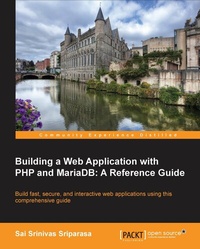
Building a Web Application with PHP and MariaDB: A Reference Guide
Build fast, secure, and interactive web applications using this comprehensive guide
Published on 8. July 2025
200 pages
978-1-78398-163-2 (ISBN)
Description

Key Features
Book DescriptionThis is a step-by-step, tutorial guide designed to help readers transition from beginners to more experienced developers using clear explanations. The variety of examples will help readers build, secure, and host real-time web applications. If you are a developer who wants to use PHP and MariaDB to build web applications, this book is ideal for you. Beginners can use this book to start with the basics and learn how to build and host web applications. Seasoned PHP Developers can use this book to get familiar with the new features of PHP 5.4 and 5.5, unit testing, caching, security, and performance optimization.What you will learn
Grasp basic as well as advanced programming techniques with PHP and MariaDB
Perform CRUD operations, aggregations, filtering, and joins
Execute DDL operations and work with stored procedures, stored routines, and triggers
Employ concepts of objectoriented programming in PHP
Get acquainted with the latest features offered by PHP 5.4 and 5.5
Work with unit testing
Conduct file operations and logging with PHP
Implement authentication and ACLs
Improve performance optimization and security
Who this book is for
Book DescriptionThis is a step-by-step, tutorial guide designed to help readers transition from beginners to more experienced developers using clear explanations. The variety of examples will help readers build, secure, and host real-time web applications. If you are a developer who wants to use PHP and MariaDB to build web applications, this book is ideal for you. Beginners can use this book to start with the basics and learn how to build and host web applications. Seasoned PHP Developers can use this book to get familiar with the new features of PHP 5.4 and 5.5, unit testing, caching, security, and performance optimization.What you will learn
Grasp basic as well as advanced programming techniques with PHP and MariaDB
Perform CRUD operations, aggregations, filtering, and joins
Execute DDL operations and work with stored procedures, stored routines, and triggers
Employ concepts of objectoriented programming in PHP
Get acquainted with the latest features offered by PHP 5.4 and 5.5
Work with unit testing
Conduct file operations and logging with PHP
Implement authentication and ACLs
Improve performance optimization and security
Who this book is for
All prices
More details
Edition
Digital original
Language
English
Place of publication
Birmingham
United Kingdom
Target group
Professional and scholarly
US School Grade: College Graduate Student
Edition type
Digital original
File size
4,14 MB
ISBN-13
978-1-78398-163-2 (9781783981632)
Copyright in bibliographic data and cover images is held by Nielsen Book Services Limited or by the publishers or by their respective licensors: all rights reserved.
Schweitzer Classification
Other editions
Additional editions
Sai Sriparasa
Building a Web Application with PHP and Mariadb
Book
06/2014
Packt Publishing
€46.30
Shipment within 3-4 weeks
Person
S Sriparasa Sai :
Sai Srinivas Sriparasa is a web developer and an open source evangelist living in the Stamford area. Sai was the lead developer for building Dr. Oz's website, and has led teams for companies such as Sprint Nextel, West Interactive, and Apple. Sai's repertoire includes JavaScript, PHP, Python, HTML5, responsive web development, ASP.NET, C#, and Silverlight.
Sai Srinivas Sriparasa is a web developer and an open source evangelist living in the Stamford area. Sai was the lead developer for building Dr. Oz's website, and has led teams for companies such as Sprint Nextel, West Interactive, and Apple. Sai's repertoire includes JavaScript, PHP, Python, HTML5, responsive web development, ASP.NET, C#, and Silverlight.
Content
Table of Contents
Installation of PHP, MariaDB & Apache
CRUD Operations, Sorting, Filtering and Joins on MariaDB
Advanced Concepts - MariaDB
Basic Programming with PHP
Advanced Programming with PHP
Setting up a Student Portal
Working with Files and Directories
Authentication and Access Controls
Caching
REST API
Security
Performance Optimization
Installation of PHP, MariaDB & Apache
CRUD Operations, Sorting, Filtering and Joins on MariaDB
Advanced Concepts - MariaDB
Basic Programming with PHP
Advanced Programming with PHP
Setting up a Student Portal
Working with Files and Directories
Authentication and Access Controls
Caching
REST API
Security
Performance Optimization

