

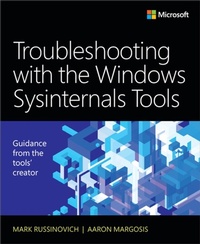
Troubleshooting with the Windows Sysinternals Tools
2nd Edition
Published on 10. October 2016
648 pages
978-0-13-398650-1 (ISBN)
Description

Optimize Windows system reliability and performance with Sysinternals
IT pros and power users consider the free Windows Sysinternals tools indispensable for diagnosing, troubleshooting, and deeply understanding the Windows platform. In this extensively updated guide, Sysinternals creator Mark Russinovich and Windows expert Aaron Margosis help you use these powerful tools to optimize any Windows system's reliability, efficiency, performance, and security. The authors first explain Sysinternals' capabilities and help you get started fast. Next, they offer in-depth coverage of each major tool, from Process Explorer and Process Monitor to Sysinternals' security and file utilities. Then, building on this knowledge, they show the tools being used to solve real-world cases involving error messages, hangs, sluggishness, malware infections, and much more.
Windows Sysinternals creator Mark Russinovich and Aaron Margosis show you how to:
Use Process Explorer to display detailed process and system information
Use Process Monitor to capture low-level system events, and quickly filter the output to narrow down root causes
List, categorize, and manage software that starts when you start or sign in to your computer, or when you run Microsoft Office or Internet Explorer
Verify digital signatures of files, of running programs, and of the modules loaded in those programs
Use Autoruns, Process Explorer, Sigcheck, and Process Monitor features that can identify and clean malware infestations
Inspect permissions on files, keys, services, shares, and other objects
Use Sysmon to monitor security-relevant events across your network
Generate memory dumps when a process meets specified criteria
Execute processes remotely, and close files that were opened remotely
Manage Active Directory objects and trace LDAP API calls
Capture detailed data about processors, memory, and clocks
Troubleshoot unbootable devices, file-in-use errors, unexplained communication, and many other problems
Understand Windows core concepts that aren't well-documented elsewhere
IT pros and power users consider the free Windows Sysinternals tools indispensable for diagnosing, troubleshooting, and deeply understanding the Windows platform. In this extensively updated guide, Sysinternals creator Mark Russinovich and Windows expert Aaron Margosis help you use these powerful tools to optimize any Windows system's reliability, efficiency, performance, and security. The authors first explain Sysinternals' capabilities and help you get started fast. Next, they offer in-depth coverage of each major tool, from Process Explorer and Process Monitor to Sysinternals' security and file utilities. Then, building on this knowledge, they show the tools being used to solve real-world cases involving error messages, hangs, sluggishness, malware infections, and much more.
Windows Sysinternals creator Mark Russinovich and Aaron Margosis show you how to:
Use Process Explorer to display detailed process and system information
Use Process Monitor to capture low-level system events, and quickly filter the output to narrow down root causes
List, categorize, and manage software that starts when you start or sign in to your computer, or when you run Microsoft Office or Internet Explorer
Verify digital signatures of files, of running programs, and of the modules loaded in those programs
Use Autoruns, Process Explorer, Sigcheck, and Process Monitor features that can identify and clean malware infestations
Inspect permissions on files, keys, services, shares, and other objects
Use Sysmon to monitor security-relevant events across your network
Generate memory dumps when a process meets specified criteria
Execute processes remotely, and close files that were opened remotely
Manage Active Directory objects and trace LDAP API calls
Capture detailed data about processors, memory, and clocks
Troubleshoot unbootable devices, file-in-use errors, unexplained communication, and many other problems
Understand Windows core concepts that aren't well-documented elsewhere
All prices
More details
Edition
2nd edition
Language
English
Place of publication
Boston
United States
Publishing group
Pearson Education (US)
Target group
Professional and scholarly
File size
30,35 MB
ISBN-13
978-0-13-398650-1 (9780133986501)
Copyright in bibliographic data and cover images is held by Nielsen Book Services Limited or by the publishers or by their respective licensors: all rights reserved.
Schweitzer Classification
Other editions
Additional editions
Mark Russinovich | Mark E. Russinovich | Aaron Margosis
Troubleshooting with the Windows Sysinternals Tools
Book
11/2016
2nd Edition
Microsoft Press
€48.99
Shipment within 10-20 days
Persons
Mark Russinovich is Chief Technology Officer of Microsoft Azure, where he oversees the technical strategy and architecture of Microsoft's cloud computing platform. He is a widely recognized expert in distributed systems, operating system internals, and cybersecurity. He is the author of the Jeff Aiken cyberthriller novels, Zero Day, Trojan Horse, and Rogue Code, and co-author of the Microsoft Press Windows Internals books. Russinovich joined Microsoft in 2006 when Microsoft acquired Winternals Software, the company he cofounded in 1996, as well as Sysinternals, where he authors and publishes dozens of popular Windows administration and diagnostic utilities. He is a featured speaker at major industry conferences, including Microsoft Ignite, Microsoft //build, RSA Conference, and more.
Aaron Margosis is a Principal Consultant with Microsoft's Global Cybersecurity Practice, where he has worked with security-conscious customers since 1999. Aaron specializes in Windows security, least-privilege, application compatibility, and the configuration of locked-down environments. He is a top speaker at Microsoft conferences, and created many of the tools commonly used by organizations implementing high-security environments, including LUA Buglight, Policy Analyzer, IE Zone Analyzer, LGPO.exe (Local Group Policy Object utility), and MakeMeAdmin, which can be downloaded through his blog (https://blogs.msdn.microsoft.com/aaron_margosis) or through two team blogs for which he is a primary author (https://blogs.technet.microsoft.com/fdcc and https://blogs.technet.microsoft.com/SecGuide).
Aaron Margosis is a Principal Consultant with Microsoft's Global Cybersecurity Practice, where he has worked with security-conscious customers since 1999. Aaron specializes in Windows security, least-privilege, application compatibility, and the configuration of locked-down environments. He is a top speaker at Microsoft conferences, and created many of the tools commonly used by organizations implementing high-security environments, including LUA Buglight, Policy Analyzer, IE Zone Analyzer, LGPO.exe (Local Group Policy Object utility), and MakeMeAdmin, which can be downloaded through his blog (https://blogs.msdn.microsoft.com/aaron_margosis) or through two team blogs for which he is a primary author (https://blogs.technet.microsoft.com/fdcc and https://blogs.technet.microsoft.com/SecGuide).
Content
Part I Getting started
Chapter 1 Getting started with the Sysinternals utilities
Overview of the utilities
The Windows Sysinternals website
Sysinternals license information
Chapter 2 Windows core concepts
Administrative rights
Processes, threads, and jobs
User mode and kernel mode
Handles
Application isolation
Call stacks and symbols
Sessions, window stations, desktops, and window messages
Chapter 3 Process Explorer
Procexp overview
Main window
DLLs and handles
Process details
Thread details
Verifying image signatures
VirusTotal analysis
System information
Display options
Procexp as a Task Manager replacement
Miscellaneous features
Keyboard shortcut reference
Chapter 4 Autoruns
Autoruns fundamentals
Autostart categories
Saving and comparing results
AutorunsC
Autoruns and malware
Part II Usage guide
Chapter 5 Process Monitor
Getting started with Procmon
Events
Filtering, highlighting, and bookmarking
Process Tree
Saving and opening Procmon traces
Logging boot, post-logoff, and shutdown activity
Long-running traces and controlling log sizes
Importing and exporting configuration settings
Automating Procmon: command-line options
Analysis tools
Injecting custom debug output into Procmon traces
Toolbar reference
Chapter 6 ProcDump
Command-line syntax
Specifying which process to monitor
Specifying the dump file path
Specifying criteria for a dump
Monitoring exceptions
Dump file options
Miniplus dumps
ProcDump and Procmon: Better together
Running ProcDump noninteractively
Viewing the dump in the debugger
Chapter 7 PsTools
Common features
PsExec
PsFile
PsGetSid
PsInfo
PsKill
PsList
PsLoggedOn
PsLogList
PsPasswd
PsService
PsShutdown
PsSuspend
PsTools command-line syntax
PsTools system requirements
Chapter 8 Process and diagnostic utilities
VMMap
DebugView
LiveKd
ListDLLs
Handle
Chapter 9 Security utilities
SigCheck
AccessChk
Sysmon
AccessEnum
ShareEnum
ShellRunAs
Autologon
LogonSessions
SDelete
Chapter 10 Active Directory utilities
AdExplorer
AdInsight
AdRestore
Chapter 11 Desktop utilities
BgInfo
Desktops.
ZoomIt
Chapter 12 File utilities
Strings
Streams
NTFS link utilities
Disk Usage (DU)
Post-reboot file operation utilities
Chapter 13 Disk utilities
Disk2Vhd
Sync
DiskView
Contig
DiskExt
LDMDump
VolumeID
Chapter 14 Network and communication utilities
PsPing
TCPView
Whois
Chapter 15 System information utilities
RAMMap
Registry Usage (RU)
CoreInfo
WinObj
LoadOrder
PipeList
ClockRes
Chapter 16 Miscellaneous utilities
RegJump
Hex2Dec
RegDelNull
Bluescreen Screen Saver
Ctrl2Cap
Part III Troubleshooting-"The Case of the
Unexplained..."
Chapter 17 Error messages
Troubleshooting error messages
The Case of the Locked Folder
The Case of the File In Use Error
The Case of the Unknown Photo Viewer Error
The Case of the Failing ActiveX Registration
The Case of the Failed Play-To
The Case of the Installation Failure
The Case of the Unreadable Text Files
The Case of the Missing Folder Association
The Case of the Temporary Registry Profiles
The Case of the Office RMS Error
The Case of the Failed Forest Functional Level Raise
Chapter 18 Crashes
Troubleshooting crashes
The Case of the Failed AV Update
The Case of the Crashing Proksi Utility
The Case of the Failed Network Location Awareness Service
The Case of the Failed EMET Upgrade
The Case of the Missing Crash Dump
The Case of the Random Sluggishness
Chapter 19 Hangs and sluggish performance
Troubleshooting hangs and sluggish performance
The Case of the IExplore-Pegged CPU
The Case of the Runaway Website
The Case of the Excessive ReadyBoost
The Case of the Stuttering Laptop Blu-ray Player
The Case of the Company 15-Minute Logons
The Case of the Hanging PayPal Emails
The Case of the Hanging Accounting Software
The Case of the Slow Keynote Demo
The Case of the Slow Project File Opens
The Compound Case of the Outlook Hangs
Chapter 20 Malware
Troubleshooting malware
Stuxnet
The Case of the Strange Reboots
The Case of the Fake Java Updater
The Case of the Winwebsec Scareware
The Case of the Runaway GPU
The Case of the Unexplained FTP Connections
The Case of the Misconfigured Service
The Case of the Sysinternals-Blocking Malware
The Case of the Process-Killing Malware
The Case of the Fake System Component
The Case of the Mysterious ASEP
Chapter 21 Understanding system behavior
The Case of the Q: Drive
The Case of the Unexplained Network Connections
The Case of the Short-Lived Processes
The Case of the App Install Recorder
The Case of the Unknown NTLM Communications
Chapter 22 Developer troubleshooting
The Case of the Broken Kerberos Delegation
The Case of the ProcDump Memory Leak
Chapter 1 Getting started with the Sysinternals utilities
Overview of the utilities
The Windows Sysinternals website
Sysinternals license information
Chapter 2 Windows core concepts
Administrative rights
Processes, threads, and jobs
User mode and kernel mode
Handles
Application isolation
Call stacks and symbols
Sessions, window stations, desktops, and window messages
Chapter 3 Process Explorer
Procexp overview
Main window
DLLs and handles
Process details
Thread details
Verifying image signatures
VirusTotal analysis
System information
Display options
Procexp as a Task Manager replacement
Miscellaneous features
Keyboard shortcut reference
Chapter 4 Autoruns
Autoruns fundamentals
Autostart categories
Saving and comparing results
AutorunsC
Autoruns and malware
Part II Usage guide
Chapter 5 Process Monitor
Getting started with Procmon
Events
Filtering, highlighting, and bookmarking
Process Tree
Saving and opening Procmon traces
Logging boot, post-logoff, and shutdown activity
Long-running traces and controlling log sizes
Importing and exporting configuration settings
Automating Procmon: command-line options
Analysis tools
Injecting custom debug output into Procmon traces
Toolbar reference
Chapter 6 ProcDump
Command-line syntax
Specifying which process to monitor
Specifying the dump file path
Specifying criteria for a dump
Monitoring exceptions
Dump file options
Miniplus dumps
ProcDump and Procmon: Better together
Running ProcDump noninteractively
Viewing the dump in the debugger
Chapter 7 PsTools
Common features
PsExec
PsFile
PsGetSid
PsInfo
PsKill
PsList
PsLoggedOn
PsLogList
PsPasswd
PsService
PsShutdown
PsSuspend
PsTools command-line syntax
PsTools system requirements
Chapter 8 Process and diagnostic utilities
VMMap
DebugView
LiveKd
ListDLLs
Handle
Chapter 9 Security utilities
SigCheck
AccessChk
Sysmon
AccessEnum
ShareEnum
ShellRunAs
Autologon
LogonSessions
SDelete
Chapter 10 Active Directory utilities
AdExplorer
AdInsight
AdRestore
Chapter 11 Desktop utilities
BgInfo
Desktops.
ZoomIt
Chapter 12 File utilities
Strings
Streams
NTFS link utilities
Disk Usage (DU)
Post-reboot file operation utilities
Chapter 13 Disk utilities
Disk2Vhd
Sync
DiskView
Contig
DiskExt
LDMDump
VolumeID
Chapter 14 Network and communication utilities
PsPing
TCPView
Whois
Chapter 15 System information utilities
RAMMap
Registry Usage (RU)
CoreInfo
WinObj
LoadOrder
PipeList
ClockRes
Chapter 16 Miscellaneous utilities
RegJump
Hex2Dec
RegDelNull
Bluescreen Screen Saver
Ctrl2Cap
Part III Troubleshooting-"The Case of the
Unexplained..."
Chapter 17 Error messages
Troubleshooting error messages
The Case of the Locked Folder
The Case of the File In Use Error
The Case of the Unknown Photo Viewer Error
The Case of the Failing ActiveX Registration
The Case of the Failed Play-To
The Case of the Installation Failure
The Case of the Unreadable Text Files
The Case of the Missing Folder Association
The Case of the Temporary Registry Profiles
The Case of the Office RMS Error
The Case of the Failed Forest Functional Level Raise
Chapter 18 Crashes
Troubleshooting crashes
The Case of the Failed AV Update
The Case of the Crashing Proksi Utility
The Case of the Failed Network Location Awareness Service
The Case of the Failed EMET Upgrade
The Case of the Missing Crash Dump
The Case of the Random Sluggishness
Chapter 19 Hangs and sluggish performance
Troubleshooting hangs and sluggish performance
The Case of the IExplore-Pegged CPU
The Case of the Runaway Website
The Case of the Excessive ReadyBoost
The Case of the Stuttering Laptop Blu-ray Player
The Case of the Company 15-Minute Logons
The Case of the Hanging PayPal Emails
The Case of the Hanging Accounting Software
The Case of the Slow Keynote Demo
The Case of the Slow Project File Opens
The Compound Case of the Outlook Hangs
Chapter 20 Malware
Troubleshooting malware
Stuxnet
The Case of the Strange Reboots
The Case of the Fake Java Updater
The Case of the Winwebsec Scareware
The Case of the Runaway GPU
The Case of the Unexplained FTP Connections
The Case of the Misconfigured Service
The Case of the Sysinternals-Blocking Malware
The Case of the Process-Killing Malware
The Case of the Fake System Component
The Case of the Mysterious ASEP
Chapter 21 Understanding system behavior
The Case of the Q: Drive
The Case of the Unexplained Network Connections
The Case of the Short-Lived Processes
The Case of the App Install Recorder
The Case of the Unknown NTLM Communications
Chapter 22 Developer troubleshooting
The Case of the Broken Kerberos Delegation
The Case of the ProcDump Memory Leak
