

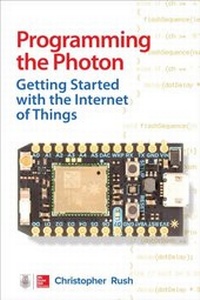
Programming the Photon: Getting Started with the Internet of Things
1st Edition
Published on 8. April 2016
206 pages
978-0-07-184707-0 (ISBN)
Available for download
Description

Explore the Internet of Things and build useful, functioning Photon projects Quickly learn to construct your own electronics devices and control them over the Internet with help from this DIY guide. Programming the Photon: Getting Started with the Internet of Things features clear explanations and step-by-step examples that use inexpensive, easy-to-find components. Discover how to connect to Wi-Fi networks, attach hardware to I/O ports, write custom programs, and work from the cloud. You will learn how to troubleshoot and tweak your Photon creations even interface with social media sites! Set up your Photon board and connect to the Particle cloud Start constructing and programming custom IoT projects Learn the syntax of both the C and Arduino languages Incorporate switches, sensors, and other input devices Control hardware through the Photon s outputs Control your creations through the Internet Add functions with Particle shields and add-on boards Link real-time data to your board via the IFTTT Web Service Integrate with websites Facebook, Twitter, Gmail, and more!
More details
Other editions
Additional editions
Christopher Rush
Programming the Photon: Getting Started with the Internet of Things
Getting Started with the Internet of Things
Book
04/2016
McGraw-Hill Professional
€23.10
Shipment within 15-20 days
Content
- Cover Page
- Halftitle Page
- Title Page
- Copyright Page
- About the Author
- Contents at a Glance
- Contents
- Preface
- Acknowledgments
- Chapter 1 Introduction to the Photon
- Microcontrollers
- So, What Is the Photon?
- Particle Photon versus Spark Core
- The Internet of Things
- Particle Cloud
- The Photon Board
- Summary
- Chapter 2 Getting Connected
- Board Features
- Getting Connected
- Connecting to Mobile Smart Device
- Connecting over USB
- Using Tinker
- Tinker API
- Running Tinker Alongside Your Scripts
- Using the Particle Web IDE
- Particle Applications and Libraries
- Uploading Your First Application
- Account Information
- Using Libraries
- Photon's Firmware
- Summary
- Chapter 3 Particle Syntax
- What Is Programming?
- Variables
- Floats
- Boolean
- Char
- Commands
- The if Statement
- for Loops
- while Loops
- Arrays
- Strings
- Coding Best Practices
- Indentation
- Commenting Your Code
- Whitespaces
- Summary
- Chapter 4 Outputs
- Digital Outputs
- Flashing an LED
- LCD Display
- Analog Outputs
- Summary
- Chapter 5 Inputs
- Digital Inputs
- digitalRead ()
- Analog Inputs
- Summary
- Chapter 6 The Internet of Things
- Functions
- Controlling an LED over the Internet
- Reading Values over the Internet
- Summary
- Chapter 7 Programming Particle Shields
- Shield Shield
- Relay Shield
- Programmer Shield
- Power Shield
- The Internet Button
- Grove Starter Kit for Photon
- Adafruit Particle NeoPixel Ring Kit
- Summary
- Chapter 8 IFTTT
- If This Then That
- Sunrise E-mail Alert
- Create a Twitter Alert Using Grove Modules
- Summary
- Chapter 9 Troubleshooting Your Device
- Device Modes
- Troubleshooting Modes
- Summary
- Appendix A Tools and Tips
- Breadboards and Prototyping Boards
- Multimeter
- Soldering
- Analog versus Digital
- Suppliers
- Components
- Resistors
- Semiconductors
- Hardware and Miscellaneous
- Appendix B Particle Code Reference
- Setup
- Loop
- analogRead
- analogWrite
- digitalRead
- digitalWrite
- if
- else
- int
- pinMode
- servo.attach
- servo.write
- Index

