

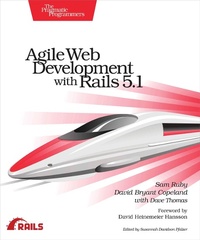
Agile Web Development with Rails 5.1
Description

Learn Rails the way the Rails core team recommends it, along with the tens of thousands of developers who have used this broad, far-reaching tutorial and reference. If you''re new to Rails, you''ll get step-by-step guidance. If you''re an experienced developer, get the comprehensive, insider information you need for the latest version of Ruby on Rails. The new edition of this award-winning classic is completely updated for Rails 5.1 and Ruby 2.4, with information on system testing, Webpack, and advanced JavaScript.
Ruby on Rails helps you produce high-quality, beautiful-looking web applications quickly---you concentrate on creating the application, and Rails takes care of the details. Rails 5.1 brings many improvements, and this edition is updated to cover the new features and changes in best practices.
We start with a step-by-step walkthrough of building a real application, and in-depth chapters look at the built-in Rails features. Follow along with an extended tutorial as you write a web-based store application. Eliminate tedious configuration and housekeeping; seamlessly incorporate Ajax and JavaScript; send emails and manage background jobs with ActiveJob; build real-time features using WebSockets and ActionCable. Test your applications as you write them using the built-in unit, integration, and system testing frameworks; internationalize your applications; and deploy your applications easily and securely. New in this edition is support for Webpack and advanced JavaScript, as well as Rails'' new browser-based system testing.
Rails 1.0 was released in December 2005. This book was there from the start, and didn''t just evolve alongside Rails, it evolved with Rails. It has been developed in consultation with the Rails core team. In fact, Rails itself is tested against the code in this book.
What You Need:
All you need is a Windows, Mac OS X, or Linux machine to do development on. This book will take you through the steps to install Rails and its dependencies. If you aren''t familiar with the Ruby programming language, this book contains a chapter that covers the basics necessary to understand the material in the book.
More details
Other editions
Additional editions
Content
- Cover
- Table of Contents
- Foreword to the Rails 5 Edition
- Preface to the Rails 5.1 Edition
- Acknowledgments
- Introduction
- Rails Simply Feels Right
- Rails Is Agile
- Who This Book Is For
- How to Read This Book
- Part I-Getting Started
- 1. Installing Rails
- Installing on Cloud9
- Installing on a Virtual Machine
- Installing on Windows
- Installing on Mac OS X
- Installing on Linux
- Choosing a Rails Version
- Setting Up Your Development Environment
- Rails and Databases
- 2. Instant Gratification
- Creating a New Application
- Hello, Rails!
- Linking Pages Together
- When Things Go Wrong
- 3. The Architecture of Rails Applications
- Models, Views, and Controllers
- Rails Model Support
- Action Pack: The View and Controller
- 4. Introduction to Ruby
- Ruby Is an Object-Oriented Language
- Data Types
- Logic
- Organizing Structures
- Marshaling Objects
- Pulling It All Together
- Ruby Idioms
- Part II-Building an Application
- 5. The Depot Application
- Incremental Development
- What Depot Does
- Let's Code
- 6. Task A: Creating the Application
- Iteration A1: Creating the Product Maintenance Application
- Iteration A2: Making Prettier Listings
- 7. Task B: Validation and Unit Testing
- Iteration B1: Validating!
- Iteration B2: Unit Testing of Models
- 8. Task C: Catalog Display
- Iteration C1: Creating the Catalog Listing
- Iteration C2: Adding a Page Layout
- Iteration C3: Using a Helper to Format the Price
- Iteration C4: Functional Testing of Controllers
- Iteration C5: Caching of Partial Results
- 9. Task D: Cart Creation
- Iteration D1: Finding a Cart
- Iteration D2: Connecting Products to Carts
- Iteration D3: Adding a Button
- 10. Task E: A Smarter Cart
- Iteration E1: Creating a Smarter Cart
- Iteration E2: Handling Errors
- Iteration E3: Finishing the Cart
- 11. Task F: Add a Dash of Ajax
- Iteration F1: Moving the Cart
- Iteration F2: Creating an Ajax-Based Cart
- Iteration F3: Highlighting Changes
- Iteration F4: Hiding an Empty Cart with a Custom Helper
- Iteration F5: Broadcasting Updates with Action Cable
- 12. Task G: Check Out!
- Iteration G1: Capturing an Order
- Iteration G2: Atom Feeds
- 13. Task H: Entering Additional Payment Details
- Iteration H1: Adding Fields Dynamically to a Form
- Iteration H2: Testing Our JavaScript Functionality
- 14. Task I: Processing Emails and Payments Efficiently
- Iteration I1: Sending Confirmation Emails
- Iteration I2: Connecting to a Slow Payment Processor with Active Job
- 15. Task J: Logging In
- Iteration J1: Adding Users
- Iteration J2: Authenticating Users
- Iteration J3: Limiting Access
- Iteration J4: Adding a Sidebar, More Administration
- 16. Task K: Internationalization
- Iteration K1: Selecting the Locale
- Iteration K2: Translating the Storefront
- Iteration K3: Translating Checkout
- Iteration K4: Adding a Locale Switcher
- 17. Task L: Deployment and Production
- Iteration L1: Deploying with Phusion Passenger and MySQL
- Iteration L2: Deploying Remotely with Capistrano
- Iteration L3: Checking Up on a Deployed Application
- Iteration L4: Deploying with Fewer Steps on Heroku
- 18. Depot Retrospective
- Rails Concepts
- Documenting What We've Done
- Part III-Rails in Depth
- 19. Finding Your Way Around Rails
- Where Things Go
- Naming Conventions
- 20. Active Record
- Defining Your Data
- Locating and Traversing Records
- Creating, Reading, Updating, and Deleting (CRUD)
- Participating in the Monitoring Process
- Transactions
- 21. Action Dispatch and Action Controller
- Dispatching Requests to Controllers
- Processing of Requests
- Objects and Operations That Span Requests
- 22. Action View
- Using Templates
- Generating Forms
- Processing Forms
- Uploading Files to Rails Applications
- Using Helpers
- Reducing Maintenance with Layouts and Partials
- 23. Migrations
- Creating and Running Migrations
- Anatomy of a Migration
- Managing Tables
- Advanced Migrations
- When Migrations Go Bad
- Schema Manipulation Outside Migrations
- 24. Customizing and Extending Rails
- Testing with RSpec
- Creating HTML Templates with Slim
- Serving CSS via Webpack
- Customizing Rails in Other Ways
- Where to Go from Here
- Bibliography
- Index
- - SYMBOLS -
- - A -
- - B -
- - C -
- - D -
- - E -
- - F -
- - G -
- - H -
- - I -
- - J -
- - K -
- - L -
- - M -
- - N -
- - O -
- - P -
- - Q -
- - R -
- - S -
- - T -
- - U -
- - V -
- - W -
- - X -
- - Y -
- - Z -
