

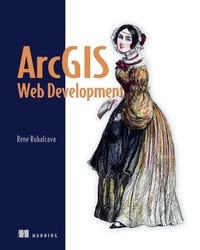
ArcGIS Web Development
1st Edition
Published on 11. November 2014
248 pages
978-1-63835-574-8 (ISBN)
Description

Summary
ArcGIS Web Development is an example-rich tutorial designed to teach developers to use the ArcGIS JavaScript API to build custom GIS web applications.
About the Technology
Now you can unshackle your GIS application from a workstation! Using the ArcGIS JavaScript API, developers can build mobile and web-based maps and applications driven by ArcGIS data and functionality. Experienced ArcGIS developers will find that the familiar development environment provides a smooth transition to the web. Web developers new to GIS will be pleased by how easily they can apply their existing skills to GIS applications.
Purchase of the print book includes a free eBook in PDF, Kindle, and ePub formats from Manning Publications.
About the Book
ArcGIS Web Development is an example-rich guide that teaches you to use the ArcGIS JavaScript API to build custom GIS web applications. The book begins with easy-to-follow examples that introduce readers to the ArcGIS JavaScript API and show how you can apply simple customizations. As the book progresses, you'll explore a full-scale, web-mapping application. By the end you will be able to build web apps that have features you'd ordinarily expect to find only in dedicated GIS applications.
Written for web developers familiar with JavaScript and basic GIS concepts. Experience with ArcGIS is helpful, but not necessary.
What's Inside
About the Author
Rene Rubalcava is the cofounder of SmartGeoTech, Inc., a GIS development company specializing in Esri technologies.
Table of Contents
ArcGIS Web Development is an example-rich tutorial designed to teach developers to use the ArcGIS JavaScript API to build custom GIS web applications.
About the Technology
Now you can unshackle your GIS application from a workstation! Using the ArcGIS JavaScript API, developers can build mobile and web-based maps and applications driven by ArcGIS data and functionality. Experienced ArcGIS developers will find that the familiar development environment provides a smooth transition to the web. Web developers new to GIS will be pleased by how easily they can apply their existing skills to GIS applications.
Purchase of the print book includes a free eBook in PDF, Kindle, and ePub formats from Manning Publications.
About the Book
ArcGIS Web Development is an example-rich guide that teaches you to use the ArcGIS JavaScript API to build custom GIS web applications. The book begins with easy-to-follow examples that introduce readers to the ArcGIS JavaScript API and show how you can apply simple customizations. As the book progresses, you'll explore a full-scale, web-mapping application. By the end you will be able to build web apps that have features you'd ordinarily expect to find only in dedicated GIS applications.
Written for web developers familiar with JavaScript and basic GIS concepts. Experience with ArcGIS is helpful, but not necessary.
What's Inside
- Build web-based GIS applications
- Customize the ArcGIS Javascript API tools
- Bring ArcGIS data to the web
- Create secure logins for mobile app users
About the Author
Rene Rubalcava is the cofounder of SmartGeoTech, Inc., a GIS development company specializing in Esri technologies.
Table of Contents
- GIS as a tool
- Introducing core API concepts
- Working with the REST API
- Building an application
- Developing a custom data-collection application
- Building a desktop browser application
- Advanced techniques
- Setting up your environment
- Dojo basics
- Configuring a proxy
More details
Other editions
Additional editions
Rene Rubalcava
ArcGIS Web Development
Book
12/2014
Manning Publications
€37.50
Shipment within 10-20 days
Person
Rene Rubalcava is the cofounder of SmartGeoTech, Inc., a GIS development company specializing in Esri technologies.
Content
- Intro
- Copyright
- Brief Table of Contents
- Table of Contents
- Preface
- Acknowledgments
- About this Book
- Part 1. ArcGIS JavaScript Foundation
- Chapter 1. GIS as a tool
- Chapter 2. Introducing core API concepts
- Chapter 3. Working with the REST API
- Part 2. Sample Use Case
- Chapter 4. Building an application
- Chapter 5. Developing a custom data-collection application
- Chapter 6. Building a desktop browser application
- Chapter 7. Advanced techniques
- Appendix A. Setting up your environment
- Appendix B. Dojo basics
- Appendix C. Configuring a proxy
- Index
- List of Figures
- List of Tables
- List of Listings
