

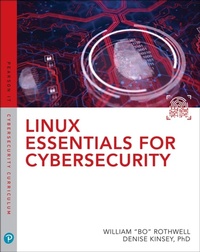
Linux Essentials for Cybersecurity
1st Edition
Published on 30. July 2018
704 pages
978-0-13-485302-4 (ISBN)
Description

ALL YOU NEED TO KNOW TO SECURE LINUX SYSTEMS, NETWORKS, APPLICATIONS, AND DATA-IN ONE BOOK
From the basics to advanced techniques: no Linux security experience necessary
Realistic examples & step-by-step activities: practice hands-on without costly equipment
The perfect introduction to Linux-based security for all students and IT professionals
Linux distributions are widely used to support mission-critical applications and manage crucial data. But safeguarding modern Linux systems is complex, and many Linux books have inadequate or outdated security coverage.
Linux Essentials for Cybersecurity is your complete solution. Leading Linux certification and security experts William "Bo" Rothwell and Dr. Denise Kinsey introduce Linux with the primary goal of enforcing and troubleshooting security. Their practical approach will help you protect systems, even if one or more layers are penetrated.
First, you'll learn how to install Linux to achieve optimal security upfront, even if you have no Linux experience. Next, you'll master best practices for securely administering accounts, devices, services, processes, data, and networks. Then, you'll master powerful tools and automated scripting techniques for footprinting, penetration testing, threat detection, logging, auditing, software management, and more.
To help you earn certification and demonstrate skills, this guide covers many key topics on CompTIA Linux+ and LPIC-1 exams. Everything is organized clearly and logically for easy understanding, effective classroom use, and rapid on-the-job training.
LEARN HOW TO:
Review Linux operating system components from the standpoint of security
Master key commands, tools, and skills for securing Linux systems
Troubleshoot common Linux security problems, one step at a time
Protect user and group accounts with Pluggable Authentication
Modules (PAM), SELinux, passwords, and policies
Safeguard files and directories with permissions and attributes
Create, manage, and protect storage devices: both local and networked
Automate system security 24/7 by writing and scheduling scripts
Maintain network services, encrypt network connections, and secure network-accessible processes
Examine which processes are running-and which may represent a threat
Use system logs to pinpoint potential vulnerabilities
Keep Linux up-to-date with Red Hat or Debian software management tools
Modify boot processes to harden security
Master advanced techniques for gathering system information
From the basics to advanced techniques: no Linux security experience necessary
Realistic examples & step-by-step activities: practice hands-on without costly equipment
The perfect introduction to Linux-based security for all students and IT professionals
Linux distributions are widely used to support mission-critical applications and manage crucial data. But safeguarding modern Linux systems is complex, and many Linux books have inadequate or outdated security coverage.
Linux Essentials for Cybersecurity is your complete solution. Leading Linux certification and security experts William "Bo" Rothwell and Dr. Denise Kinsey introduce Linux with the primary goal of enforcing and troubleshooting security. Their practical approach will help you protect systems, even if one or more layers are penetrated.
First, you'll learn how to install Linux to achieve optimal security upfront, even if you have no Linux experience. Next, you'll master best practices for securely administering accounts, devices, services, processes, data, and networks. Then, you'll master powerful tools and automated scripting techniques for footprinting, penetration testing, threat detection, logging, auditing, software management, and more.
To help you earn certification and demonstrate skills, this guide covers many key topics on CompTIA Linux+ and LPIC-1 exams. Everything is organized clearly and logically for easy understanding, effective classroom use, and rapid on-the-job training.
LEARN HOW TO:
Review Linux operating system components from the standpoint of security
Master key commands, tools, and skills for securing Linux systems
Troubleshoot common Linux security problems, one step at a time
Protect user and group accounts with Pluggable Authentication
Modules (PAM), SELinux, passwords, and policies
Safeguard files and directories with permissions and attributes
Create, manage, and protect storage devices: both local and networked
Automate system security 24/7 by writing and scheduling scripts
Maintain network services, encrypt network connections, and secure network-accessible processes
Examine which processes are running-and which may represent a threat
Use system logs to pinpoint potential vulnerabilities
Keep Linux up-to-date with Red Hat or Debian software management tools
Modify boot processes to harden security
Master advanced techniques for gathering system information
All prices
More details
Edition
1. Auflage
Language
English
Place of publication
Upper Saddle River
United States
Publishing group
Pearson Education (US)
Target group
College/higher education
File size
53,69 MB
ISBN-13
978-0-13-485302-4 (9780134853024)
Copyright in bibliographic data and cover images is held by Nielsen Book Services Limited or by the publishers or by their respective licensors: all rights reserved.
Schweitzer Classification
Other editions
Additional editions
William Rothwell | Denise Kinsey
Linux Essentials for Cybersecurity
Book
11/2018
1st Edition
Pearson IT Certification
€77.99
Shipment within 3-4 weeks
Persons
William "Bo" Rothwell At the impressionable age of 14, William "Bo" Rothwell crossed paths with a TRS-80 Micro Computer System (affectionately known as a "Trash 80"). Soon after the adults responsible for Bo made the mistake of leaving him alone with the TRS-80, he immediately dismantled it and held his first computer class, showing his friends what made this "computer thing" work.
Since this experience, Bo's passion for understanding how computers work and sharing this knowledge with others has resulted in a rewarding career in IT training. His experience includes Linux, Unix, and programming languages such as Perl, Python, Tcl, and BASH. He is the founder and president of One Course Source, an IT training organization.
Denise Kinsey, Ph.D, CISSP, CISCO Dr. Denise Kinsey served as a Unix administrator (HP-UX) in the late 1990s and realized the power and flexibility of the operating system. This appreciation led to her home installation of different flavors of Linux and creation of several academic courses in Linux. With a strong background in cybersecurity, she works to share and implement best practices with her customers and students. Dr. Kinsey is an assistant professor at the University of Houston.
Since this experience, Bo's passion for understanding how computers work and sharing this knowledge with others has resulted in a rewarding career in IT training. His experience includes Linux, Unix, and programming languages such as Perl, Python, Tcl, and BASH. He is the founder and president of One Course Source, an IT training organization.
Denise Kinsey, Ph.D, CISSP, CISCO Dr. Denise Kinsey served as a Unix administrator (HP-UX) in the late 1990s and realized the power and flexibility of the operating system. This appreciation led to her home installation of different flavors of Linux and creation of several academic courses in Linux. With a strong background in cybersecurity, she works to share and implement best practices with her customers and students. Dr. Kinsey is an assistant professor at the University of Houston.
Content
Introduction
Part I: Introducing Linux
1. Distributions and Key Components
2. Working on the Command Line
3. Getting Help
4. Editing Files
5. When Things Go Wrong
Part II: User and Group Accounts
6. Managing Group Accounts
7. Managing User Accounts
8. Developing an Account Security Policy
Part III: File and Data Storage
9. File Permissions
10. Managing Local Storage
11. Managing Network Storage
12. Developing a Storage Security Policy
Part IV: Automation
13. Crontab and at
14. Scripting
15. Common Automation Tasks
16. Developing an Automation Security Policy
Part V: Networking
17. Networking Basics
18. Network Configuration
19. Network Service Configuration
20. Connecting to Remote Systems
21. Developing a Network Security Policy
Part VI: Process and Log Administration
22. Process Control
23. System Logging
24. Developing a Process and Log Security Policy
Part VII: Software Management
25. Red Hat-based Software Management
26. Debian-based Software Management
27. Additional Management Tools
28. System Booting
29. Developing a Software Management Security Policy
Part VIII: Security Tasks
30. Footprinting
31. Firewalls
32. Intrusion Detection Systems
33. Additional Security Tasks
Appendix A. Resource Guide
Glossary
Part I: Introducing Linux
1. Distributions and Key Components
2. Working on the Command Line
3. Getting Help
4. Editing Files
5. When Things Go Wrong
Part II: User and Group Accounts
6. Managing Group Accounts
7. Managing User Accounts
8. Developing an Account Security Policy
Part III: File and Data Storage
9. File Permissions
10. Managing Local Storage
11. Managing Network Storage
12. Developing a Storage Security Policy
Part IV: Automation
13. Crontab and at
14. Scripting
15. Common Automation Tasks
16. Developing an Automation Security Policy
Part V: Networking
17. Networking Basics
18. Network Configuration
19. Network Service Configuration
20. Connecting to Remote Systems
21. Developing a Network Security Policy
Part VI: Process and Log Administration
22. Process Control
23. System Logging
24. Developing a Process and Log Security Policy
Part VII: Software Management
25. Red Hat-based Software Management
26. Debian-based Software Management
27. Additional Management Tools
28. System Booting
29. Developing a Software Management Security Policy
Part VIII: Security Tasks
30. Footprinting
31. Firewalls
32. Intrusion Detection Systems
33. Additional Security Tasks
Appendix A. Resource Guide
Glossary
