

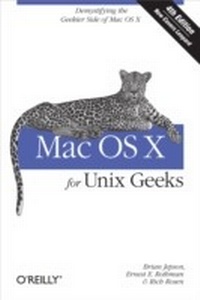
Mac OS X for Unix Geeks (Leopard)
Demistifying the Geekier Side of Mac OS X
1st Edition
Published on 18. September 2008
428 pages
978-0-596-55519-1 (ISBN)
Description

If you're a developer or system administrator lured to Mac OS X because of its Unix roots, you'll quickly discover that performing Unix tasks on a Mac is different than what you're accustomed to. Mac OS X for Unix Geeks serves as a bridge between Apple's Darwin OS and the more traditional Unix systems. This clear, concise guide gives you a tour of Mac OS X's Unix shell in both Leopard and Tiger, and helps you find the facilities that replace or correspond to standard Unix utilities.You'll learn how to perform common Unix tasks in Mac OS X, such as using Directory Services instead of the standard Unix /etc/passwd and /etc/group, and you'll be able to compile code, link to libraries, and port Unix software using either Leopard and Tiger. This book teaches you to:Navigate the Terminal and understand how it differs from an xtermUse Open Directory (LDAP) and NetInfo as well as Directory ServicesCompile your code with GCC 4Port Unix programs to Mac OS X with FinkUse MacPorts to install free/open source softwareSearch through metadata with Spotlight's command-line utilitiesBuild the Darwin kernelAnd there's much more. Mac OS X for Unix Geeks is the ideal survival guide to tame the Unix side of Leopard and Tiger. If you're a Unix geek with an interest in Mac OS X, you'll soon find that this book is invaluable.
More details
Other editions
Additional editions
Ernest E. Rothman | Brian Jepson | Rich Rosen
Mac OS X For Unix Geeks
Demistifying the Geekier Side of Mac OS X
Book
10/2008
4th Edition
O'Reilly
€33.00
Shipment within 10-20 days
Previous edition
Content
- Intro
- Table of Contents
- Preface
- Audience for This Book
- Organization of This Book
- Part I, Getting Around
- Part II, Building Applications
- Part III, Working with Packages
- Part IV, Serving and System Management
- Appendix
- Xcode Tools
- Where to Go for More Information
- Conventions Used in This Book
- Comments and Questions
- Safari® Books Online
- Acknowledgments from the Previous Editions
- Acknowledgments from Brian Jepson
- Acknowledgments from Ernest E. Rothman
- Acknowledgments from Rich Rosen
- Part I. Getting Around
- Chapter 1. Inside the Terminal
- Mac OS X Shells
- The Terminal and xterm Compared
- Using the Terminal
- Launching Terminal Windows
- Double-clickable shell scripts
- The Contextual Menu
- Customizing the Terminal
- Preferences
- Startup
- Settings
- Window groups
- Customizing the Terminal on the Fly
- Exporting and Importing Terminal Settings
- Saving Terminal settings in Mac OS X 10.4 Tiger
- Saving Terminal settings in Mac OS X 10.5 Leopard
- Working with File and Directory Names
- Tab Completion
- Changing Your Shell
- The Services Menu
- Bonjour
- Alternative Terminal Applications
- The open Command
- Chapter 2. Searching and Metadata
- Spotlight
- Performing Spotlight Searches
- Inspecting a File's Attributes
- Managing Spotlight
- Apple's Hiding Places for File Metadata
- Unix File System (UFS)
- Preserving Metadata
- Chapter 3. Files and Filesystems
- Sharing Files with Other Operating Systems
- Working with Bonjour
- Troubleshooting
- Files and Directories
- The Root Directory
- The /etc Directory
- The /dev Directory
- The /var Directory
- The /System/Library Directory
- The /Library Directory
- Chapter 4. Startup
- Booting Mac OS X
- The Boot Loader
- Initialization
- launchd
- SystemStarter
- Mach Bootstrap Services
- Creating Programs that Run Automatically
- Login Preferences
- SystemStarter
- The startup script
- The property list
- Launching with launchd
- Periodic Jobs
- Chapter 5. Directory Services
- Understanding Directory Services
- Configuring Directory Services
- Managing Directory Services Data
- Managing Users and Passwords from the Terminal
- Creating a user
- Creating a user's home directory
- Granting administrative privileges
- Modifying a user
- Deleting a user
- Managing Groups
- Creating a group
- Adding users to a group
- Deleting a group
- Managing Hostnames and IP Addresses
- Creating a host
- Flat Files and Their Directory Services Counterparts
- Programming with Directory Services
- Working with Passwords
- Chapter 6. Printing
- AddPrinter
- Adding an IP Printer
- Creating a Desktop Icon for a Printer
- Modifying a Printer's Settings
- Monitoring Printer Status and Troubleshooting
- Printer Sharing
- The Common Unix Printing System (CUPS)
- Printing from Remote Systems
- GNOME
- KDE
- Manual printer configuration (Linux and Unix)
- Printing from Linux
- Printing-Related Shell Commands
- Open Source Printer Drivers
- Gutenprint
- The HP InkJet Server (HPIJS) Project
- Chapter 7. The X Window System and VNC
- Installing X11
- Running X11
- Customizing X11
- Dot-Files, Desktops, and Window Managers
- X11 Preferences, Applications Menu, and Dock Menu
- Input
- Output
- Security
- Customizing X11's Applications menu
- X11-Based Applications and Libraries
- X11 and the Rest of Mac OS X
- TKAqua
- Connecting to Other X Window Systems
- OSX2X
- Virtual Network Computing (VNC)
- Launching VNC
- VNC and SSH
- Connecting to the Mac OS X VNC Server
- X11-based VNC servers
- Aqua-based VNC servers
- Screen Sharing with iChat
- Restarting VNC Connections
- Chapter 8. Third-Party Tools and Applications
- Frontends for SSH and SFTP
- Cyberduck
- Fugu
- SSH Agent
- Mounting SSH Servers As Network Volumes
- TeX
- Installing MacTeX
- TeXShop
- LaTeXiT
- R with an Aqua GUI
- Open Source Replacements for Microsoft Office
- Video
- Open Source Video Players
- Image Editing
- 3D Modeling
- Chapter 9. Dual-Boot and Beyond
- Why Bother?
- Linux on Mac Hardware
- Partitioning for Linux
- Installation and Configuration
- Linux on Older Macs
- Mac-on-Linux
- Emulators on Mac OS X
- Getting a Linux Installation Disk Image
- Parallels
- VMware Fusion
- Virtual PC
- VirtualBox
- QEMU
- Part II. Building Applications
- Chapter 10. Compiling Source Code
- Compiler Differences
- Compiling Unix Source Code
- The First Line of Defense
- Host Type
- Macros
- Supported Languages
- Preprocessing
- Frameworks
- Framework structure
- Including a framework in your application
- Compiler Flags
- Architectural Issues
- Universal Binaries for Multiple Architectures
- AltiVec
- 64-Bit Computing
- Endianness
- Inline Assembly
- X11-Based Applications and Libraries
- Building X11-Based Applications and Libraries
- AquaTerm
- Chapter 11. Libraries, Headers, and Frameworks
- Header Files
- Precompiled Header Files
- malloc.h
- poll.h
- wchar.h and iconv.h
- dlfcn.h
- alloc.h
- lcyrpt.h and values.h
- The System Library: libSystem
- Shared Libraries Versus Loadable Modules
- Building a Shared Library
- Dynamically Loading Libraries
- Two-Level Namespaces
- Library Versions
- Creating and Linking Static Libraries
- Creating Frameworks
- Performance Tools and Debugging Tools
- CHUD Tools
- Interesting and Important Libraries
- Numerical Libraries
- Part III. Working with Packages
- Chapter 12. Fink
- Installing Fink
- Installing Fink from a Disk Image
- Installing Fink from Source
- Installing Fink from CVS
- Post-Installation Setup
- Using Fink
- FinkCommander
- Installing Binaries Using Command-Line Utilities
- Chapter 13. MacPorts
- Installing MacPorts
- Installing MacPorts from SVN
- Using MacPorts
- Creating and Installing Packages in .pkg Format
- Creating and Installing Packages in RPM Format
- MacPorts Maintenance
- Connecting to the MacPorts SVN Repository
- MacPort GUIs
- Porticus
- PortAuthority
- Chapter 14. Creating and Distributing Installable Software
- Using GNU tar
- Creating Disk Images
- Creating a Disk Image with Disk Utility
- Creating a Disk Image from the Command Line
- Distributing Your Image
- Internet-enabled disk images
- Using PackageMaker
- Setting Up the Directory
- Creating the Package
- Creating Fink Packages
- Creating and Publishing the Tarball
- Creating the .info File
- Installing the Package
- Creating MacPorts Packages
- Creating and Publishing the Tarball
- Creating the Portfile
- Building and Installing a Port
- Part IV. Serving and System Management
- Chapter 15. Using Mac OS X As a Server
- Built-in Services: The Sharing Preference Pane
- File Sharing
- Manual Samba configuration
- Manual FTP configuration
- Web Sharing
- dav_module (mod_dav)
- ssl_module (mod_ssl)
- php4_module (mod_php4)
- bonjour_module (mod_bonjour)
- Remote Login
- Screen Sharing and Remote Management
- Printer Sharing
- Internet Sharing
- ifconfig
- ipfw/natd
- bootpd
- named
- Xgrid Sharing
- DVD/CD Sharing
- The Email Server
- Configuring Postfix to Send Email
- Configuring Postfix to Receive Email
- The Mac OS X Firewall
- Manually Configuring ipfw
- Enabling firewall logging
- Enabling stealth mode
- Adding your own rules
- Free Database Servers on Mac OS X
- MySQL
- Compiling MySQL
- Installing MySQL
- Configuring MySQL
- Using MySQL
- PostgreSQL
- Compiling PostgreSQL
- Installing PostgreSQL
- Adding the startup item
- Configuring PostgreSQL
- Using PostgreSQL
- Database Support in PHP and Perl
- The Outside World
- Dynamic DNS
- Serving from Behind a Firewall
- Port mapping with an AirPort Base Station
- Chapter 16. System Management Tools
- Diagnostic Utilities
- top
- fs_usage
- lsof
- latency
- sc_usage
- vm_stat
- Kernel Utilities
- ddb
- DTrace
- Kernel Module Utilities
- sysctl
- System Configuration Utilities
- scutil
- defaults
- nvram
- Third-Party Applications
- Chapter 17. Other Programming Languages: Perl, Python, Ruby, and Java
- Perl for Mac OS X Geeks
- Mac::Carbon
- PerlObjCBridge.pm
- Mac::Glue
- Python for Mac OS X Geeks
- Carbon
- Appscript
- PyObjC
- Ruby and Rails for Mac OS X Geeks
- Java for Mac OS X Geeks
- Java Enterprise Edition (Java EE)
- Appendix. Mac OS X GUI Primer
- Overview of the Aqua Desktop
- Making the Most of Your Desktop Space
- The Application Menu
- Exposé
- Spaces
- Index
