

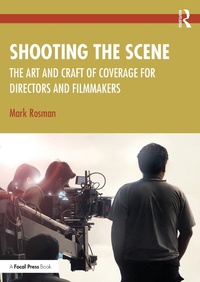
Shooting the Scene
The Art and Craft of Coverage for Directors and Filmmakers
1st Edition
Published on 11. March 2024
290 pages
978-1-003-85138-7 (ISBN)
Description

Navigating the necessary skills for shooting fiction film or TV is a challenge for any filmmaker. This book demystifies the art and craft of "coverage"-explaining where to put the camera to shoot any kind of scene.
Author Mark Rosman takes readers step by step through the basics such as scene analysis, blocking actors, composition, shot listing, storyboarding, and screen direction to the more advanced, including how to shoot fights, car chases, and visual effects scenes. Rosman draws on his extensive film career to reveal the tips and tricks professional directors use to shoot creatively, quickly, and effectively on any budget and design the perfect shooting plan to make memorable and impactful film and TV. Through simple descriptions, clearly drawn diagrams, storyboard panels, and frames from famous movies, this book is a comprehensive and in-depth look at the art and craft of mastering coverage.
Ideal for students of directing and film production as well as any filmmaker looking for a guide to shooting any scene.
Includes two bonus online chapters covering on set procedure and how to watch your dailies.
Author Mark Rosman takes readers step by step through the basics such as scene analysis, blocking actors, composition, shot listing, storyboarding, and screen direction to the more advanced, including how to shoot fights, car chases, and visual effects scenes. Rosman draws on his extensive film career to reveal the tips and tricks professional directors use to shoot creatively, quickly, and effectively on any budget and design the perfect shooting plan to make memorable and impactful film and TV. Through simple descriptions, clearly drawn diagrams, storyboard panels, and frames from famous movies, this book is a comprehensive and in-depth look at the art and craft of mastering coverage.
Ideal for students of directing and film production as well as any filmmaker looking for a guide to shooting any scene.
Includes two bonus online chapters covering on set procedure and how to watch your dailies.
More details
Edition
1. Auflage
Language
English
Place of publication
London
United Kingdom
Publishing group
Taylor & Francis Ebooks
Target group
College/higher education
Product notice
Reflowable
Illustrations
34 Line drawings, black and white; 45 Halftones, black and white; 79 Illustrations, black and white
ISBN-13
978-1-003-85138-7 (9781003851387)
Copyright in bibliographic data and cover images is held by Nielsen Book Services Limited or by the publishers or by their respective licensors: all rights reserved.
Schweitzer Classification
Other editions
Additional editions
Book
03/2024
1st Edition
Routledge
€205.00
Shipment within 15-20 days
Book
03/2024
1st Edition
Routledge
€63.60
Shipment within 15-20 days
Person
Mark Rosman is a Continuing lecturer of film and TV production at UCLA's School of Theatre, Film, and Television, where he teaches directing, production, and beginning and advanced coverage. He is an award-winning writer and director of film and television, having directed family classics such as A Cinderella Story and Life-Size, as well as countless other features, TV movies, and TV episodes for Warner Bros., Universal, CBS, Disney, ABC Family, USA, TBS, Hallmark, and Lifetime.
Content
Part 1: The Fundamentals of Shooting a Scene 1. Directing the Camera 2. The Three Non-Camera Related Elements that Affect Coverage 3. The Director's Visual Toolkit 4. Using the Toolkit 5. Putting it All together 6. Planning Tools 7. Shooting for the Editing Room 8. Common Coverage Mistakes 9. Director's Steps in Creating a Shooting Plan Part 2: Adding Style and Tackling Coverage Challenges 10. Style, Vision, and Artistry 11. Applying Style to Coverage 12. Challenging Scenes 13. Shooting Efficiently and Effectively 14. Multiple Cameras 15. Tips, Tricks, and Pointers 16. Coverage Collaborators Part 3: Advanced Coverage 17. Scenes with Complex Elements: Non-Action 18. Scenes with Complex Elements: Action 19. Scenes with Complex Elements: Visual Effects 20. Coverage into the future
