

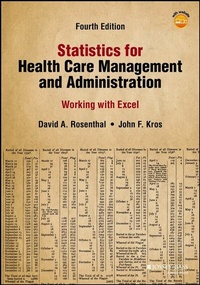
Statistics for Health Care Management and Administration
Description

The must-have statistics guide for students of health services
Statistics for Health Care Management and Administration: Working with Excel introduces the uses of statistics in healthcare management and administration using the features and functions of Microsoft Excel. The book introduces students to statistics within the context of health care, focusing on the major data and analysis techniques used in the field. Step-by-step instructions in the latest version of Excel and numerous annotated screen shots make examples easy to follow and understand.
This updated fourth edition provides the same content and explanations that have made the previous editions so popular, offering revisions drawn directly from universities where the book has been used. All content has been brought current with the newest version of excel, and changes in the field of healthcare administration are covered as well. Statistics for Health Care Management and Administration gets students off to a great start by introducing statistics in the context of their chosen field.
- Learn the basics of statistics in the context of Excel
- Understand how to acquire data and display it for analysis
- Master important concepts and tests, including regression
- Turn test results into usable information with proper analysis
This book not only helps students develop the necessary data analysis skills, but also boosts familiarity with important software that employers will be looking for.
More details
Other editions
Additional editions
Persons
David A. Rosenthal is a Chief Information Officer at CampusWorks, Inc. He has over 20 years of health care industry experience in both academic and practitioner settings, having served in roles specific to hospital information technology leadership, multispecialty practice administration, and ambulatory services project management. Rosenthal earned a Master of Public Administration degree from Valdosta State University, and a PhD in Technology Management from Indiana State University. David is a proud veteran of the U.S. Air Force, and resides in Oakland, Tennessee with his wife Allyson.
John F. Kros is the Vincent K. McMahon Distinguished Professor in the Marketing and Supply Chain Management Department in the College of Business at East Carolina University, in Greenville, North Carolina. He teaches business decision modeling, statistics, operations and supply chain management, and purchasing and materials management courses. Kros was honored as the College of Business's Scholar/Teacher for 2004???2005, again in 2009???2010, was awarded the College of Business Commerce Club's highest honor, the Teaching Excellence Award, for 2006 and again in 2011, in 2013???2014 was awarded the East Carolina Alumni Association Outstanding Teaching Award, and in 2014???2015 was awarded the Board of Governors Distinguished Professor for Teaching Award. Kros earned his PhD in systems engineering from the University of Virginia, his MBA from Santa Clara University, and his BBA from the University of Texas at Austin. His research interests include health care operations, applied statistics, design of experiments, multi-objective decision making, Taguchi methods, and applied decision analysis. His textbook titled Spreadsheet Modeling for Business Decisions is in the fifth edition. He is also coauthor of Health Care Operations and Supply Chain Management.
Content
Preface xiii
Introducing Excel xiii
So How Did We Get to Here? xiii
Intended Level of the Textbook xiv
Textbook Organization xiv
Leading by Example(s) xv
Acknowledgments xvii
The Authors xix
About the Companion Website xxi
Part 1 1
Chapter 1 Statistics and Excel 3
1.1 How This Book Differs from Other Statistics Texts 3
1.2 Statistical Applications in Health Policy and Health Administration 4
Exercises for Section 1.2 14
1.3 What Is the ''Big Picture''? 15
1.4 Some Initial Definitions 16
Exercises for Section 1.4 26
1.5 Five Statistical Tests 28
Exercises for Section 1.5 30
Chapter 2 Excel as a Statistical Tool 33
2.1 The Basics 33
Exercises for Section 2.1 35
2.2 Working and Moving Around in a Spreadsheet 36
Exercises for Section 2.2 41
2.3 Excel Functions 41
Exercises for Section 2.3 46
2.4 The =IF() Function 47
Exercises for Section 2.4 50
2.5 Excel Graphs 51
Exercises for Section 2.5 56
2.6 Sorting a String of Data 57
Exercise for Section 2.6 60
2.7 The Data Analysis Pack 61
2.8 Functions That Give Results in More than One Cell 63
Exercises for Section 2.8 66
2.9 The Dollar Sign ($) Convention for Cell References 67
Chapter 3 Data Acquisition: Sampling and Data Preparation 71
3.1 The Nature of Data 71
Exercises for Section 3.1 78
3.2 Sampling 79
Exercises for Section 3.2 93
3.3 Data Access and Preparation 94
Exercises for Section 3.3 107
3.4 Missing Data 108
Chapter 4 Data Display: Descriptive Presentation, Excel Graphing Capability 111
4.1 Creating, Displaying, and Understanding Frequency Distributions 111
Exercises for Section 4.1 129
4.2 Using the Pivot Table to Generate Frequencies of Categorical Variables 131
Exercises for Section 4.2 135
4.3 A Logical Extension of the Pivot Table: Two Variables 135
Exercises for Section 4.3 140
Chapter 5 Basic Concepts of Probability 141
5.1 Some Initial Concepts and Definitions 141
Exercises for Section 5.1 150
5.2 Marginal Probabilities, Joint Probabilities, and Conditional Probabilities 150
Exercises for Section 5.2 160
5.3 Binomial Probability 161
Exercises for Section 5.3 171
5.4 The Poisson Distribution 173
Exercises for Section 5.4 178
5.5 The Normal Distribution 178
Chapter 6 Measures of Central Tendency and Dispersion: Data Distributions 183
6.1 Measures of Central Tendency and Dispersion 183
Exercises for Section 6.1 196
6.2 The Distribution of Frequencies 197
Exercises for Section 6.2 208
6.3 The Sampling Distribution of the Mean 209
Exercises for Section 6.3 219
6.4 Mean and Standard Deviation of a Discrete Numerical Variable 220
Exercises for Section 6.4 222
6.5 The Distribution of a Proportion 222
Exercises for Section 6.5 227
6.6 The t Distribution 227
Exercises for Section 6.6 232
Part 2 235
Chapter 7 Confidence Limits and Hypothesis Testing 237
7.1 What Is a Confidence Interval? 237
Exercises for Section 7.1 243
7.2 Calculating Confidence Limits for Multiple Samples 244
Exercises for Section 7.2 246
7.3 What Is Hypothesis Testing? 247
Exercises for Section 7.3 249
7.4 Type I and Type II Errors 250
Exercises for Section 7.4 266
7.5 Selecting Sample Sizes 267
Exercises for Section 7.5 269
Chapter 8 Statistical Tests for Categorical Data 271
8.1 Independence of Two Variables 271
Exercises for Section 8.1 282
8.2 Examples of Chi-Square Analyses 283
Exercises for Section 8.2 289
8.3 Small Expected Values in Cells 290
Exercises for Section 8.3 292
Chapter 9 t Tests for Related and Unrelated Data 295
9.1 What Is a t Test? 295
Exercises for Section 9.1 302
9.2 A t Test for Comparing Two Groups 303
Exercises for Section 9.2 316
9.3 A t Test for Related Data 318
Exercises for Section 9.3 321
Chapter 10 Analysis of Variance 323
10.1 One-Way Analysis of Variance 323
Exercises for Section 10.1 339
10.2 ANOVA for Repeated Measures 340
Exercises for Section 10.2 348
10.3 Factorial Analysis of Variance 349
Exercises for Section 10.3 362
Chapter 11 Simple Linear Regression 365
11.1 Meaning and Calculation of Linear Regression 365
Exercises for Section 11.1 373
11.2 Testing the Hypothesis of Independence 374
Exercises for Section 11.2 380
11.3 The Excel Regression Add-In 381
Exercises for Section 11.3 388
11.4 The Importance of Examining the Scatterplot 388
11.5 The Relationship between Regression and the t Test 391
Exercises for Section 11.5 392
Chapter 12 Multiple Regression: Concepts and Calculation 395
12.1 Introduction 395
Exercises for Section 12.1 406
Chapter 13 Extensions of Multiple Regression 409
13.1 Dummy Variables in Multiple Regression 409
Exercises for Section 13.1 420
13.2 The Best Regression Model 421
Exercises for Section 13.2 431
13.3 Correlation and Multicolinearity 432
Exercises for Section 13.3 435
13.4 Nonlinear Relationships 435
Exercises for Section 13.4 447
Chapter 14 Analysis with a Dichotomous Categorical Dependent Variable 449
14.1 Introduction to the Dichotomous Dependent Variable 450
14.2 An Example with a Dichotomous Dependent Variable: Traditional Treatments 451
Exercises for Section 14.2 462
14.3 Logit for Estimating Dichotomous Dependent Variables 463
Exercises for Section 14.3 475
14.4 A Comparison of Ordinary Least Squares, Weighted Least Squares, and Logit 476
Exercises for Section 14.4 480
Appendix A Multiple Regression and Matrices 481
An Introduction to Matrix Math 481
Addition and Subtraction of Matrices 482
Multiplication of Matrices 483
Matrix Multiplication and Scalars 484
Finding the Determinant of a Matrix 484
Matrix Capabilities of Excel 486
Explanation of Excel Output Displayed with Scientific Notation 489
Using the b Coefficients to Generate Regression Results 490
Calculation of All Multiple Regression Results 491
Exercises for Appendix A 494
References 497
Glossary 499
Index 513
CHAPTER 1
STATISTICS AND EXCEL
LEARNING OBJECTIVES
- Understand how this book differs from other statistics texts
- Understand how knowledge of statistics may be beneficial to health policy or health administration professionals
- Understand the "big picture" with regard to the use of statistics for health policy and administration
- Understand the definitions of the following terms:
- Populations and samples
- Random and nonrandom samples
- Types of random samples
- Variables, independent and dependent
- Identify the five separate statistical tests: chi-square test, the t test, analysis of variance (ANOVA), regression analysis, and Logit
The statistics on sanity are that one out of every four Americans is suffering from some form of mental illness. Think of your three best friends. If they're okay, then it's you.
-Rita Mae Brown
Statistics is a subject that for many people is pure tedium. For others, it is more likely to be anathema. Still others find statistics interesting, even stimulating, but they are usually in the minority in any group.
This book is premised on the recognition that in the health care industry, as indeed among people in any industry or discipline, there are at least these three different views of statistics, and that any statistics class is likely to be made up more of the first two groups than the last one. This book provides an introduction to statistics in health policy and administration that is relevant, useful, challenging, and informative.
1.1 How This Book Differs from Other Statistics Texts
The primary difference between this statistics text and most others is that this text uses Microsoft Excel as the tool for carrying out statistical operations and understanding statistical concepts as they relate to health policy and health administration issues. This is not to say that no other statistics texts use Excel. Levine, Stephan, Szabat (2013) have produced a very usable text, Statistics for Managers Using Microsoft Excel. But their book focuses almost exclusively on non-health-related topics. We agree that the closer the applications of statistics are to students' real-life interests and experiences, the more effective students will be in understanding and using statistics. Consequently, this book focuses its examples entirely on subjects that should be immediately familiar to people in the health care industry.
Excel, which most people know as a spreadsheet program for creating budgets, comparing budgeted and expended amounts, and generally fulfilling accounting needs, is also a very powerful statistical tool. Books that do not use Excel for teaching statistics generally leave the question of how to carry out the actual statistical operations in the hands of the student or the instructor. It is often assumed that relatively simple calculations, such as means, standard deviations, and t tests, will be carried out on paper or with a calculator. For more complicated calculations, the assumption is usually that a dedicated statistical package, such as SAS, SPSS, STATA, or SYSTAT, will be used. There are at least two problems with this approach that we hope to overcome in this book. First, calculations done on paper, or even those done with a calculator, can make even simple statistical operations overly tedious and prone to errors in arithmetic. Second, because dedicated statistical packages are designed for use rather than for teaching, they often obscure the actual process of calculating the statistical results, thereby hindering students' understanding of both how the statistic is calculated and what the statistic means.
In general, this is not true of Excel. It is true that when using this book, a certain amount of time must be devoted to the understanding of how to use Excel as a statistical tool. But once that has been done, Excel makes the process of carrying out the statistical procedures under consideration relatively clear and transparent. The student should end up with a better understanding of what the statistic means, through an understanding of how it is calculated, and not simply come away with the ability to get a result by entering a few commands into a statistical package. This is not to say that Excel cannot be used to eliminate many of the steps needed to get particular statistical results. A number of statistical tests and procedures are available as add-ins to Excel. However, using Excel as a relatively powerful-yet transparent-calculator can lead to a much clearer understanding of what a statistic means and how it may be used.
1.2 Statistical Applications in Health Policy and Health Administration
When teaching statistics to health policy and health administration students, we often encounter the same question: "All these statistics are fine, but how do they apply to anything I am concerned with?" The question not only is a reasonable one, but also points directly to one of the most important and difficult challenges for a statistics teacher, a statistics class, or a statistics text. How can it be demonstrated that these statistics have any real relevance to anything that the average person working in the health care industry ever needs to know or do?
To work toward a better understanding of why and when the knowledge of statistics may be useful to someone working in health policy or health administration, we've selected six examples of situations in which statistical applications can play a role. All six of these examples were inspired by real problems faced by students in statistics classes, and they represent real statistical challenges that students have faced and hoped to solve. In virtually every case, the person who presented the problem recognized it as one that could probably be dealt with using some statistical tool. But also in every case, the solution to the problem was not obvious in the absence of some understanding of statistics. Although these case examples are not likely to resonate with every reader, perhaps they will give many readers a little better insight into why knowledge of statistics can be useful.
Documentation of Medicare Reimbursement Claims
The Pentad Home Health Agency provides home health services in five counties of an eastern state. The agency must be certain that its Medicare reimbursement claims are appropriately and correctly documented in order to ensure that Medicare will process these claims and issue benefits in a timely manner. All physician orders, including medications, home visits for physical therapy, home visits of skilled nursing staff, and any other orders for service, must be correctly documented on a Form CMS-485. Poorly or otherwise inadequately prepared documentation can lead to rejection or delay in processing of the claim for reimbursement by the Centers for Medicare and Medicaid Services (CMS).
Pentad serves about 800 clients in the five-county region. In order to assure themselves that all records are properly documented, the administration runs a chart audit of 1 in 10 charts each quarter. The audit seeks to determine (1) whether all orders indicated in the chart have been carried out and (2) if the orders have been correctly documented in the Form CMS-485. Orders that have not been carried out, or orders incorrectly documented, lead to follow-up training and intervention to address these issues and ensure that the orders and documentation are properly prepared going forward.
Historically, the chart audit has been done by selecting each tenth chart, commencing at the beginning or at the end of the chart list. Typically, the chart audit determines that the majority of charts, usually 85 to 95 percent, have been correctly documented. But there are occasionally areas, such as in skilled nursing care, where the percentage of correct documentation may fall below that level. When this happens, the administration initiates appropriate corrective action.
Sampling, Data Display, and Probability
One of the questions of the audit has been the selection of the sample. Because the list of clients changes relatively slowly, the selection of every tenth chart often results in the same charts being selected for audit from one quarter to the next. That being the case, a different strategy for chart selection is desirable. It has been suggested by statisticians that using a strictly random sample of the charts might be a better way to select them for quarterly review, as this selection would have a lesser likelihood of resulting in a review of the same charts from quarter to quarter. But how does one go about drawing a strictly random sample from any population? Or, for that matter, what does "strictly random" actually mean and why is it important beyond the likelihood that the same files may not be picked from quarter to quarter? These questions are addressed by statistics, specifically the statistics associated with sample selection and data collection.
Another question related to the audit concerns when to initiate corrective action. Suppose a sample of 1 in 10 records is drawn (for 800 clients that would be 80 records) and it is discovered that 20 of the records have been incorrectly documented. Twenty of 80 records incorrectly documented would mean that only 75 percent of the records were correctly documented. This would suggest that an intervention should be initiated to correct the documentation problem. But it was a sample of the 800...
