

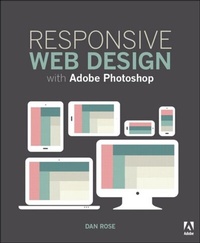
Responsive Web Design with Adobe Photoshop
1st Edition
Published on 12. January 2015
256 pages
978-0-13-403571-0 (ISBN)
Description

This book is aimed at the visual Web design student who is accustomed to working in Photoshop. Adobe Photoshop CC contains many new features that help streamline the process of converting a static page design to a set of components for a responsive web page. It balances coverage of conceptual issues (how to fit tools like Photoshop to the design workflow rather than fitting a workflow to the tools) with practical design exercises tailored to help communicate the overall design direction of the page while respecting the needs of the fluid Web. In addition, the author introduces methods for taking HTML back into Photoshop for further refinement.
The full text downloaded to your computer
With eBooks you can:
search for key concepts, words and phrases
make highlights and notes as you study
share your notes with friends
eBooks are downloaded to your computer and accessible either offline through the Bookshelf (available as a free download), available online and also via the iPad and Android apps.
Upon purchase, you'll gain instant access to this eBook.
Time limit
The eBooks products do not have an expiry date. You will continue to access your digital ebook products whilst you have your Bookshelf installed.
The full text downloaded to your computer
With eBooks you can:
search for key concepts, words and phrases
make highlights and notes as you study
share your notes with friends
eBooks are downloaded to your computer and accessible either offline through the Bookshelf (available as a free download), available online and also via the iPad and Android apps.
Upon purchase, you'll gain instant access to this eBook.
Time limit
The eBooks products do not have an expiry date. You will continue to access your digital ebook products whilst you have your Bookshelf installed.
More details
Language
English
Place of publication
Hoboken
United States
Publishing group
Pearson Education (US)
Target group
Professional and scholarly
ISBN-13
978-0-13-403571-0 (9780134035710)
Copyright in bibliographic data and cover images is held by Nielsen Book Services Limited or by the publishers or by their respective licensors: all rights reserved.
Schweitzer Classification
Other editions
Additional editions
Book
01/2015
Addison Wesley
€41.46
Article exhausted; check different version
Person
Dan Rose is an interface designer, speaker, and writer who lives in Syracuse, NY. His affinity for workflow and Photoshoppery led him to create Photoshop Etiquette, a guide to discernible web design. Dan serves as the Graphics section editor for Smashing Magazine, and is the pioneer of events such as Syracuse Sync and Create Upstate.
Content
Introduction: Photoshop's New Groove
How did we get here?
The Case for Designing in Browser
Plea for Photoshop/Browser Harmony
Better discussions with Visual Inventories
Smaller Comps: Element Collages
Completing the Direction with Style & Component Guides
Breaking through "Browser Block"
Fixing RWD in Photoshop with Page Layers
Extending Photoshop
Remembering Etiquette
Moving Forward: adjusting our perspective on tools
How did we get here?
The Case for Designing in Browser
Plea for Photoshop/Browser Harmony
Better discussions with Visual Inventories
Smaller Comps: Element Collages
Completing the Direction with Style & Component Guides
Breaking through "Browser Block"
Fixing RWD in Photoshop with Page Layers
Extending Photoshop
Remembering Etiquette
Moving Forward: adjusting our perspective on tools
