

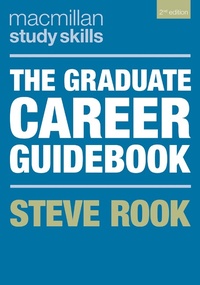
The Graduate Career Guidebook
2nd Edition
Published on 10. April 2019
256 pages
978-1-350-31470-2 (ISBN)
Description

Written by experienced careers advisor Steve Rook, the new edition of this indispensable guide will help readers to develop the skills they need to land their dream job. It breaks the career planning process down into manageable steps, from researching roles and gaining work experience to crafting a stand-out CV and impressing at interview. It also includes practical guidance on networking, entrepreneurship and responding to job offers. Packed with reflective activities, top tips for successful applications and real life case studies, it contains everything students need to develop their skills, get their foot in the door and set themselves up for a fulfilling future.
This text will be core reading for students on a wide range of career-related and employability modules. It will also be an invaluable resource for students researching their career options independently.
New to this Edition:
- Updated content on networking and managing your online presence
- More content on work experience and internships, and how they can help students get their foot in the door
- Expanded careers theory content
More details
Series
Edition
2nd edition
Language
English
Place of publication
London
United Kingdom
Publishing group
Bloomsbury Publishing PLC
Target group
College/higher education
Illustrations
10 bw illus
File size
13,95 MB
ISBN-13
978-1-350-31470-2 (9781350314702)
Copyright in bibliographic data and cover images is held by Nielsen Book Services Limited or by the publishers or by their respective licensors: all rights reserved.
Schweitzer Classification
Other editions
Additional editions
Steve Rook
The Graduate Career Guidebook
Book
04/2019
2nd Edition
Bloomsbury Academic
€21.39
Article exhausted; check different version
Person
Steve Rook has been a student-focused University Careers Adviser for twelve years and has also managed his own successful recruitment company.
Content
Preface
Introduction
PART I: CAREERS IN A COMPLEX WORLD
1. Graduate Employment and Recruitment
2. Career Planning
PART II: FINDING YOUR NICHE
3. Assessing Your Skills, Interests and Motivations
4. Identifying Your Options
5. Choosing a Role
PART III: UPPING YOUR GAME
6. Boosting Your Employability
7. Moving Forwards
PART IV: MAKING IT HAPPEN
8. Effective Networking
9. Experience and Internships
10. Further Study
11. Taking Time Out
PART V: FINDING A JOB
12. Searching for Graduate Jobs
13. Promoting Yourself Effectively
14. Targeting Your CV
15. Tip-top Application Forms
16. Cover Letters That Open Doors
17. Impressing at Interviews
18. Psychometric Tests
19. Passing Assessment Centres
20. Dealing with Job Offers
PART VI: AN INTRODUCTION TO SELF-EMPLOYMENT
21. Becoming an Entrepreneur
22. Getting your Business Started
PART VII: DOWN THE LINE
23. Moving Your Career Forward
24. Frequently Asked Questions
References
Index.
Introduction
PART I: CAREERS IN A COMPLEX WORLD
1. Graduate Employment and Recruitment
2. Career Planning
PART II: FINDING YOUR NICHE
3. Assessing Your Skills, Interests and Motivations
4. Identifying Your Options
5. Choosing a Role
PART III: UPPING YOUR GAME
6. Boosting Your Employability
7. Moving Forwards
PART IV: MAKING IT HAPPEN
8. Effective Networking
9. Experience and Internships
10. Further Study
11. Taking Time Out
PART V: FINDING A JOB
12. Searching for Graduate Jobs
13. Promoting Yourself Effectively
14. Targeting Your CV
15. Tip-top Application Forms
16. Cover Letters That Open Doors
17. Impressing at Interviews
18. Psychometric Tests
19. Passing Assessment Centres
20. Dealing with Job Offers
PART VI: AN INTRODUCTION TO SELF-EMPLOYMENT
21. Becoming an Entrepreneur
22. Getting your Business Started
PART VII: DOWN THE LINE
23. Moving Your Career Forward
24. Frequently Asked Questions
References
Index.
