

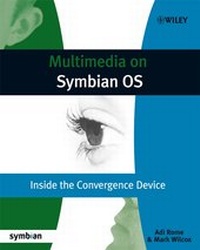
Multimedia on Symbian OS
Inside the Convergence Device
Published on 13. October 2008
280 pages
978-0-470-71231-3 (ISBN)
Description

Multimedia on Symbian OS is the only book available todiscuss multimedia on Symbian OS at this level. It covers key areasof multimedia technology, with information about APIs and servicesprovided by Symbian OS. Other key features include details of UIplatform-specific APIs from S60 and UIQ.
This pioneering book covers each of the key technologiesavailable (such as audio, video, radio, image conversion, tuner andcamera) at a high level, to give the reader context, beforedrilling down to details of how to use each of them. The bookincludes code samples which are available for download on a websiteand cover key APIs with detailed description of each. Additionalinformation includes the evolution of multimedia on Symbian OS fromprevious versions to the current (v9.5) and plans for thefuture.
Chapters include:
* Architecture of Multimedia on Symbian OS
* Onboard Camera
* Multimedia Framework of both Video & Audio
* Image Converter Library
* The Tuner
This pioneering book covers each of the key technologiesavailable (such as audio, video, radio, image conversion, tuner andcamera) at a high level, to give the reader context, beforedrilling down to details of how to use each of them. The bookincludes code samples which are available for download on a websiteand cover key APIs with detailed description of each. Additionalinformation includes the evolution of multimedia on Symbian OS fromprevious versions to the current (v9.5) and plans for thefuture.
Chapters include:
* Architecture of Multimedia on Symbian OS
* Onboard Camera
* Multimedia Framework of both Video & Audio
* Image Converter Library
* The Tuner
More details
Other editions
Additional editions
Book
10/2008
1st Edition
Wiley
€38.90
Article exhausted; check different version
Persons
Adi Rome has a BA in Computer Science from Tel AvivUniversity. After a spell in teaching, she worked in QualityAssurance, moving to analysis, design and implementation ofembedded systems, before joining Symbian in 2004. As the multimediaguru within the Developer Services team she provides technicalconsultancy across all areas of Symbian OS, with special emphasison hardware. Adi was responsible for communicating Symbian'sroadmap to silicon and multimedia partners, and also led Symbian'scomponent validation program. Away from technical work Adi has beeninvolved in setting up the Symbian China partner-consultingorganization and is in much demand for her presentation skills,having given sessions at a wide range of partner and industryevents, including 3GSM World Congress.
Mark Wilcox has been playing with computers since his dadbought a ZX81 when he was four. He wrote his first multimediaapplication (a three room text adventure with sound effects!) on anAcorn Electron when he was seven. Mark has a Masters degree inMathematics, following this up with a research postgraduatein Cybernetic Intelligence. In 2001 he started developing softwarefor mobile phones and since then has been involved in handsetdevelopment projects for Ericsson, Fujitsu, Nokia, Panasonic andSamsung. During this time he's worked on everything from aGPRS stack, device drivers and a power management server tomessaging applications and the code that draws the soft keys. Itwas while working as a Software Architect for Nokia'sMultimedia business unit, developing their flagship Nseriesproducts, that Mark developed his interest in the multimediacapabilities of Symbian OS. Mark became an Accredited SymbianDeveloper and a Forum Nokia Champion in 2007.
Mark Wilcox has been playing with computers since his dadbought a ZX81 when he was four. He wrote his first multimediaapplication (a three room text adventure with sound effects!) on anAcorn Electron when he was seven. Mark has a Masters degree inMathematics, following this up with a research postgraduatein Cybernetic Intelligence. In 2001 he started developing softwarefor mobile phones and since then has been involved in handsetdevelopment projects for Ericsson, Fujitsu, Nokia, Panasonic andSamsung. During this time he's worked on everything from aGPRS stack, device drivers and a power management server tomessaging applications and the code that draws the soft keys. Itwas while working as a Software Architect for Nokia'sMultimedia business unit, developing their flagship Nseriesproducts, that Mark developed his interest in the multimediacapabilities of Symbian OS. Mark became an Accredited SymbianDeveloper and a Forum Nokia Champion in 2007.
Content
Foreword.
About this Book.
Authors' Biographies.
Authors' Acknowledgements.
Symbian Press Acknowledgments.
Code Conventions and Notations.
1 Introduction.
1.1 The Convergence Device.
1.2 Transformation of the Media Industry.
1.3 Symbian OS.
1.4 The Cutting Edge.
1.5 Evolution of the Multimedia Subsystem in Symbian OS.
1.6 A Peek into the Future.
2 Multimedia Architecture.
2.1 The ECOM Framework.
2.2 Platform Security.
2.3 The Content Access Framework.
2.4 Multimedia Subsystem.
2.5 Future Multimedia Support.
3 The Onboard Camera.
3.1 Introduction.
3.2 Accessing the Camera.
3.3 Camera Control.
3.4 Displaying the Viewfinder.
3.5 Capturing Still Images.
3.6 Capturing Video.
3.7 Error Handling.
3.8 Advanced Topics.
4 Multimedia Framework: Video.
4.1 Video Concepts.
4.2 Symbian OS Video Architecture.
4.3 Client API Introduction.
4.4 Identifying Video Controllers.
4.5 Controlling Video Playback.
4.6 Controlling Screen Output.
4.7 Getting Video Information.
4.8 Accessing Metadata.
4.9 Controlling the Audio Output.
4.10 Streaming Playback.
4.11 Recording Video.
4.12 Controlling the Video that Is Recorded.
4.13 Controlling the Audio that Is Recorded.
4.14 Storing Metadata.
4.15 Custom Commands.
4.16 Examples and Troubleshooting.
5 Multimedia Framework: Audio.
5.1 Introduction.
5.2 Audio Input and Output Streams.
5.3 Audio Player Utility.
5.4 Audio Recorder Utility.
5.5 File Conversion.
5.6 Tone Utility.
5.7 DevSound.
5.8 Audio Policies.
5.9 Priority Settings.
5.10 Miscellaneous.
6 Image Conversion Library.
6.1 Introduction.
6.2 Decoding Images.
6.3 Encoding Images.
6.4 Displaying Images.
6.5 Transforming Images.
6.6 Native Bitmap Operations.
6.7 Miscellaneous APIs.
7 The Tuner API.
7.1 Introduction.
7.2 Getting Started.
7.3 Basic Use Cases.
7.4 Future Technologies.
7.5 Sample Code.
8 Best Practice.
8.1 Always Use an Active Scheduler.
8.2 Use APPARC to Recognize Audio and Video.
8.3 Don't Use the Video Player to Open Audio Files.
8.4 Know that MMF and ICL Cannot Detect Some Formats.
8.5 Don't Use CMdaAudioOutputStream for NetworkStreaming.
8.6 Use CMdaAudioPlayerUtility to Play Tone Sequence Files.
8.7 Use CMdaAudioPlayerUtility to Play Clips.
8.8 Don't Hardwire Controller UIDs in Portable Code.
8.9 Set Controller Thread Priorities Before Playing orRecording.
8.10 Recognize that Behavior Varies when Several Clients AreActive.
8.11 Understand that the System is Based on Plug-ins.
8.12 Use RFile and TMMSource Instead of Passing a File Name.
8.13 Consider the Volume Control.
8.14 Know When to Use Threaded Requests on ICL.
8.15 Don't Have too many Clients.
8.16 Understand the Multi-heap Problem.
References and Resources.
Index.
About this Book.
Authors' Biographies.
Authors' Acknowledgements.
Symbian Press Acknowledgments.
Code Conventions and Notations.
1 Introduction.
1.1 The Convergence Device.
1.2 Transformation of the Media Industry.
1.3 Symbian OS.
1.4 The Cutting Edge.
1.5 Evolution of the Multimedia Subsystem in Symbian OS.
1.6 A Peek into the Future.
2 Multimedia Architecture.
2.1 The ECOM Framework.
2.2 Platform Security.
2.3 The Content Access Framework.
2.4 Multimedia Subsystem.
2.5 Future Multimedia Support.
3 The Onboard Camera.
3.1 Introduction.
3.2 Accessing the Camera.
3.3 Camera Control.
3.4 Displaying the Viewfinder.
3.5 Capturing Still Images.
3.6 Capturing Video.
3.7 Error Handling.
3.8 Advanced Topics.
4 Multimedia Framework: Video.
4.1 Video Concepts.
4.2 Symbian OS Video Architecture.
4.3 Client API Introduction.
4.4 Identifying Video Controllers.
4.5 Controlling Video Playback.
4.6 Controlling Screen Output.
4.7 Getting Video Information.
4.8 Accessing Metadata.
4.9 Controlling the Audio Output.
4.10 Streaming Playback.
4.11 Recording Video.
4.12 Controlling the Video that Is Recorded.
4.13 Controlling the Audio that Is Recorded.
4.14 Storing Metadata.
4.15 Custom Commands.
4.16 Examples and Troubleshooting.
5 Multimedia Framework: Audio.
5.1 Introduction.
5.2 Audio Input and Output Streams.
5.3 Audio Player Utility.
5.4 Audio Recorder Utility.
5.5 File Conversion.
5.6 Tone Utility.
5.7 DevSound.
5.8 Audio Policies.
5.9 Priority Settings.
5.10 Miscellaneous.
6 Image Conversion Library.
6.1 Introduction.
6.2 Decoding Images.
6.3 Encoding Images.
6.4 Displaying Images.
6.5 Transforming Images.
6.6 Native Bitmap Operations.
6.7 Miscellaneous APIs.
7 The Tuner API.
7.1 Introduction.
7.2 Getting Started.
7.3 Basic Use Cases.
7.4 Future Technologies.
7.5 Sample Code.
8 Best Practice.
8.1 Always Use an Active Scheduler.
8.2 Use APPARC to Recognize Audio and Video.
8.3 Don't Use the Video Player to Open Audio Files.
8.4 Know that MMF and ICL Cannot Detect Some Formats.
8.5 Don't Use CMdaAudioOutputStream for NetworkStreaming.
8.6 Use CMdaAudioPlayerUtility to Play Tone Sequence Files.
8.7 Use CMdaAudioPlayerUtility to Play Clips.
8.8 Don't Hardwire Controller UIDs in Portable Code.
8.9 Set Controller Thread Priorities Before Playing orRecording.
8.10 Recognize that Behavior Varies when Several Clients AreActive.
8.11 Understand that the System is Based on Plug-ins.
8.12 Use RFile and TMMSource Instead of Passing a File Name.
8.13 Consider the Volume Control.
8.14 Know When to Use Threaded Requests on ICL.
8.15 Don't Have too many Clients.
8.16 Understand the Multi-heap Problem.
References and Resources.
Index.
