

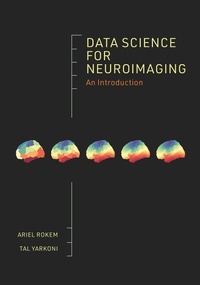
Data Science for Neuroimaging
Description

Data science methods and tools-including programming, data management, visualization, and machine learning-and their application to neuroimaging research
As neuroimaging turns toward data-intensive discovery, researchers in the field must learn to access, manage, and analyze datasets at unprecedented scales. Concerns about reproducibility and increased rigor in reporting of scientific results also demand higher standards of computational practice. This book offers neuroimaging researchers an introduction to data science, presenting methods, tools, and approaches that facilitate automated, reproducible, and scalable analysis and understanding of data. Through guided, hands-on explorations of openly available neuroimaging datasets, the book explains such elements of data science as programming, data management, visualization, and machine learning, and describes their application to neuroimaging. Readers will come away with broadly relevant data science skills that they can easily translate to their own questions.
. Fills the need for an authoritative resource on data science for neuroimaging researchers
. Strong emphasis on programming
. Provides extensive code examples written in the Python programming language
. Draws on openly available neuroimaging datasets for examples
. Written entirely in the Jupyter notebook format, so the code examples can be executed, modified, and re-executed as part of the learning process
More details
Other editions
Additional editions
Persons
Content
- Cover
- Contents
- Preface
- 1. Introduction
- 1.1 Why Data Science?
- 1.2 Who This Book Is For
- 1.3 How We Wrote This Book
- 1.4 How You Might Read This Book
- 1.5 Additional Resources
- PART I. The Data Science Toolbox
- 2. The Unix Operating System
- 2.1 Using Unix
- 2.2 More About Unix
- 2.3 Additional Resources
- 3. Version Control
- 3.1 Getting Started with Git
- 3.2 Working with Git at the First Level: Tracking Changes That You Make
- 3.3 Working with Git at the Second Level: Branching and Merging
- 3.4 Working with Git at the Third Level: Collaborating with Others
- 3.5 Additional Resources
- 4. Computational Environments and Computational Containers
- 4.1 Creating Virtual Environments with Conda
- 4.2 Containerization with Docker
- 4.3 Setting Up
- 4.4 Additional Resources
- PART II. Programming
- 5. A brief Introduction to Python
- 5.1 What Is Python?
- 5.2 Variables and Basic Types
- 5.3 Collections
- 5.4 Everything in Python Is an Object
- 5.5 Control Flow
- 5.6 Namespaces and Imports
- 5.7 Functions
- 5.8 Classes
- 5.9 Additional Resources
- 6. The Python Environment
- 6.1 Choosing a Good Editor
- 6.2 Debugging
- 6.3 Testing
- 6.4 Profiling Code
- 6.5 Summary
- 6.6 Additional Resources
- 7. Sharing Code with Others
- 7.1 What Should Be Shareable?
- 7.2 From Notebook to Module
- 7.3 From Module to Package
- 7.4 The Setup File
- 7.5 A Complete Project
- 7.6 Summary
- 7.7 Additional Resources
- PART III. Scientific Computing
- 8. The Scientific Python Ecosystem
- 8.1 Numerical Computing in Python
- 8.2 Introducing NumPy
- 8.3 Additional Resources
- 9. Manipulating Tabular Data with Pandas
- 9.1 Summarizing DataFrames
- 9.2 Indexing into DataFrames
- 9.3 Computing with DataFrames
- 9.4 Joining Different Tables
- 9.5 Additional Resources
- 10. Visualizing Data with Python
- 10.1 Creating Pictures from Data
- 10.2 Scatter Plots
- 10.3 Statistical Visualizations
- 10.4 Additional Resources
- PART IV. Neuroimaging in Python
- 11. Data Science Tools for Neuroimaging
- 11.1 Neuroimaging in Python
- 11.2 The Brain Imaging Data Structure Standard
- 11.3 Additional Resources
- 12. Reading Neuroimaging Data with NiBabel
- 12.1 Assessing MRI Data Quality
- 12.2 Additional Resources
- 13. Using Nibabel to Align Different Measurements
- 13.1 Coordinate Frames
- 13.2 Multiplying Matrices in Python
- 13.3 Using the Affine
- 13.4 Additional Resources
- PART V. Image Processing
- 14. Image Processing
- 14.1 Images Are Arrays
- 14.2 Images Can Have Two Dimensions or More
- 14.3 Images Can Have Other Special Dimensions
- 14.4 Operations with Images
- 14.5 Additional Resources
- 15. Image Segmentation
- 15.1 Intensity-Based Segmentation
- 15.2 Edge-Based Segmentation
- 15.3 Additional Resources
- 16. Image Registration
- 16.1 Affine Registration
- 16.2 Summary
- 16.3 Additional Resources
- PART VI. Machine Learning
- 17. The Core Concepts of Machine Learning
- 17.1 What Is Machine Learning?
- 17.2 Supervised versus Unsupervised Learning
- 17.3 Supervised Learning: Classification versus Regression
- 17.4 Unsupervised Learning: Clustering and Dimensionality Reduction
- 17.5 Additional Resources
- 18. The Scikit-Learn Package
- 18.1 The ABIDE II Data set
- 18.2 Regression Example: Brain-Age Prediction
- 18.3 Classification Example: Autism Classification
- 18.4 Clustering Example: Are There Neural Subtypes of Autism?
- 18.5 Additional Resources
- 19. Overfitting
- 19.1 Understanding Overfitting
- 19.2 Additional Resources
- 20. Validation
- 20.1 Cross-Validation
- 20.2 Learning and Validation Curves
- 20.3 Additional Resources
- 21. Model Selection
- 21.1 Bias and Variance
- 21.2 Regularization
- 21.3 Beyond Linear Regression
- 21.4 Additional Resources
- 22. Deep Learning
- 22.1 Artificial Neural Networks
- 22.2 Learning through Gradient Descent and Back Propagation
- 22.3 Introducing Keras
- 22.4 Convolutional Neural Networks
- 22.5 Additional Resources
- PART VII. Appendices
- Appendix 1: Solutions to Exercises
- A1.1 The Data Science Toolbox
- A1.2 Programming
- A1.3 Scientific Computing
- A1.4 Neuroimaging in Python
- A1.5 Image Processing
- A1.6 Machine Learning
- Appendix 2: ndslib Function Reference
- Bibliography
- Index
