

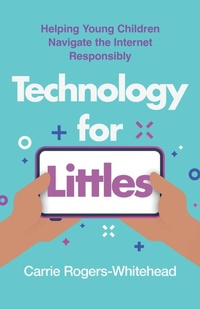
Technology for Littles
Helping Young Children Navigate the Internet Responsibly
1st Edition
Published on 15. April 2025
200 pages
978-1-5381-9298-6 (ISBN)
Description

An easy-to-implement guide to help parents raise tech-savvy children with healthy and safe online habits from the start.
Today's youngest children are experiencing technology more intensely than any generation before them. The opportunities are great-but so are the dangers. How do parents and educators prepare this new generation to be safe and responsible online? How can they raise young children with a healthy digital balance?
In Technology for Littles, parent, practitioner, and founder of Digital Respons-Ability Carrie Rogers-Whitehead combines decades of research on child development with practical tools for parents to help them raise healthy, responsible, and safe internet users at home. And because schools don't typically start digital literacy until third grade or older, this book focuses on helping parents of younger children implement online safety at home from the time a toddler first picks up a smart phone.
Packed full of songs, strategies, resource lists, and more, Technology for Littles equips parents to fearlessly tackle tech and create habits and routines that will help children grow to be healthy yet tech-savvy humans in a digital world.
Today's youngest children are experiencing technology more intensely than any generation before them. The opportunities are great-but so are the dangers. How do parents and educators prepare this new generation to be safe and responsible online? How can they raise young children with a healthy digital balance?
In Technology for Littles, parent, practitioner, and founder of Digital Respons-Ability Carrie Rogers-Whitehead combines decades of research on child development with practical tools for parents to help them raise healthy, responsible, and safe internet users at home. And because schools don't typically start digital literacy until third grade or older, this book focuses on helping parents of younger children implement online safety at home from the time a toddler first picks up a smart phone.
Packed full of songs, strategies, resource lists, and more, Technology for Littles equips parents to fearlessly tackle tech and create habits and routines that will help children grow to be healthy yet tech-savvy humans in a digital world.
More details
Edition
1. Auflage
Language
English
Place of publication
New York
United States
Publishing group
Bloomsbury Publishing Plc
Illustrations
8 Tables, 17 Textboxes
ISBN-13
978-1-5381-9298-6 (9781538192986)
Copyright in bibliographic data and cover images is held by Nielsen Book Services Limited or by the publishers or by their respective licensors: all rights reserved.
Schweitzer Classification
Other editions
Additional editions
Carrie Rogers-Whitehead
Technology for Littles
Helping Young Children Navigate the Internet Responsibly
Book
04/2025
Rowman & Littlefield Publishers
€22.50
Shipment within 3-4 weeks
Person
Carrie Rogers-Whitehead is the founder of Digital Respons-Ability, a mission-based company that has taught tens of thousands of parents, students, and educators around the world. Carrie is an adjunct instructor, former librarian, and regularly consults and trains on technology, online safety, education, parenting, and more. She is an award-winning author of seven books, most recently Deepening Digital Citizenship: A Guide to Systemwide Policy and Practice. Carrie lives with her family in Utah.
Content
- Cover
- Half Title
- Title Page
- Copyright Page
- Dedication
- Contents
- Introduction
- Chapter 1: Before Baby Comes Home
- Preparing Yourselves and Your Home
- Baby's First Digital Identity
- Photo-Sharing Apps and Platforms
- Baby's First Device
- Baby Monitors
- What Type of Baby Monitor Do I Get?
- What Features Do I Want in My Baby Monitor?
- Baby's First Digital Routines
- Early Digital Routines
- Chapter 2: Your Young Child's Brain and Development
- Your Child's Development
- Newborns (Birth-Two Months)
- Babies (Two Months-One Year)
- Toddlers (One Year-Three Years)
- Preschoolers (Three Years-Five Years)
- Children (Five Years-Seven Years)
- Child Development and Technology
- Modeling Behavior
- Vision
- Language Development
- Self-Regulation
- Chapter 3: Creating Digital Routines and Rituals
- The Basics of Digital Routines
- Evaluate Your Own Rules and Routines
- Reinforcing Rules and Routines
- Digital Routines for Young Children
- Ages Zero to Two
- Ages Three to Five
- Ages Five to Seven
- Chapter 4: How Does It Work?: Teaching Digital Literacy
- Motor Skills and Technology
- Learning the Words of Technology
- Vocabulary Words to Know
- Ages Zero to Two
- Ages Three to Five
- Ages Five to Eight
- Teaching through Song
- I'm a Little Cell Phone
- First Device for Toddlers and/or Preschoolers
- Be Nice to Your Device
- Talking about Artificial Intelligence with Children
- Chapter 5: Permission, Privacy, and Sharing
- Online Safety and Asking Permission
- Tips for Permissions and Safety
- Online Privacy
- Children's Rights and Consent
- Sharenting and Parasocial Relationships
- Chapter 6: Screen Time for Young Children
- What Is Screen Time?
- What Does the Research Say about Screen Time?
- Infants and Toddlers
- Preschoolers
- Ages Five to Seven
- Physical Activity and Screens
- Screen Time, Stress, and Temperament
- Positives of Screens
- Opportunity Costs of Screens
- Chapter 7: Cultivating Critical-Thinking Skills
- Basics of Media Literacy for Young Children
- Trust
- Teaching Media Literacy
- Young Children and the Digital Economy
- Laws around Advertising to Children
- Talking to Children about Advertising
- AI and Critical Thinking
- Chapter 8: Communication and Literacy
- Children's First Online Conversations
- Teaching Digital Communication
- Language and Conversation
- Digital Communication across Platforms
- Communicating with Empathy and Kindness
- Chapter 9: Digital Resources for Young Children
- Finding and Vetting Apps for Children
- What Is an Educational Digital Resource?
- Guides to Evaluating Digital Resources
- Positive Digital Resources
- STEM (Science, Technology, Engineering, and Math) Resources
- Prosocial Resources
- Chapter 10: Gaming
- Negatives of Gaming
- Safety Concerns with Gaming
- Positives of Gaming
- Appendix A
- Self-Reflection Questions
- Appendix B
- Appendix C
- Appendix D
- Appendix E
- Guide
- Appendix F
- Discussion Questions
- Appendix G
- Appendix H
- Appendix I
- Notes
- Chapter 1
- Chapter 2
- Chapter 3
- Chapter 4
- Chapter 5
- Chapter 6
- Chapter 7
- Chapter 8
- Chapter 9
- Chapter 10
- Bibliography
- Index
- About the Author
