

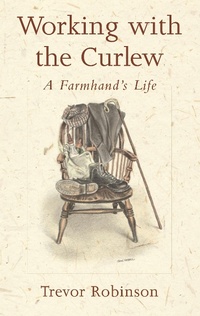
Working with the Curlew
A Farmhand's Life
1st Edition
Published on 23. October 2003
128 pages
978-1-907448-21-8 (ISBN)
Description

An intimate and evocative account of an era when farmers worked closely with nature and the rhythm of the seasons.
In Working with the Curlew, Trevor Robinson tells the story of his life as a shepherd on the moor at Great Whernside in Yorkshire and later as a farmhand near Leominster in Hereford. Trevor celebrates the intricate details of traditional farm life, from the village hop, cheese and bread making and trout-tickling, to muck spreading, lambing and sheep shearing.
During one severe Yorkshire winter six hundred sheep were lost, and he had to leave the job he loved; 'the call of the curlew was still over two months away, when it came I was not there to hear it'. His new job in Herefordshire brought different skills: hedge laying, ploughing matches, haymaking, chain harrowing and crop rotation, and inevitably, the arrival of tractor and combine harvester.
Before factory farming, smallholdings sustained entire families and there were enough small farms for a shepherd to climb the ladder to ownership. Working with the Curlew beautifully honours those peaceful yet lively times.
In Working with the Curlew, Trevor Robinson tells the story of his life as a shepherd on the moor at Great Whernside in Yorkshire and later as a farmhand near Leominster in Hereford. Trevor celebrates the intricate details of traditional farm life, from the village hop, cheese and bread making and trout-tickling, to muck spreading, lambing and sheep shearing.
During one severe Yorkshire winter six hundred sheep were lost, and he had to leave the job he loved; 'the call of the curlew was still over two months away, when it came I was not there to hear it'. His new job in Herefordshire brought different skills: hedge laying, ploughing matches, haymaking, chain harrowing and crop rotation, and inevitably, the arrival of tractor and combine harvester.
Before factory farming, smallholdings sustained entire families and there were enough small farms for a shepherd to climb the ladder to ownership. Working with the Curlew beautifully honours those peaceful yet lively times.
More details
Edition
1. Auflage
Language
English
Place of publication
London
United Kingdom
Publishing group
Bloomsbury Publishing PLC
Target group
Professional and scholarly
Illustrations
20 black & white illustrations
ISBN-13
978-1-907448-21-8 (9781907448218)
Copyright in bibliographic data and cover images is held by Nielsen Book Services Limited or by the publishers or by their respective licensors: all rights reserved.
Schweitzer Classification
Other editions
Additional editions
Book
10/2003
Green Books
€10.50
Shipment within 3-4 weeks
Person
Trevor Robinson was born in Huddersfield in 1930, and worked as a shepherd and farmhand in the Yorkshire Dales and Herefordshire from the age of eight. He lives with his wife in Worcestershire.
Content
Acknowledgements
Foreword
Kettlewell
Leominister
Foreword
Kettlewell
Leominister
