

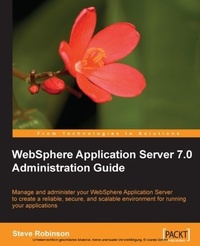
WebSphere Application Server 7.0 Administration Guide
Manage and administer your IBM WebSphere application server to create a reliable, secure, and scalable environment for running your applications with this book and eBook
Published on 13. January 2025
344 pages
978-1-84719-721-4 (ISBN)
Description

Manage and administer your WebSphere application server to create a reliable, secure, and scalable environment for running your applications
Key Features
Create a reliable, secure, and flexible environment to build and run WebSphere applications efficiently
Learn WebSphere security, performance tuning, and debugging concepts with a variety of real-life examples
Thoroughly covers Java messaging, administrative agent, and product maintenance features
No previous knowledge of WebSphere is expected
Book DescriptionAs an administrator you need a secure, scalable, resilient application infrastructure to support the developers building and managing J2EE applications and Service Oriented Architecture services. WebSphere application server, a product from IBM, is optimized to ease administration and improve runtime performance. It helps you run applications and services in a reliable, secure, and high-performance environment to ensure business opportunities are not lost due to application downtime. It's easy to get started and tame this powerful application server when you've got this book to hand. This administration guide will help you provide an innovative, performance-based foundation to build, run, and manage J2EE applications and SOA services, offering the highest level of reliability, security, and scalability. This book will take you through the different methods for installing WebSphere application server and demonstrate how to configure and prepare WebSphere resources for your application deployments. During configuration you will be shown how to administer your WebSphere server standalone or using the new administrative agent, which provides the ability to administer multiple installations of WebSphere application server using one single administration console. WebSphere security is covered in detail showing the various methods of implanting federated user and group repositories. The facets of data-aware and message-aware applications are explained and demonstrated giving the reader real-world examples of manual and automated deployments. Key administration features and tools are introduced, which will help a WebSphere administrator manage and tune their WebSphere implementation and application for success.What you will learn
Install your applications manually and learn to automate the process using scripts
Secure the WebSphere application server s administrative console with different levels of access for administration
Save many hours of manual administrative efforts by automating the configuration of WebSphere
Learn how to read, configure, and search your server logs
Allow communication between applications by implementing Java messaging
Monitor performance and tune your applications and WebSphere for best performance
Remotely install applications on application servers using the administrative agent
Change application server configurations, stop and restart application servers, and create additional application servers from a single administrative console
Administer multiple application servers by using a single administrative console
Diagnose the problems using command-line tools when your WebSphere or applications are not running as they should
Keep your products up to date by using WebSphere product maintenance features
Who this book is forThis book is for administrators with some experience in Java who want to get started with WebSphere. Existing WebSphere users will also find this book useful, especially as there are so many new features in the new version. No previous knowledge of WebSphere is assumed.
Key Features
Create a reliable, secure, and flexible environment to build and run WebSphere applications efficiently
Learn WebSphere security, performance tuning, and debugging concepts with a variety of real-life examples
Thoroughly covers Java messaging, administrative agent, and product maintenance features
No previous knowledge of WebSphere is expected
Book DescriptionAs an administrator you need a secure, scalable, resilient application infrastructure to support the developers building and managing J2EE applications and Service Oriented Architecture services. WebSphere application server, a product from IBM, is optimized to ease administration and improve runtime performance. It helps you run applications and services in a reliable, secure, and high-performance environment to ensure business opportunities are not lost due to application downtime. It's easy to get started and tame this powerful application server when you've got this book to hand. This administration guide will help you provide an innovative, performance-based foundation to build, run, and manage J2EE applications and SOA services, offering the highest level of reliability, security, and scalability. This book will take you through the different methods for installing WebSphere application server and demonstrate how to configure and prepare WebSphere resources for your application deployments. During configuration you will be shown how to administer your WebSphere server standalone or using the new administrative agent, which provides the ability to administer multiple installations of WebSphere application server using one single administration console. WebSphere security is covered in detail showing the various methods of implanting federated user and group repositories. The facets of data-aware and message-aware applications are explained and demonstrated giving the reader real-world examples of manual and automated deployments. Key administration features and tools are introduced, which will help a WebSphere administrator manage and tune their WebSphere implementation and application for success.What you will learn
Install your applications manually and learn to automate the process using scripts
Secure the WebSphere application server s administrative console with different levels of access for administration
Save many hours of manual administrative efforts by automating the configuration of WebSphere
Learn how to read, configure, and search your server logs
Allow communication between applications by implementing Java messaging
Monitor performance and tune your applications and WebSphere for best performance
Remotely install applications on application servers using the administrative agent
Change application server configurations, stop and restart application servers, and create additional application servers from a single administrative console
Administer multiple application servers by using a single administrative console
Diagnose the problems using command-line tools when your WebSphere or applications are not running as they should
Keep your products up to date by using WebSphere product maintenance features
Who this book is forThis book is for administrators with some experience in Java who want to get started with WebSphere. Existing WebSphere users will also find this book useful, especially as there are so many new features in the new version. No previous knowledge of WebSphere is assumed.
All prices
More details
Edition
Digital original
Language
English
Place of publication
Birmingham
United Kingdom
Edition type
Digital original
File size
6,73 MB
ISBN-13
978-1-84719-721-4 (9781847197214)
Copyright in bibliographic data and cover images is held by Nielsen Book Services Limited or by the publishers or by their respective licensors: all rights reserved.
Schweitzer Classification
Other editions
Additional editions
Steve Robinson
WebSphere Application Server 7.0 Administration Guide
Book
08/2009
Packt Publishing
€63.40
Shipment within 3-4 weeks
Person
Robinson Steve :
Steve Robinson is an independent WebSphere specialist and consultant. He has been consulting in IT since 1997 and has been involved in client projects around the globe; many of which are for fortune 500 companies. Steve started out originally as a consultant in the IBM Lotus Notes/Domino product suite, where he excelled in middleware integration technologies to ensure homogenous environments could exist in the new heterogeneous world. Having worked for many different industries, Steve has had a plethora of experience in the integration of most technologies across many different systems and cultures. He is also an accomplished programmer in including C, Java, and the Microsoft .NET development tools. Steve has gleaned many insights due to the amount of large enterprise projects he has been involved with and his passion for documentation and process improvement is recognized by all those he works with. Steve is married and lives with his family in England. He spends his time either writing, or researching new products and technologies for client projects along with investigating new ways to automate process where possible. Steve is also known for his contribution to the WebSphere Internet community through one of his many top-ranking WebSphere knowledge portals: http://www.webspheretools.com.
Steve Robinson is an independent WebSphere specialist and consultant. He has been consulting in IT since 1997 and has been involved in client projects around the globe; many of which are for fortune 500 companies. Steve started out originally as a consultant in the IBM Lotus Notes/Domino product suite, where he excelled in middleware integration technologies to ensure homogenous environments could exist in the new heterogeneous world. Having worked for many different industries, Steve has had a plethora of experience in the integration of most technologies across many different systems and cultures. He is also an accomplished programmer in including C, Java, and the Microsoft .NET development tools. Steve has gleaned many insights due to the amount of large enterprise projects he has been involved with and his passion for documentation and process improvement is recognized by all those he works with. Steve is married and lives with his family in England. He spends his time either writing, or researching new products and technologies for client projects along with investigating new ways to automate process where possible. Steve is also known for his contribution to the WebSphere Internet community through one of his many top-ranking WebSphere knowledge portals: http://www.webspheretools.com.
Content
Table of Contents

