

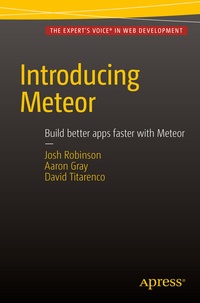
Introducing Meteor
Description

Web apps have come a long way since the 1990s, but they still require a lot of time, specialized knowledge and complex setups. Introducing Meteor shows you a better way.
More details
Other editions
Additional editions
Persons
Josh Robinson is a code craftsman and freelance developer who thrives on cutting edge technology. His love for coding began with the blue glow of a secondhand Commodore 64 and has continued into his career developing for the modern web. He can be stalked at JoshRobinson.com or on Twitter @JoshRobinson.
Aaron Gray is a software engineer who has run a freelance consultancy, built an acquired startup, and as the lead instructor, transitioned a 6 month programming bootcamp curriculum from Ruby to JavaScript. He contributes to OSS - namely Susy and other side projects - organizes several meetups, and speaks where they'll let him. In his spare time, Aaron can likely be found reading science fiction, quoting Jos Whedon, or taking a nap. You can reach him on Twitter at @aaronagray.
David Titarenco is a software engineer from sunny Los Angeles. He is aproponent of open source and has contributed to a number of high-profile projects like Google Go and the Java Kilim microthreading library. A self-proclaimed startup addict, he's founded several ventures in the past decade and you can keep up with him at http://dvt.name or on Twitter: @davvv. He graduated with a magna cum laude Bachelor of Arts from UCLA, where he studied Philosophy and Mathematical Logic. Go Bruins!
Content
- Web Development Crash Course.-
- Getting Started with Meteor.-
- Using Spacebar Templates.-
- Reactive Programming and Routes.-
- Dealing with Data.-
- Accounts.-
- Security.-
- Mobile Apps.-
- Building Your Own Packages.-
- Hosting Your App.
