
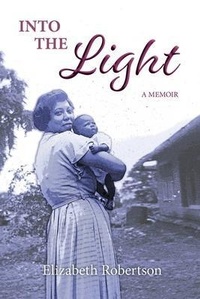
Into the Light
Description
Alles über E-Books | Antworten auf Fragen rund um E-Books, Kopierschutz und Dateiformate finden Sie in unserem Info- & Hilfebereich.
'I stood at the rail of the ocean liner clutching a handful of multi-coloured streamers. Excitement warred with the sadness of separation from home and loved ones. Above all, I could never forget the wounded look in my mother's deep blue eyes.'
The year is 1954. Aged twenty-eight, Beth is departing for Africa from Adelaide, Australia. Despite a childhood beset by racial discrimination and the financial hardships of the Great Depression, she has qualified as a registered nurse and will now serve as a medical missionary in the remote villages of Sudan.
Her vivid, vulnerable and often humorous narrative unfolds post-Africa into a renewed career as a social worker, and the unexpected blessing of midlife marriage.
Elizabeth Robertson's story journeys through a lifetime of challenges under the covering of God's grace, moving always Into the Light.
Told with wit and pathos, and her trademark honesty... James Cooper
...an inspiring and fascinating memoir, brimming with love, peace and humour, a true story of spiritual growth and transformation. Dr Rosanne Hawke

More details
System requirements
File format: ePUB
Copy protection: Adobe-DRM (Digital Rights Management)
System requirements:
- Computer (Windows; MacOS X; Linux): Install the free reader Adobe Digital Editions prior to download (see eBook Help).
- Tablet/smartphone (Android; iOS): Install the free app Adobe Digital Editions or the app PocketBook before downloading (see eBook Help).
- E-reader: Bookeen, Kobo, Pocketbook, Sony, Tolino and many more (not Kindle).
The file format ePub works well for novels and non-fiction books – i.e., „flowing” text without complex layout. On an e-reader or smartphone, line and page breaks automatically adjust to fit the small displays.
This eBook uses Adobe-DRM, a „hard” copy protection. If the necessary requirements are not met, unfortunately you will not be able to open the eBook. You will therefore need to prepare your reading hardware before downloading.
Please note: We strongly recommend that you authorise using your personal Adobe ID after installation of any reading software.
For more information, see our ebook Help page.