

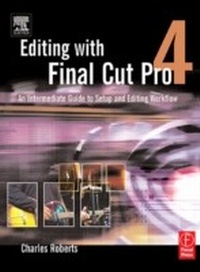
Editing with Final Cut Pro 4
An Intermediate Guide to Setup and Editing Workflow
1st Edition
Published on 12. November 2012
467 pages
978-1-136-07022-8 (ISBN)
Description

Whether you've mastered the basics of Final Cut Pro and want to take your skills to the next level, or if you're a video editor new to Final Cut Pro and looking to put your own system together, this book is for you. Written by "chawla," a Final Cut Pro guru and veteran moderator on 2-Pop/Creative Cow, this book covers the interface basics and workflow but goes beyond to address intermediate techniques and timesaving tips for professional results. Roberts does not assume you have an IT staff on hand and therefore goes into crucial issues of set up, configuration, consumer advice on hardware purchasing, and troubleshooting. Equally valuable is coverage of working with formats such as standard definition, uncompressed, and FireWire DV.
More details
Language
English
Place of publication
London
United Kingdom
Publishing group
Taylor & Francis Ltd
Target group
Professional and scholarly
File size
18,48 MB
ISBN-13
978-1-136-07022-8 (9781136070228)
Copyright in bibliographic data and cover images is held by Nielsen Book Services Limited or by the publishers or by their respective licensors: all rights reserved.
Schweitzer Classification
Other editions
Additional editions
Book
03/2004
1st Edition
Focal Press
€38.50
Article not available at the moment
Person
Charles Roberts is Assistant Professor of Video and Digital Media at Fitchburg State College in Massachusetts, and a regular contributor to Creative Cow (www.creativecow.net) and 2-Pop (Creative Planet's Digital Filmmaker's Resource Site). He is also active in the network of Final Cut Pro User Groups.
Content
Foreword
Preface
Acknowledgments
1: The Initial Setup: Optimizing the Mac OS and Final Cut Pro
2: Settings: Are Yours Correct?
3: Importing Media: What Importing Is and What It Is Not
4: Editing Tools
5: Compositing and Special Effects
6: Audio Post-Production
7: Getting Your Project out of Final Cut Pro
Appendix 1: Digital Video Formats: The Stuff you Shoot and Edit With
Appendix 2: The Macintosh Hardware for Final Cut Pro
Appendix 3: Extra Tips and Tricks
Epilogue
Index
Preface
Acknowledgments
1: The Initial Setup: Optimizing the Mac OS and Final Cut Pro
2: Settings: Are Yours Correct?
3: Importing Media: What Importing Is and What It Is Not
4: Editing Tools
5: Compositing and Special Effects
6: Audio Post-Production
7: Getting Your Project out of Final Cut Pro
Appendix 1: Digital Video Formats: The Stuff you Shoot and Edit With
Appendix 2: The Macintosh Hardware for Final Cut Pro
Appendix 3: Extra Tips and Tricks
Epilogue
Index
