

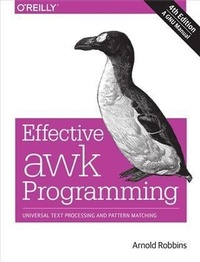
Effective awk Programming
Universal Text Processing and Pattern Matching
Published on 3. March 2015
560 pages
978-1-4919-0497-8 (ISBN)
Description

When processing text files, the awk language is ideal for handling data extraction, reporting, and data-reformatting jobs. This practical guide serves as both a reference and tutorial for POSIX-standard awk and for the GNU implementation, called gawk. This book is useful for novices and awk experts alike.In this thoroughly revised edition, author and gawk lead developer Arnold Robbins describes the awk language and gawk program in detail, shows you how to use awk and gawk for problem solving, and then dives into specific features of gawk. System administrators, programmers, webmasters, and other power users will find everything they need to know about awk and gawk. You will learn how to:Format text and use regular expressions in awk and gawkProcess data using awk's operators and built-in functionsManage data relationships using associative arraysDefine your own functions"e;Think in awk"e; with two full chapters of sample functions and programsTake advantage of gawk's many advanced featuresDebug awk programs with the gawk built-in debuggerExtend gawk by writing new functions in C or C++This book is published under the terms of the GNU Free Documentation License. You have the freedom to copy and modify this GNU manual.Royalties from the sales of this book go to the Free Software Foundation and to the author.
More details
Other editions
Additional editions
Book
04/2015
4th Edition
O'Reilly
€45.00
Shipment within 10-20 days
Content
- Intro
- Copyright
- Table of Contents
- Foreword to the Third Edition
- Foreword to the Fourth Edition
- Preface
- History of awk and gawk
- A Rose by Any Other Name
- Using This Book
- Typographical Conventions
- Dark Corners
- The GNU Project and This Book
- How to Stay Current
- Using Code Examples
- Safari® Books Online
- How to Contact Us
- Acknowledgments
- Part I. The awk Language
- Chapter 1. Getting Started with awk
- How to Run awk Programs
- One-Shot Throwaway awk Programs
- Running awk Without Input Files
- Running Long Programs
- Executable awk Programs
- Comments in awk Programs
- Shell Quoting Issues
- Datafiles for the Examples
- Some Simple Examples
- An Example with Two Rules
- A More Complex Example
- awk Statements Versus Lines
- Other Features of awk
- When to Use awk
- Summary
- Chapter 2. Running awk and gawk
- Invoking awk
- Command-Line Options
- Other Command-Line Arguments
- Naming Standard Input
- The Environment Variables gawk Uses
- The AWKPATH Environment Variable
- The AWKLIBPATH Environment Variable
- Other Environment Variables
- gawk's Exit Status
- Including Other Files into Your Program
- Loading Dynamic Extensions into Your Program
- Obsolete Options and/or Features
- Undocumented Options and Features
- Summary
- Chapter 3. Regular Expressions
- How to Use Regular Expressions
- Escape Sequences
- Regular Expression Operators
- Using Bracket Expressions
- How Much Text Matches?
- Using Dynamic Regexps
- gawk-Specific Regexp Operators
- Case Sensitivity in Matching
- Summary
- Chapter 4. Reading Input Files
- How Input Is Split into Records
- Record Splitting with Standard awk
- Record Splitting with gawk
- Examining Fields
- Nonconstant Field Numbers
- Changing the Contents of a Field
- Specifying How Fields Are Separated
- Whitespace Normally Separates Fields
- Using Regular Expressions to Separate Fields
- Making Each Character a Separate Field
- Setting FS from the Command Line
- Making the Full Line Be a Single Field
- Field-Splitting Summary
- Reading Fixed-Width Data
- Defining Fields by Content
- Multiple-Line Records
- Explicit Input with getline
- Using getline with No Arguments
- Using getline into a Variable
- Using getline from a File
- Using getline into a Variable from a File
- Using getline from a Pipe
- Using getline into a Variable from a Pipe
- Using getline from a Coprocess
- Using getline into a Variable from a Coprocess
- Points to Remember About getline
- Summary of getline Variants
- Reading Input with a Timeout
- Directories on the Command Line
- Summary
- Chapter 5. Printing Output
- The print Statement
- print Statement Examples
- Output Separators
- Controlling Numeric Output with print
- Using printf Statements for Fancier Printing
- Introduction to the printf Statement
- Format-Control Letters
- Modifiers for printf Formats
- Examples Using printf
- Redirecting Output of print and printf
- Special Files for Standard Preopened Data Streams
- Special Filenames in gawk
- Accessing Other Open Files with gawk
- Special Files for Network Communications
- Special Filename Caveats
- Closing Input and Output Redirections
- Summary
- Chapter 6. Expressions
- Constants, Variables, and Conversions
- Constant Expressions
- Using Regular Expression Constants
- Variables
- Conversion of Strings and Numbers
- Operators: Doing Something with Values
- Arithmetic Operators
- String Concatenation
- Assignment Expressions
- Increment and Decrement Operators
- Truth Values and Conditions
- True and False in awk
- Variable Typing and Comparison Expressions
- Boolean Expressions
- Conditional Expressions
- Function Calls
- Operator Precedence (How Operators Nest)
- Where You Are Makes a Difference
- Summary
- Chapter 7. Patterns, Actions, and Variables
- Pattern Elements
- Regular Expressions as Patterns
- Expressions as Patterns
- Specifying Record Ranges with Patterns
- The BEGIN and END Special Patterns
- The BEGINFILE and ENDFILE Special Patterns
- The Empty Pattern
- Using Shell Variables in Programs
- Actions
- Control Statements in Actions
- The if-else Statement
- The while Statement
- The do-while Statement
- The for Statement
- The switch Statement
- The break Statement
- The continue Statement
- The next Statement
- The nextfile Statement
- The exit Statement
- Predefined Variables
- Built-in Variables That Control awk
- Built-in Variables That Convey Information
- Using ARGC and ARGV
- Summary
- Chapter 8. Arrays in awk
- The Basics of Arrays
- Introduction to Arrays
- Referring to an Array Element
- Assigning Array Elements
- Basic Array Example
- Scanning All Elements of an Array
- Using Predefined Array Scanning Orders with gawk
- Using Numbers to Subscript Arrays
- Using Uninitialized Variables as Subscripts
- The delete Statement
- Multidimensional Arrays
- Scanning Multidimensional Arrays
- Arrays of Arrays
- Summary
- Chapter 9. Functions
- Built-in Functions
- Calling Built-in Functions
- Numeric Functions
- String-Manipulation Functions
- Input/Output Functions
- Time Functions
- Bit-Manipulation Functions
- Getting Type Information
- String-Translation Functions
- User-Defined Functions
- Function Definition Syntax
- Function Definition Examples
- Calling User-Defined Functions
- The return Statement
- Functions and Their Effects on Variable Typing
- Indirect Function Calls
- Summary
- Part II. Problem Solving with awk
- Chapter 10. A Library of awk Functions
- Naming Library Function Global Variables
- General Programming
- Converting Strings to Numbers
- Assertions
- Rounding Numbers
- The Cliff Random Number Generator
- Translating Between Characters and Numbers
- Merging an Array into a String
- Managing the Time of Day
- Reading a Whole File at Once
- Quoting Strings to Pass to the Shell
- Datafile Management
- Noting Datafile Boundaries
- Rereading the Current File
- Checking for Readable Datafiles
- Checking for Zero-Length Files
- Treating Assignments as Filenames
- Processing Command-Line Options
- Reading the User Database
- Reading the Group Database
- Traversing Arrays of Arrays
- Summary
- Chapter 11. Practical awk Programs
- Running the Example Programs
- Reinventing Wheels for Fun and Profit
- Cutting Out Fields and Columns
- Searching for Regular Expressions in Files
- Printing Out User Information
- Splitting a Large File into Pieces
- Duplicating Output into Multiple Files
- Printing Nonduplicated Lines of Text
- Counting Things
- A Grab Bag of awk Programs
- Finding Duplicated Words in a Document
- An Alarm Clock Program
- Transliterating Characters
- Printing Mailing Labels
- Generating Word-Usage Counts
- Removing Duplicates from Unsorted Text
- Extracting Programs from Texinfo Source Files
- A Simple Stream Editor
- An Easy Way to Use Library Functions
- Finding Anagrams from a Dictionary
- And Now for Something Completely Different
- Summary
- Part III. Moving Beyond Standard awk with gawk
- Chapter 12. Advanced Features of gawk
- Allowing Nondecimal Input Data
- Controlling Array Traversal and Array Sorting
- Controlling Array Traversal
- Sorting Array Values and Indices with gawk
- Two-Way Communications with Another Process
- Using gawk for Network Programming
- Profiling Your awk Programs
- Summary
- Chapter 13. Internationalization with gawk
- Internationalization and Localization
- GNU gettext
- Internationalizing awk Programs
- Translating awk Programs
- Extracting Marked Strings
- Rearranging printf Arguments
- awk Portability Issues
- A Simple Internationalization Example
- gawk Can Speak Your Language
- Summary
- Chapter 14. Debugging awk Programs
- Introduction to the gawk Debugger
- Debugging in General
- Debugging Concepts
- awk Debugging
- Sample gawk Debugging Session
- How to Start the Debugger
- Finding the Bug
- Main Debugger Commands
- Control of Breakpoints
- Control of Execution
- Viewing and Changing Data
- Working with the Stack
- Obtaining Information About the Program and the Debugger State
- Miscellaneous Commands
- Readline Support
- Limitations
- Summary
- Chapter 15. Arithmetic and Arbitrary-Precision Arithmetic with gawk
- A General Description of Computer Arithmetic
- Other Stuff to Know
- Arbitrary-Precision Arithmetic Features in gawk
- Floating-Point Arithmetic: Caveat Emptor!
- Floating-Point Arithmetic Is Not Exact
- Getting the Accuracy You Need
- Try a Few Extra Bits of Precision and Rounding
- Setting the Precision
- Setting the Rounding Mode
- Arbitrary-Precision Integer Arithmetic with gawk
- Standards Versus Existing Practice
- Summary
- Chapter 16. Writing Extensions for gawk
- Introduction
- Extension Licensing
- How It Works at a High Level
- API Description
- Introduction
- General-Purpose Data Types
- Memory Allocation Functions and Convenience Macros
- Constructor Functions
- Registration Functions
- Printing Messages
- Updating ERRNO
- Requesting Values
- Accessing and Updating Parameters
- Symbol Table Access
- Array Manipulation
- API Variables
- Boilerplate Code
- How gawk Finds Extensions
- Example: Some File Functions
- Using chdir() and stat()
- C Code for chdir() and stat()
- Integrating the Extensions
- The Sample Extensions in the gawk Distribution
- File-Related Functions
- Interface to fnmatch()
- Interface to fork(), wait(), and waitpid()
- Enabling In-Place File Editing
- Character and Numeric values: ord() and chr()
- Reading Directories
- Reversing Output
- Two-Way I/O Example
- Dumping and Restoring an Array
- Reading an Entire File
- Extension Time Functions
- API Tests
- The gawkextlib Project
- Summary
- Part IV. Appendices
- Appendix A. The Evolution of the awk Language
- Major Changes Between V7 and SVR3.1
- Changes Between SVR3.1 and SVR4
- Changes Between SVR4 and POSIX awk
- Extensions in Brian Kernighan's awk
- Extensions in gawk Not in POSIX awk
- Common Extensions Summary
- Regexp Ranges and Locales: A Long Sad Story
- Major Contributors to gawk
- Summary
- Appendix B. Installing gawk
- The gawk Distribution
- Getting the gawk Distribution
- Extracting the Distribution
- Contents of the gawk Distribution
- Compiling and Installing gawk on Unix-Like Systems
- Compiling gawk for Unix-Like Systems
- Additional Configuration Options
- The Configuration Process
- Installation on Other Operating Systems
- Installation on PC Operating Systems
- Compiling and Installing gawk on Vax/VMS and OpenVMS
- Reporting Problems and Bugs
- Other Freely Available awk Implementations
- Summary
- Appendix C. GNU General Public License
- Index
- About the Author
