

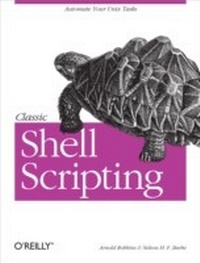
Classic Shell Scripting
Hidden Commands that Unlock the Power of Unix
1st Edition
Published on 16. May 2005
560 pages
978-0-596-55526-9 (ISBN)
Description

Shell scripting skills never go out of style. It's the shell that unlocks the real potential of Unix. Shell scripting is essential for Unix users and system administrators-a way to quickly harness and customize the full power of any Unix system. With shell scripts, you can combine the fundamental Unix text and file processing commands to crunch data and automate repetitive tasks. But beneath this simple promise lies a treacherous ocean of variations in Unix commands and standards. Classic Shell Scripting is written to help you reliably navigate these tricky waters.Writing shell scripts requires more than just a knowledge of the shell language, it also requires familiarity with the individual Unix programs: why each one is there, how to use them by themselves, and in combination with the other programs. The authors are intimately familiar with the tips and tricks that can be used to create excellent scripts, as well as the traps that can make your best effort a bad shell script. With Classic Shell Scripting you'll avoid hours of wasted effort. You'll learn not only write useful shell scripts, but how to do it properly and portably.The ability to program and customize the shell quickly, reliably, and portably to get the best out of any individual system is an important skill for anyone operating and maintaining Unix or Linux systems. Classic Shell Scripting gives you everything you need to master these essential skills.
More details
Other editions
Additional editions
Arnold Robbins | Nelson H. F. Beebe
Classic Shell Scripting
Hidden Commands that Unlock the Power of Unix
Book
06/2005
1st Edition
O'Reilly
€32.00
Shipment within 10-20 days
Content
- Intro
- Table of Contents
- Foreword
- Preface
- Intended Audience
- What You Should Already Know
- Chapter Summary
- Conventions Used in This Book
- Code Examples
- Unix Tools for Windows Systems
- Cygwin
- DJGPP
- MKS Toolkit
- AT&T UWIN
- Safari Enabled
- We'd Like to Hear from You
- Acknowledgments
- Chapter 1. Background
- 1.1 Unix History
- 1.2 Software Tools Principles
- 1.3 Summary
- Chapter 2. Getting Started
- 2.1 Scripting Languages Versus Compiled Languages
- 2.2 Why Use a Shell Script?
- 2.3 A Simple Script
- 2.4 Self-Contained Scripts: The #! First Line
- 2.5 Basic Shell Constructs
- 2.5.1 Commands and Arguments
- 2.5.2 Variables
- 2.5.3 Simple Output with echo
- 2.5.4 Fancier Output with printf
- 2.5.5 Basic I/O Redirection
- 2.5.5.1 Redirection and pipelines
- 2.5.5.2 Special files: /dev/null and /dev/tty
- 2.5.6 Basic Command Searching
- 2.6 Accessing Shell Script Arguments
- 2.7 Simple Execution Tracing
- 2.8 Internationalization and Localization
- 2.9 Summary
- Chapter 3. Searching and Substitutions
- 3.1 Searching for Text
- 3.1.1 Simple grep
- 3.2 Regular Expressions
- 3.2.1 What Is a Regular Expression?
- 3.2.1.1 POSIX bracket expressions
- 3.2.2 Basic Regular Expressions
- 3.2.2.1 Matching single characters
- 3.2.2.2 Backreferences
- 3.2.2.3 Matching multiple characters with one expression
- 3.2.2.4 Anchoring text matches
- 3.2.2.5 BRE operator precedence
- 3.2.3 Extended Regular Expressions
- 3.2.3.1 Matching single characters
- 3.2.3.2 Backreferences don't exist
- 3.2.3.3 Matching multiple regular expressions with one expression
- 3.2.3.4 Alternation
- 3.2.3.5 Grouping
- 3.2.3.6 Anchoring text matches
- 3.2.3.7 ERE operator precedence
- 3.2.4 Regular Expression Extensions
- 3.2.5 Which Programs Use Which Regular Expressions?
- 3.2.6 Making Substitutions in Text Files
- 3.2.7 Basic Usage
- 3.2.7.1 Substitution details
- 3.2.8 sed Operation
- 3.2.8.1 To print or not to print
- 3.2.9 Matching Specific Lines
- 3.2.10 How Much Text Gets Changed?
- 3.2.11 Lines Versus Strings
- 3.3 Working with Fields
- 3.3.1 Text File Conventions
- 3.3.2 Selecting Fields with cut
- 3.3.3 Joining Fields with join
- 3.3.4 Rearranging Fields with awk
- 3.3.4.1 Patterns and actions
- 3.3.4.2 Fields
- 3.3.4.3 Setting the field separators
- 3.3.4.4 Printing lines
- 3.3.4.5 Startup and cleanup actions
- 3.4 Summary
- Chapter 4. Text Processing Tools
- 4.1 Sorting Text
- 4.1.1 Sorting by Lines
- 4.1.2 Sorting by Fields
- 4.1.3 Sorting Text Blocks
- 4.1.4 Sort Efficiency
- 4.1.5 Sort Stability
- 4.1.6 Sort Wrap-Up
- 4.2 Removing Duplicates
- 4.3 Reformatting Paragraphs
- 4.4 Counting Lines, Words, and Characters
- 4.5 Printing
- 4.5.1 Evolution of Printing Technology
- 4.5.2 Other Printing Software
- 4.6 Extracting the First and Last Lines
- 4.7 Summary
- Chapter 5. Pipelines Can Do Amazing Things
- 5.1 Extracting Data from Structured Text Files
- 5.2 Structured Data for the Web
- 5.3 Cheating at Word Puzzles
- 5.4 Word Lists
- 5.5 Tag Lists
- 5.6 Summary
- Chapter 6. Variables, Making Decisions, and Repeating Actions
- 6.1 Variables and Arithmetic
- 6.1.1 Variable Assignment and the Environment
- 6.1.2 Parameter Expansion
- 6.1.2.1 Expansion operators
- 6.1.2.2 Positional parameters
- 6.1.2.3 Special variables
- 6.1.3 Arithmetic Expansion
- 6.2 Exit Statuses
- 6.2.1 Exit Status Values
- 6.2.2 if-elif-else-fi
- 6.2.3 Logical NOT, AND, and OR
- 6.2.4 The test Command
- 6.3 The case Statement
- 6.4 Looping
- 6.4.1 for Loops
- 6.4.2 while and until Loops
- 6.4.3 break and continue
- 6.4.4 shift and Option Processing
- 6.5 Functions
- 6.6 Summary
- Chapter 7. Input and Output, Files, and Command Evaluation
- 7.1 Standard Input, Output, and Error
- 7.2 Reading Lines with read
- 7.3 More About Redirections
- 7.3.1 Additional Redirection Operators
- 7.3.2 File Descriptor Manipulation
- 7.4 The Full Story on printf
- 7.5 Tilde Expansion and Wildcards
- 7.5.1 Tilde Expansion
- 7.5.2 Wildcarding
- 7.5.2.1 Hidden files
- 7.6 Command Substitution
- 7.6.1 Using sed for the head Command
- 7.6.2 Creating a Mailing List
- 7.6.3 Simple Math: expr
- 7.7 Quoting
- 7.8 Evaluation Order and eval
- 7.8.1 The eval Statement
- 7.8.2 Subshells and Code Blocks
- 7.9 Built-in Commands
- 7.9.1 The set Command
- 7.10 Summary
- Chapter 8. Production Scripts
- 8.1 Path Searching
- 8.2 Automating Software Builds
- 8.3 Summary
- Chapter 9. Enough awk to Be Dangerous
- 9.1 The awk Command Line
- 9.2 The awk Programming Model
- 9.3 Program Elements
- 9.3.1 Comments and Whitespace
- 9.3.2 Strings and String Expressions
- 9.3.3 Numbers and Numeric Expressions
- 9.3.4 Scalar Variables
- 9.3.5 Array Variables
- 9.3.6 Command-Line Arguments
- 9.3.7 Environment Variables
- 9.4 Records and Fields
- 9.4.1 Record Separators
- 9.4.2 Field Separators
- 9.4.3 Fields
- 9.5 Patterns and Actions
- 9.5.1 Patterns
- 9.5.2 Actions
- 9.6 One-Line Programs in awk
- 9.7 Statements
- 9.7.1 Sequential Execution
- 9.7.2 Conditional Execution
- 9.7.3 Iterative Execution
- 9.7.4 Array Membership Testing
- 9.7.5 Other Control Flow Statements
- 9.7.6 User-Controlled Input
- 9.7.7 Output Redirection
- 9.7.8 Running External Programs
- 9.8 User-Defined Functions
- 9.9 String Functions
- 9.9.1 Substring Extraction
- 9.9.2 Lettercase Conversion
- 9.9.3 String Searching
- 9.9.4 String Matching
- 9.9.5 String Substitution
- 9.9.6 String Splitting
- 9.9.7 String Reconstruction
- 9.9.8 String Formatting
- 9.10 Numeric Functions
- 9.11 Summary
- Chapter 10. Working with Files
- 10.1 Listing Files
- 10.1.1 Long File Listings
- 10.1.2 Listing File Metadata
- 10.2 Updating Modification Times with touch
- 10.3 Creating and Using Temporary Files
- 10.3.1 The $$ Variable
- 10.3.2 The mktemp Program
- 10.3.3 The /dev/random and /dev/urandom Special Files
- 10.4 Finding Files
- 10.4.1 Finding Files Quickly
- 10.4.2 Finding Where Commands Are Stored
- 10.4.3 The find Command
- 10.4.3.1 Using the find command
- 10.4.3.2 A simple find script
- 10.4.3.3 A complex find script
- 10.4.4 Finding Problem Files
- 10.5 Running Commands: xargs
- 10.6 Filesystem Space Information
- 10.6.1 The df Command
- 10.6.2 The du Command
- 10.7 Comparing Files
- 10.7.1 The cmp and diff Utilities
- 10.7.2 The patch Utility
- 10.7.3 File Checksum Matching
- 10.7.4 Digital Signature Verification
- 10.8 Summary
- Chapter 11. Extended Example: Merging User Databases
- 11.1 The Problem
- 11.2 The Password Files
- 11.3 Merging Password Files
- 11.3.1 Separating Users by Manageability
- 11.3.2 Managing UIDs
- 11.3.3 Creating User-Old UID-New UID Triples
- 11.4 Changing File Ownership
- 11.5 Other Real-World Issues
- 11.6 Summary
- Chapter 12. Spellchecking
- 12.1 The spell Program
- 12.2 The Original Unix Spellchecking Prototype
- 12.3 Improving ispell and aspell
- 12.3.1 Private Spelling Dictionaries
- 12.3.2 ispell and aspell
- 12.4 A Spellchecker in awk
- 12.4.1 Introductory Comments
- 12.4.2 Main Body
- 12.4.3 initialize( )
- 12.4.4 get_dictionaries( )
- 12.4.5 scan_options( )
- 12.4.6 load_dictionaries( )
- 12.4.7 load_suffixes( )
- 12.4.8 order_suffixes( )
- 12.4.9 spell_check_line( )
- 12.4.10 spell_check_word( )
- 12.4.11 strip_suffixes( )
- 12.4.12 report_exceptions( )
- 12.4.13 Retrospective on Our Spellchecker
- 12.4.14 Efficiency of awk Programs
- 12.5 Summary
- Chapter 13. Processes
- 13.1 Process Creation
- 13.2 Process Listing
- 13.3 Process Control and Deletion
- 13.3.1 Deleting Processes
- 13.3.2 Trapping Process Signals
- 13.4 Process System-Call Tracing
- 13.5 Process Accounting
- 13.6 Delayed Scheduling of Processes
- 13.6.1 sleep: Delay Awhile
- 13.6.2 at: Delay Until Specified Time
- 13.6.3 batch: Delay for Resource Control
- 13.6.4 crontab: Rerun at Specified Times
- 13.7 The /proc Filesystem
- 13.8 Summary
- Chapter 14. Shell Portability Issues and Extensions
- 14.1 Gotchas
- 14.2 The bash shopt Command
- 14.3 Common Extensions
- 14.3.1 The select Loop
- 14.3.2 Extended Test Facility
- 14.3.3 Extended Pattern Matching
- 14.3.4 Brace Expansion
- 14.3.5 Process Substitution
- 14.3.6 Indexed Arrays
- 14.3.7 Miscellaneous Extensions
- 14.4 Download Information
- 14.4.1 bash
- 14.4.2 ksh93
- 14.5 Other Extended Bourne-Style Shells
- 14.6 Shell Versions
- 14.7 Shell Initialization and Termination
- 14.7.1 Bourne Shell (sh) Startup
- 14.7.2 Korn Shell Startup
- 14.7.3 Bourne-Again Shell Startup and Termination
- 14.7.4 Z-Shell Startup and Termination
- 14.8 Summary
- Chapter 15. Secure Shell Scripts: Getting Started
- 15.1 Tips for Secure Shell Scripts
- 15.2 Restricted Shell
- 15.3 Trojan Horses
- 15.4 Setuid Shell Scripts: A Bad Idea
- 15.5 ksh93 and Privileged Mode
- 15.6 Summary
- Appendix A. Writing Manual Pages
- Manual Pages for pathfind
- Manual-Page Syntax Checking
- Manual-Page Format Conversion
- Manual-Page Installation
- Appendix B. Files and Filesystems
- What Is a File?
- How Are Files Named?
- What's in a Unix File?
- The Unix Hierarchical Filesystem
- Filesystem Structure
- Layered Filesystems
- Filesystem Implementation Overview
- Devices as Unix Files
- How Big Can Unix Files Be?
- Unix File Attributes
- File Ownership and Permissions
- Ownership
- Permissions
- Default permissions
- Permissions in action
- Directory permissions
- File Timestamps
- File Links
- File Size and Timestamp Variations
- Other File Metadata
- Unix File Ownership and Privacy Issues
- Unix File Extension Conventions
- Summary
- Appendix C. Important Unix Commands
- Shells and Built-in Commands
- Text Manipulation
- Files
- Processes
- Miscellaneous Programs
- Bibliography
- Unix Programmer's Manuals
- Programming with the Unix Mindset
- Awk and Shell
- Standards
- Security and Cryptography
- Unix Internals
- O'Reilly Books
- Miscellaneous Books
- Glossary
- Index
