

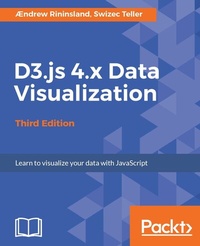
D3.js 4.x Data Visualization
Learn to visualize your data with JavaScript
3rd Edition
Published on 8. July 2025
308 pages
978-1-78712-815-6 (ISBN)
Description

Create and publish your own interactive and compelling data visualizations with D3.js 4.xKey Features - Build interactive and rich graphics and visualization using JavaScript`s powerful library D3.js
- Learn D3 from the ground up, using the all-new version 4 of the library
- Gain insight into producing high-quality, extensible charts and visualizations using best practices such as writing testable, extensible code and strong typing
Book DescriptionWant to get started with impressive interactive visualizations and implement them in your daily tasks? This book offers the perfect solution-D3.js. It has emerged as the most popular tool for data visualization. This book will teach you how to implement the features of the latest version of D3 while writing JavaScript using the newest tools and technique You will start by setting up the D3 environment and making your first basic bar chart. You will then build stunning SVG and Canvas-based data visualizations while writing testable, extensible code,as accurate and informative as it is visually stimulating. Step-by-step examples walk you through creating, integrating, and debugging different types of visualization and will have you building basic visualizations (such as bar, line, and scatter graphs) in no time. By the end of this book, you will have mastered the techniques necessary to successfully visualize data and will be ready to use D3 to transform any data into an engaging and sophisticated visualization. What you will learn - Map data to visual elements using D3 s scales
- Draw SVG elements using D3 s shape generators
- Transform data using D3 s collection methods
- Use D3 s various layout patterns to quickly generate various common types of chart
- Write modern JavaScript using ES2017 and Babel
- Explore the basics of unit testing D3 visualizations using Mocha and Chai
- Write and deploy a simple Node.js web service to render charts via HTML Canvas
- Understand what makes a good data visualization and how to use the tools at your disposal to create accurate charts
Who this book is forThis book is for web developers, interactive news developers, data scientists, and anyone interested in representing data through interactive visualizations on the Web with D3. Some basic knowledge of JavaScript is expected, but no prior experience with data visualization or D3 is required to follow this book.
- Learn D3 from the ground up, using the all-new version 4 of the library
- Gain insight into producing high-quality, extensible charts and visualizations using best practices such as writing testable, extensible code and strong typing
Book DescriptionWant to get started with impressive interactive visualizations and implement them in your daily tasks? This book offers the perfect solution-D3.js. It has emerged as the most popular tool for data visualization. This book will teach you how to implement the features of the latest version of D3 while writing JavaScript using the newest tools and technique You will start by setting up the D3 environment and making your first basic bar chart. You will then build stunning SVG and Canvas-based data visualizations while writing testable, extensible code,as accurate and informative as it is visually stimulating. Step-by-step examples walk you through creating, integrating, and debugging different types of visualization and will have you building basic visualizations (such as bar, line, and scatter graphs) in no time. By the end of this book, you will have mastered the techniques necessary to successfully visualize data and will be ready to use D3 to transform any data into an engaging and sophisticated visualization. What you will learn - Map data to visual elements using D3 s scales
- Draw SVG elements using D3 s shape generators
- Transform data using D3 s collection methods
- Use D3 s various layout patterns to quickly generate various common types of chart
- Write modern JavaScript using ES2017 and Babel
- Explore the basics of unit testing D3 visualizations using Mocha and Chai
- Write and deploy a simple Node.js web service to render charts via HTML Canvas
- Understand what makes a good data visualization and how to use the tools at your disposal to create accurate charts
Who this book is forThis book is for web developers, interactive news developers, data scientists, and anyone interested in representing data through interactive visualizations on the Web with D3. Some basic knowledge of JavaScript is expected, but no prior experience with data visualization or D3 is required to follow this book.
More details
Other editions
Additional editions
Aendrew H. Rininsland | Swizec Teller
D3.js 4.x Data Visualization - Third Edition
Learn to visualize your data with JavaScript
Book
04/2017
Packt Publishing
€51.20
Shipment within 3-4 weeks
Persons
Rininsland Aendrew :
Aendrew Rininsland is a developer and journalist who has spent much of the last half a decade building interactive content for newspapers such as The Financial Times, The Times, Sunday Times, The Economist, and The Guardian. During his 3 years at The Times and Sunday Times, he worked on all kinds of editorial projects, ranging from obituaries of figures such as Nelson Mandela to high-profile, data-driven investigations such as The Doping Scandal the largest leak of sporting blood test data in history. He is currently a senior developer with the interactive graphics team at the Financial Times.Teller Swizec :
Swizec Teller is a geek with a hat. Founding his first startup at 21, he is now looking for the next big idea as a full-stack web generalist focusing on freelancing for early-stage startup companies. When he isn't coding, he's usually blogging, writing books, or giving talks at various non-conference events in Slovenia and nearby countries. He is still looking for a chance to speak at a big international conference. In November 2012, he started writing Why Programmers Work at Night, and set out on a quest to improve the lives of developers everywhere.
Aendrew Rininsland is a developer and journalist who has spent much of the last half a decade building interactive content for newspapers such as The Financial Times, The Times, Sunday Times, The Economist, and The Guardian. During his 3 years at The Times and Sunday Times, he worked on all kinds of editorial projects, ranging from obituaries of figures such as Nelson Mandela to high-profile, data-driven investigations such as The Doping Scandal the largest leak of sporting blood test data in history. He is currently a senior developer with the interactive graphics team at the Financial Times.Teller Swizec :
Swizec Teller is a geek with a hat. Founding his first startup at 21, he is now looking for the next big idea as a full-stack web generalist focusing on freelancing for early-stage startup companies. When he isn't coding, he's usually blogging, writing books, or giving talks at various non-conference events in Slovenia and nearby countries. He is still looking for a chance to speak at a big international conference. In November 2012, he started writing Why Programmers Work at Night, and set out on a quest to improve the lives of developers everywhere.
Content
- Cover
- Credits
- About the Authors
- About the Reviewer
- www.PacktPub.com
- Customer Feedback
- Table of Contents
- Preface
- Chapter 1: Getting Started with D3, ES2017, and Node.js
- What is D3.js?
- What happened to all the classes?
- What's new in D3 v4?
- What's ES2017?
- Getting started with Node and Git on the command line
- A quick Chrome Developer Tools primer
- The obligatory bar chart example
- Loading in data
- Twelve (give or take a few) bar blues
- Summary
- Chapter 2: A Primer on DOM, SVG, and CSS
- DOM
- Manipulating the DOM with d3-selection
- Selections
- Let's make a table
- What exactly did we do here?
- Selections example
- Manipulating content
- Joining data to selections
- An HTML visualization example
- Scalable Vector Graphics
- Drawing with SVG
- Manually adding elements and shapes
- Text
- Shapes
- Transformations
- CSS
- Summary
- Chapter 3: Shape Primitives of D3
- Using paths
- Line
- Area
- Arc
- Symbol
- Chord/Ribbon
- Axes
- Summary
- Chapter 4: Making Data Useful
- Thinking about data functionally
- Built-in array functions
- Data functions of D3
- Managing objects with d3-collection
- What about ES6 Maps and Sets?
- Scales
- Ordinal scales
- Quantitative scales
- Continuous range scales
- Discrete range scales
- Time
- Formatting
- Time arithmetic
- Loading data
- The core
- Flow control
- Promises
- Generators
- Observables
- Geography
- Getting geodata
- Drawing geographically
- Using geography as a base
- Summary
- Chapter 5: Defining the User Experience - Animation and Interaction
- Animation
- Animation with transitions
- Interpolators
- Easing
- Timers
- Putting it all together - sequencing animations
- Interacting with the user
- Basic interaction
- Behaviors
- Drag
- Brushes
- Zoom
- Do you even need interaction?
- Summary
- Chapter 6: Hierarchical Layouts of D3
- What are layouts and why should you care?
- Built-in layouts
- Hierarchical layouts
- Tree the whales!
- Muster the cluster!
- Money for nothing, treemaps for free (maps)
- Smitten with partition
- Pack it up, pack it in, let me begin...
- Bonus chart! Sunburst radial partition joy!
- Summary
- Chapter 7: The Other Layouts
- Hoorah for modular code
- When the moon hits your eye (chart), like a big pizza pie (chart)
- Histograms, Herstograms, Yourstograms, and Mystograms
- Striking a chord
- May the force (simulation) be with you
- Got mad stacks
- Bonus chart - Streamalicious!
- Summary
- Chapter 8: D3 on the Server with Canvas, Koa 2, and Node.js
- Readying the environment
- All aboard the Koa train to servertown!
- Proximity detection and the Voronoi geom
- Rendering in Canvas on the server
- Deploying to Heroku
- Summary
- Chapter 9: Having Confidence in Your Visualizations
- Linting everything!
- Static type checking: TypeScript versus Tern.js
- Code analysis with Tern.js
- TypeScript - D3 powertools
- Behavior-driven development with Mocha and Chai
- Setting up your project with Mocha
- Testing behaviors - BDD with Mocha
- Summary
- Chapter 10: Designing Good Data Visualizations
- Choosing the right dimensions, choosing the right chart
- Clarity, honesty, and a sense of purpose
- Helping your audience understand scale
- Using color effectively
- Understanding your audience
- Some principles for designing for mobile and desktop
- Columns are for desktops, rows are for mobiles
- Be sparing with animations on mobiles
- Realizing similar UI elements react differently between platforms
- Avoiding mystery meat navigation
- Be wary of the scroll
- Summary
- Index
