

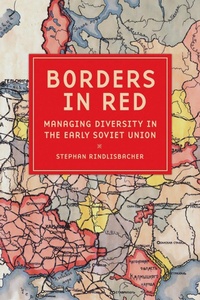
Borders in Red
Description

Borders in Red shows how Lenin and his Bolshevik leadership embraced the nationality question as a way of managing diversity and institutionalized it as a means of governance. Stephan Rindlisbacher uses the making of national borders as a lens through which to examine the Bolsheviks' fundamental shift from proletarian internationalism to ethnonational federalism sui generis. Comparing how party and state managed issues of national diversity in the core regions of Soviet federalism-Ukraine, the South Caucasus, and Central Asia-Rindlisbacher provides insights into their policymaking and into the roots of current territorial conflicts.
President Putin has condemned Lenin's nationality policy to be a historical mistake, and with its war against Ukraine, Russia has tried to revise borders that date back to the early days of the Soviet state. However, Borders in Red shows that the Soviet Republics were not arbitrarily divided by leaders like Stalin or Khrushchev. They were the result of long-lasting debates involving politicians, experts, and people from the border regions. The developing Soviet order was a product of trial and error.
Thanks to generous funding from the Swiss National Science Foundation, the ebook editions of this book are available as open access volumes through the Cornell Open initiative.
More details
Other editions
Additional editions

Person
Stephan Rindlisbacher is a postdoctoral researcher at the European University Viadrina Frankfurt (Oder).
Content
Introduction
1. The Leninian Moment: Making the Soviet State
2. Gosplan: How to Achieve SpatialHomogeneity
3. Ukraine and the RSFSR: Howto Find a Common Border
4. Central Asia: How to Discuss aCommon Border
5. Armenia and Azerbaijan: Howto Search for a Common Border
6. How to Contextualize"Khrushchev'sGift"?
Conclusion
