

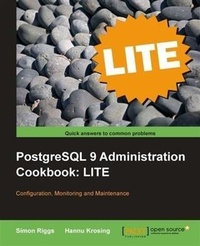
PostgreSQL 9 Administration Cookbook LITE: Configuration, Monitoring and Maintenance
PostgreSQL 9 Administration Cookbook LITE: Configuration, Monitoring and Maintenance
1st Edition
Published on 3. February 2025
88 pages
978-1-84951-643-3 (ISBN)
Description

Key FeaturesBook DescriptionWritten in the cookbook style, this book offers learning and techniques through recipes. It contains step-by-step instructions for administrators and developers to manage databases in PostgreSQL. The book is designed in such a way that you can read it chapter by chapter or refer to recipes in no particular order. This book is for Sysadmins, Database Administrators, Architects, Developers, and anyone with an interest in planning for or running live production databases. The book assumes that you are familiar with the basic operation of PostgreSQL.What you will learn - Change parameters in your system and find out how that will affect the rest of your database Summaries to help DBAs with experience of other database systems Monitor your users so that you can see whether they are connected, what they are running, and whether their account has become blocked Identify temporary data and the effect that it has on your system Advanced technical tips and scripts for experienced users Control the automatic database maintenance program Identify and fix bloated tables and indexes How and when to VACUUM your databases
Who this book is for
Who this book is for
More details
Other editions
Additional editions
Simon Riggs | Hannu Krosing
PostgreSQL 9 Administration Cookbook Lite
Configuration, Monitoring and Maintenance
Book
04/2011
Packt Publishing
€26.10
Shipment within 3-4 weeks
Content
- Intro
- PostgreSQL 9 Administration Cookbook: LITE
- PostgreSQL 9 Administration Cookbook: LITE
- Credits
- About the Authors
- About the Reviewers
- Preface
- What this book covers
- What you need for this book
- Who this book is for
- Conventions
- Reader feedback
- Customer support
- Downloading the example code for this book
- Errata
- Piracy
- Questions
- 1. Configuration
- Introduction
- Reading the Fine Manual (RTFM)
- How to do it...
- How it works...
- There's more...
- Planning a new database
- Getting ready
- How to do it...
- How it works...
- There's more...
- Changing parameters in your programs
- How to do it...
- How it works...
- There's more...
- What are the current configuration settings?
- How to do it...
- How it works...
- Which parameters are at non-default settings?
- How to do it...
- How it works...
- There's more...
- Who set that?
- Updating the parameter file
- Getting ready
- How to do it...
- How it works...
- There's more...
- Setting parameters for particular groups of users
- How to do it...
- How it works...
- Basic server configuration checklist
- Getting ready
- How to do it...
- Adding an external module to PostgreSQL
- Getting ready
- How to do it...
- How it works...
- Running server in power saving mode
- Getting ready
- How to do it...
- How it works...
- 2. Monitoring and Diagnosis
- Introduction
- Monitoring is important
- Providing PostgreSQL information to monitoring tools
- Where to find more information about generic monitoring tools
- Realtime view using pgAdmin
- Is the user connected?
- Getting ready
- How to do it...
- How it works...
- There's more...
- What if I want to know "is that computer connected?
- What are they running?
- Getting ready
- How to do it...
- How it works...
- There's more...
- How to catch queries which runs only for a few milliseconds
- How to watch longest queries
- Watching queries from ps
- See also
- Are they active or blocked?
- Getting ready
- How to do it...
- How it works...
- There's more...
- No need for "= true
- This shows only queries waiting on locks
- Who is blocking them?
- Getting ready
- How to do it...
- How it works...
- Killing a specific session
- Getting ready
- How to do it...
- How it works...
- There's more...
- Try to cancel the query first
- If the backend won't terminate
- Use statement timeout to clean up queries which take too long
- Killing "Idle in transaction" queries
- You can also kill the backend from command line
- Resolving an in-doubt prepared transaction
- Is anybody using a specific table?
- Getting ready
- How to do it...
- How it works...
- There's more...
- The quick and dirty way
- Collecting daily usage statistics
- When did anybody last use it?
- Getting ready
- How to do it...
- Looking at file dates
- How it works...
- There's more...
- There may be last-use information in future version of PostgreSQL
- How much disk space is used by temporary data?
- Getting ready
- How to do it...
- When temp_tablespaces has one or more tablespaces
- When temp_tablespaces is empty
- How it works...
- There's more...
- Finding out if temporary file is in use any more
- Logging temporary file usage
- Why are my queries slowing down?
- Getting ready
- How to do it...
- How it works...
- There's more...
- Do the queries return significantly more data than earlier?
- Do the queries also run slowly when run alone?
- Is the second run of same query also slow?
- See also
- Investigating and reporting a bug
- Getting ready
- How to do it...
- How it works...
- See also
- The official PostgreSQL bug/problem reporting guides
- Producing a daily summary of logfile errors
- Getting ready
- How to do it...
- How it works...
- There's more...
- Writing your own log processor
- See also
- 3. Regular Maintenance
- Introduction
- Controlling automatic database maintenance
- Getting ready
- How to do it...
- How it works...
- There's more...
- See also
- Avoiding auto freezing and page corruptions
- Getting ready
- How to do it...
- Avoiding transaction wraparound
- Getting ready
- How to do it...
- How it works...
- There's more...
- See also
- Removing old prepared transactions
- Getting ready
- How to do it...
- How it works...
- There's more...
- Actions for heavy users of temporary tables
- How to do it...
- How it works...
- Identifying and fixing bloated tables and indexes
- How to do it...
- How it works...
- There's more...
- Maintaining indexes
- Getting ready
- How to do it...
- How it works...
- There's more...
- See also
- Locating the unused indexes
- How to do it...
- How it works...
- See also
- Carefully removing unwanted indexes
- How to do it...
- How it works...
- Planning maintenance
- How to do it...
- How it works...
