

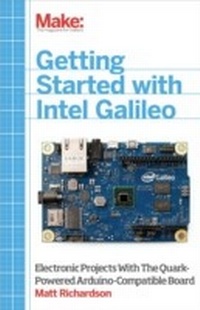
Getting Started with Intel Galileo
Electronic Projects with the Quark-Powered Arduino-Compatible Board
1st Edition
Published on 14. March 2014
194 pages
978-1-4571-8306-5 (ISBN)
Description

Getting Started with the Intel Galileo gets you up and running with this new, x86-powered board that was developed in collaboration between Arduino and Intel. You'll learn how to set it up, connect it to your computer, and begin programming. You'll learn how to build electronics projects around the Galileo, and you'll explore the features and power that make it different from all the boards that came before.Developed in collaboration with the Intel Galileo team, and in consultation with members of the Arduino team, this is the definitive introduction to Intel's new board for makers.
More details
Other editions
Additional editions
Matt Richardson
Getting Started with Intel Galileo
Electronic Projects with the Quark-Powered Arduino-Compatible Board
Book
05/2014
1st Edition
O'Reilly
€17.50
Article exhausted; check different version
Content
- Intro
- Copyright
- Table of Contents
- Preface
- Why Galileo?
- Intended Audience
- Feedback
- Conventions Used in This Book
- Using Code Examples
- Safari® Books Online
- How to Contact Us
- Acknowledgements
- Chapter 1. Introduction to Galileo
- What Is Galileo?
- Inputs and Outputs
- Code
- Communication
- What Makes Galileo Different?
- Sketching in Hardware
- Chapter 2. First Steps
- Tour of the Board
- Helpful Tools and Components
- Writing Programs to Control Your Galileo
- Getting Familiar with the Development Environment
- Connecting the Board
- Uploading Code
- Taking It Further
- Chapter 3. Outputs
- Back to Blinking: Digital Output
- Setup and Loop
- Variables
- Pin Numbers
- Circuits and the Flow of Electricity
- pinMode()
- digitalWrite()
- delay()
- Code and Syntax Notes
- Going Further with Digital Output
- Analog Output
- analogWrite()
- Code and Syntax Notes
- Other Outputs
- Serial Data Output
- Controlling A/C Appliances with Relays
- Controlling Servos
- Looking at Linux
- Connecting via Telnet
- Working with Pins
- Taking It Further
- Chapter 4. Inputs
- Switches: Digital Input
- digitalRead()
- Code and Syntax Notes
- Analog Input
- Potentiometers
- analogRead()
- Code and Syntax Notes
- Variable Resistors
- Code and Syntax Notes
- Going Further
- Chapter 5. Going Further with Code
- Data Types
- int
- float
- long
- boolean
- char
- String Object
- millis()
- Other Loops
- while
- do. while
- for Loops
- More Serial
- Serial.available() and Serial.read()
- Taking It Further
- Chapter 6. Getting Online
- Connecting and Testing an Ethernet Connection
- Connecting and Testing with a WiFi Connection
- Connecting Using Linux Commands
- system()
- Getting Galileo's IP Address Using system()
- Connecting to Servers
- How Many Days Until MAKE Comes Out?
- Serving a Web Page
- Serving a Web Page with Python
- Taking It Further
- Appendix A. Arduino Code Reference
- analogRead
- analogReadResolution
- analogWrite
- atoi
- const
- delay
- digitalRead
- digitalWrite
- else
- fclose
- fgets
- fopen
- if
- int
- loop
- map
- pclose
- pinMode
- popen
- Serial.begin
- Serial.println
- servo.attach
- servo.write
- setup
- system
- Appendix B. Breadboard Basics
- Appendix C. Resistor Reference
- Appendix D. Creating a MicroSD Image
- Appendix E. Setting Up Galileo on Windows
- Appendix F. Setting Up Galileo on Linux
- Linux Notes
- Appendix G. Setting Up Galileo on Mac OS X
- Mac OS X Notes
- Appendix H. Connecting to Galileo via Serial
- About the Author
