

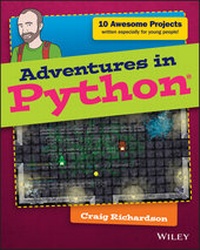
Adventures in Python
Description

More details
Other editions
Additional editions
Person
Content
Introduction
ARE YOU AN intrepid adventurer? Do you love trying new things and learning new skills? Would you like to bring your own ideas to life with technology? If the answer is a resounding "Yes!" then this is the book for you. Your adventures with Python start here! During your adventures you'll learn a lot about programming with Python. You'll create some really fun programs along the way, including games and animations.
Before you take your first step, take some time with this introduction to understand what you'll be doing and answers some of the questions you might have.
What Is Programming?
First off, what is programming? Put simply, programming is giving the computer a set of instructions to do something you want. For example, when you play a computer game programs determine what the game will do when you press a button and what is displayed on the screen.
Just as programming is giving the computer a set of instructions, a program is a set of instructions that has been written by a programmer.
You write these instructions using a programming language. There are many different programming languages, which you can think of as similar to human languages like English or French. Each programming language has its own way of doing things but they all share the same fundamental concepts.
A program is a set of instructions that has been written by a programmer to instruct the computer to do something.
A programming language allows you to give instructions to a computer. With a programming language you can create programs that control what your computer does.
As a programmer, you have a lot of choice when choosing a programming language to use. So why choose Python? Well, Python is a good language to learn for beginners. It is designed so that it is relatively easy for humans to read. The layout and words it uses for its instructions make it easier to learn than other languages, such as Java or C++. Python is even used in the real world-in fact, it is one of the most popular programming languages used by professional programmers, who use it to do all sorts of things, from analysing scientific data to making games. You can see an example of some Python code in Figure I-1.
FIGURE I-1 The code of a program that generates a circular progress bar. You will learn how to create programs like this one in your adventures.
This introduction is intended to help you get set up with Python on your computer. It's here to make sure you start your journey on the right foot and have everything you need to get going.
What Is Python and What Can You Do With It?
As I've mentioned, the Python programming language is an excellent programming language for beginners. Python is designed so that it is easy to read by people. The way that Python is laid out and the commands it uses all make it straightforward to read and understand.
You can do some amazing things with Python. Here are just some of the many things it is used for:
- Making windows with buttons and text fields
- Creating computer games
- Making animations
- Building websites
- Analysing scientific data
- Hacking computers
Who Should Read This Book?
Adventures in Python is for any young person who has an interest in making things happen on a computer. You might perhaps be unsure of how to get started or want to develop your current skills further. Whatever your reasons, this book will be your guide for a journey with Python. Your adventures will take you from installing Python, through learning the basics of programming, to discovering how to create your own project. By the end of your adventures you will have acquired the skills you need to create whatever you want!
What You Will Learn
With this book you will discover some of the amazing things you can do with Python. You'll learn about the fundamental programming concepts needed to design and make your own programs.
The Python projects in this book are arranged in adventures. All the projects in an adventure are grouped by a similar topic. For example, in Adventure 7 you'll create several programs that show you how to use the mouse with your Python programs.
The programming concepts you'll learn include Python code that enables your programs to make decisions, allows your programs to repeat complex tasks in a short amount of time and a whole lot more. By building on top of these concepts in your adventures you'll also develop graphical user interfaces, animations and games.
What You Will Need for the Projects
Python is a programming language that is cross-platform. This means that it can run on computers with different operating systems. For example, you can write a program on a computer that runs Windows 7 and it will also work on an Apple Mac. There are a couple of slight differences in the way that Python works on different operating systems, but you won't come across these in this book, and they aren't that common.
An operating system is software that allows your computer to do its basic functions, such as allowing you to use mice and keyboards on the computer, save files and connect to the Internet. Microsoft Windows and Mac OS X are two examples of operating systems.
A cross-platform programming language works on computers with different operating systems. This means you can write a program on one computer and it will work on most other computers.
Another benefit of Python being cross-platform is that you can use this book whether you use Windows, Mac or Linux-the programs will work just the same on all of them.
So, all you need for your adventures is a computer running Windows, Mac or Linux, an Internet connection, a mouse, keyboard and computer monitor. That's it! You don't need anything else.
Although it is possible to run Python on Android tablet computers, not all of the things covered in this book are available on a tablet. It's not currently possible to complete most of the adventures with a tablet or phone.
How This Book Is Organised
This book contains Python programs that teach you the basics of the Python programming language and the different things it can do. As you're led through some really fun and creative programs, you'll learn how to use Python.
Adventure 1 introduces Python and shows you how to create programs that use text. You'll create some cool programs, like a control panel for an imaginary spaceship. In Adventure 2, you'll create drawings using Python's built-in turtle module. You'll make pictures and build on the things you learned about Python in Adventure 1.
Adventures 3 and 4 introduce you to making programs that use graphical interfaces that include familiar things like buttons, text boxes and sliders.
From the Adventure 5 onwards, you'll be introduced to the PyGame library for Python. The PyGame library makes it easier to do a wide range of things with Python, including making computer games of your own. You'll find instructions on how to install PyGame in the Appendix.
In Adventure 5, you'll use some of PyGame's features to draw shapes and make animations, and in Adventure 6 you'll find out how to use PyGame to detect keyboard presses for input in your programs, allowing you to take control of what happens when the program runs. In Adventure 7, you'll learn how to use the mouse with your programs.
Adventure 8 shows you how to use images in your PyGame program and guides you through a series of fun programs, including controlling a character to walk across the window using the keyboard. In Adventure 9, you'll learn how to use sounds and music with PyGame so you can add music and sounds to your games.
Adventure 10 takes you on a final, big adventure in which you will combine many of the things you learned in your earlier adventures to create a game in which two players compete to collect coins. The game wraps up what you've learned-all in a single program. Through your adventures, you'll learn a lot about programming.
Time to get going!
Setting Up Python
This section will show you how to set up Python on your computer. Choose the section that matches your operating system (OS) to get started.
Windows 8
Microsoft Windows 8 is an operating system that is widely used all over the world. At the time this book is being written, Windows 8 is the operating system that is on most new computers. If you're using Windows 8 on your computer, follow these instructions to install Python.
Installing
Installing Python on Windows 8 is quite straightforward. Follow these steps to install it:
- Open a web browser (such as Internet Explorer, Chrome or Firefox).
- In the web browser, click in the...
