

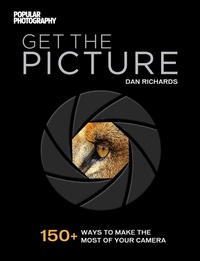
Get the Picture
Description

This illustrated handbook from the experts at Popular Photography covers everything you need to know about your new digital camera. Today's technology has made DSLR/ILC cameras more powerful (and more reasonably priced) than ever. Getting the perfect shot has never been easier-if you know how to get the most out of your machine. Get the Picture walks you through all the functions, modes, buttons, and dials on the latest standard models, providing solid technical advice in handy tips paired with beautiful imagery that demonstrates each tactic. You'll find sections on: DSLR Fundamentals Your go-to guide for basic camera functionality, including exposure, (aperture, ISO, and shutter speed, focus), and white balance. Next-Level Settings Once you've mastered the essentials, take a tour through your camera's various shooting modes (aperture-priority, shutter-priority, portrait, macro, and more) and experiment with its on-camera flash, bracketing functions, and shooting RAW. Explore your lens's zoom, image stabilization, and other capabilities, too.
Bonus Gear If you're looking to build a photography kit beyond your basic camera body, study up on accessory flash units, lenses, release triggers, and simple, inexpensive lighting modifiers.
More details
Other editions
Additional editions

Persons
Content
- Intro
- Title Page
- TABLE OF CONTENTS
- PHOTO PRIMER
- 001 Prep Your Camera for Quick Shooting
- 002 Know Your Camera
- 003 Skip Auto and Park It in P (for Program Mode)
- 004 Optimize Settings for Your First Photo Excursion
- 005 Supplement Your Basic Camera Bundle
- 006 Pick a View
- 007 Get a Grip
- 008 Wake Your Camera with the Half-Press
- 009 Look (and Listen) For Focus
- 010 Take Care of the Itty-Bitty Nitty-Gritty
- 011 Go On a Photo Scavenger Hunt
- 012 Give the Flash a Go
- 013 Upload and Organize
- CHAPTER 1: SEE THE LIGHT
- EXPOSURE
- 014 Look at a Graph of Your Exposure
- 015 Fill the Light Bucket
- 016 Discover Light Metering
- 017 Know Your Camera's Light Metering Modes
- 018 RULE OF THUMB: Skip Metering with the Sunny F/16 Rule
- 019 Meter Manually with AEL
- 020 Fix Exposure Problems with Exposure Compensation
- 021 Send ISO to the Rescue
- 022 Bracket to Ensure Good Exposure
- LIGHT
- 023 Go with Hard or Soft Illumination
- 024 TRY THIS: Wield Window Light
- 025 Opt for Diffused Light
- 026 Embrace Harsh Light
- 027 Make Light the Star of Your Shot
- 028 Change Light by Changing Direction
- 029 RULE OF THUMB: Bag That Beautiful Blue Sky Light
- 030 ONE SCENE, FOUR WAYS: Make a Forest of One Tree - with Light
- FOCUS
- 031 Control the How of Autofocus
- 032 Control the Where of Autofocus
- 033 Combine AF Modes to Get Your Shot
- 034 QUICK TIP: Deploy AF Assist
- 035 RULE OF THUMB: Focus With Your Thumb
- 036 Understand Why Autofocus Goofs (or Quits Outright)
- 037 Go to Manual Focus When Needed
- 038 TRY THIS: Opt for Total Defocus
- SHUTTER SPEED
- 039 TRY THIS: Freeze Megafast Action
- 040 Take Full Control of Shutter with S Mode
- 041 Stay Steady to Ban the Blur
- 042 Choose Plan B for Really Long Exposures
- 043 Keep Stars Fixed with the 600 Rule
- 044 Pan at Slow Speeds for Fast Action
- 045 Make a Blurry Abstract
- 046 QUICK TIP : Make Speedy Portraits
- 047 Shoot Motion at Different Shutter Speeds
- 048 PHOTO CHALLENGE: Paint with Light
- APERTURE
- 049 TRY THIS: Get a Handle on F-Stops
- 050 Explore the Reciprocity Law
- 051 QUICK TIP : Work Your Aperture in Program Mode
- 052 Go Deep - Or Shallow
- 053 Try Out Aperture-Priority Mode
- 054 Go the Distance
- ISO
- 055 Minimize Noise at High ISOs
- 056 Go Low (and Slow) with ISO
- 057 RULE OF THUMB: Pinch-Hit Your ISO Setting
- 058 SOFTWARE SAVE: Mask Noise with B&W
- 059 Turn On the Dark
- WHITE BALANCE
- 060 Set a Custom White Balance
- 061 Control Color More with Presets
- 062 Cook with Kelvin Temperature
- 063 Cope with Mixed Lighting
- 064 QUICK TIP: Spot-Check White Balance in Live View
- 065 ONE SCENE, FOUR WAYS: Experiment with White Balance
- MANUAL EXPOSURE
- 066 Pick the Right Time for Manual
- 067 Set Manual Exposure
- 068 RULE OF THUMB: Cut Corners with Saved Settings
- 069 QUICK TIP: Count the Clicks
- 070 PHOTO CHALLENGE: Craft a Moody Still Life in Manual Mode
- BUILT-IN FLASH
- 071 Choose Your Level of Flash Control
- 072 Balance Flash and Ambient Light with Slow Sync
- 073 Work Flash-Exposure Compensation
- 074 Cope with the Flaws of Built-In Flash
- 075 SOFTWARE SAVE: Get the Red Out
- CHAPTER 2: SEE THROUGH THE LENS
- FOCAL LENGTH
- 076 See How Focal Length Measures Up on Different Sensors
- 077 Take Care of Your Lenses
- 078 Learn What Makes Normal "Normal"
- 079 Go Wide to Show Subjects in Context
- 080 Learn to See Wide
- 081 Beware Distortion, Real or Apparent
- 082 Fix Distortion Post-Capture
- 083 Go Ultrawide for Visual Vastness
- 084 Go with the Short Tele
- 085 Follow the Prime Directive
- 086 See Longer Still with Medium Teles
- 087 Take the Plunge with a Long Tele
- 088 Rent to Try Before You Buy
- 089 Reduce the Shake with Image Stabilization
- 090 GEAR GUIDE: Add a Teleconverter to Your Lens Kit
- 091 PHOTO CHALLENGE: Stitch Up a Panorama
- PERSPECTIVE
- 092 Explore Perspective and Focal Length
- 093 TRY THIS: Play with Forced Perspective
- 094 Get an Angle on Your Subject
- 095 TRY THIS: Do the Tilt and Swivel
- 096 ONE SCENE, FOUR WAYS: Zoom with Your Feet
- 097 Shoot Up to Avoid the Crowds
- COMPOSITION
- 098 RULE OF THUMB: Get a Mathematical Boost
- 099 Fill the Frame - or Opt for Negative Space
- 100 TRY THIS: Shoot Through Visual Elements
- 101 Seek Repetition and Symmetry
- 102 QUICK TIP: Choose an Image Orientation
- 103 Layer Pictorial Elements to Create Depth
- 104 Explore Leading Lines
- COLOR
- 105 TRY THIS: Go Bold with a Single Hue
- 106 SOFTWARE SAVE: Boost Color with Saturation
- 107 Inject Energy with Complementary Hues
- 108 Harmonize with Analogous Colors
- 109 RULE OF THUMB: Warm It Up - or Cool It Down
- TIMING
- 110 Make the Most of the Decisive Moment
- 111 Look for the In-Between Instants
- 112 Hit the Streets
- 113 Never Miss a Thing with Burst
- 114 Work with Subjects to Milk the Moment
- 115 PHOTO CHALLENGE: Tell a Longer Story
- CHAPTER 3: SEE BETTER WITH NEXT-LEVEL GEAR
- TRIPODS
- 116 Put a Tripod to Good Use
- 117 Look for the Important Stuff in a Tripod
- 118 Go Hands Off with the Self-Timer
- 119 GEAR GUIDE: Meet the 'Pod Squad
- 120 Set Up Your Tripod
- 121 GEAR GUIDE: Know How to Get a Head
- SPECIALTY LENSES
- 122 TRY THIS: Fiddle with Perspective Using a Tilt-Shift Lens
- 123 Right a Falling Building with Tilt-Shift
- 124 Get Selective Focus with a Lensbaby
- 125 Get It All in with a Circular Fisheye
- 126 Warp Cityscapes with a Corner-to-Corner Fisheye
- MACRO
- 127 Pick a Macro, Any Macro
- 128 Master the Macro Difference
- 129 RULE OF THUMB: Know the 1:1 Standard
- 130 GEAR GUIDE: Stock Up for Macro Success
- 131 SOFTWARE SAVE: Try Focus Stacking
- 132 PHOTO CHALLENGE: Go In Close for Abstraction
- FILTERS
- 133 Demystify Filter Shapes and Sizes
- 134 Expose for Land and Sky with a Split Neutral-Density Filter
- 135 Pump It Up with a Polarizer
- 136 QUICK TIP: Preview Filter Effects with Sunglasses
- 137 Block Light with a Solid Neutral-Density Filter
- 138 Have Fun with Filters
- ACCESSORY FLASH
- 139 Fill with TTL Flash
- 140 Get a Big Boost with Accessory Flash
- 141 TRY THIS: Freeze Motion with Flash
- 142 RULE OF THUMB: Pick a Flash
- 143 Set Exposure with Accessory Flash
- 144 Measure Flash with a Handheld Meter
- 145 Get That Flash Off the Camera!
- 146 TRY THIS: Explore Ghosting with Your Flash's Trailing Sync
- 147 Understand Flash Falloff
- 148 Fix the Flash Color Mismatch
- 149 ONE SCENE, FOUR WAYS: Work Your TTL Flash Four Ways
- LIGHT MODIFIERS
- 150 Stock Up on Portable Reflectors
- 151 QUICK TIP: Look for Found Modifiers
- 152 Go with Do-It-Yourself Reflectors
- 153 GEAR GUIDE: Modify Light from an Accessory Flash
- 154 Let an Umbrella Cover Multiple Lighting Purposes
- 155 TRY THIS: Shoot with 45-Up, 45 - Out Lighting
- 156 GEAR GUIDE: Hold Your Gear Steady
- 157 Open Up Shadows in a Window-Lit Portrait
- RAW
- 158 Decode the Alphabet Soup
- 159 SOFTWARE SAVE: Dig Out Detail in a RAW File
- 160 Pick a RAW Converter
- 161 TRY THIS: Process and Convert a RAW File
- 162 Get the Scoop on JPEGs
- 163 Save at High Quality with TIFFs
- 164 RULE OF THUMB: Make Photos Multitask with RAW + JPEG
- 165 PHOTO CHALLENGE: Polish Your Photos in Post
- RESOURCES
- Glossary
- Index
- Image Credits
- Acknowledgments
