

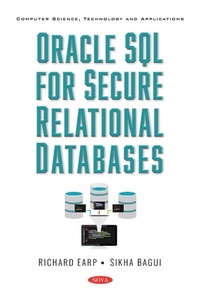
Oracle SQL for Secure Relational Databases
Published on 16. April 2021
175 pages
978-1-5361-9480-7 (ISBN)
Description

A typical Oracle database has multiple users working simultaneously. Data is shared amongst the users, and this of course leads to security concerns. This book comes in from the angle of developing and maintaining a secure Oracle database with multiple users. The book shows how data can be shared in an orderly fashion and what a good secure database is. In this book, we assume that you are acquainted with basic Oracle SQL and fundamentals of relational database.
More details
Other editions
Additional editions
Richard Earp
Oracle SQL for Secure Relational Databases
Book
03/2021
Nova Science Publishers Inc
€126.26
Shipment within 15-20 days
Content
- Intro
- Contents
- Preface
- Chapter 1
- Good Database Design
- 1.1. Introduction
- 1.1.1. Database Design
- 1.1.2. The First Normal Form (1NF)
- 1.1.2.1. Repeating Groups
- 1.1.2.2. Composite Data Items
- 1.1.3. Keys
- 1.1.4. Functional Dependency
- 1.1.4.1. Finding a PRIMARY KEY Using Functional Dependency
- 1.1.4.2. In Which Table Do We Put Salary?
- 1.1.4.3. A Closer Look at Functional Dependency and Normal Forms
- 1.1.4.3.1. More FD Manipulations
- 1.1.4.3.2. Add an Address
- 1.1.4.4. Concatenated Keys and Intersection Data
- 1.1.5. The Third Normal Form, 3NF
- 1.1.6. The Equi-join
- References
- Chapter 2
- Database Integrity
- 2.1. Introduction - What Is Integrity?
- 2.1.1. The CREATE TABLE Command
- 2.1.1.1. Defining the PRIMARY KEY CONSTRAINT
- 2.1.1.2. Disallowing null Values - A CHECK CONSTRAINT
- 2.1.1.3. CHECK Constraints on Domains
- 2.1.1.4. CHECK CONSTRAINTs on More Than One Attribute
- 2.1.1.5. The UNIQUE CONSTRAINT
- 2.1.1.6. A Referential Integrity CONSTRAINT
- 2.1.2. Actions on CONSTRAINTS
- References
- Chapter 3
- The Database
- 3.1. Introduction
- 3.1.1. What Is a Privilege?
- 3.1.2. Users, Responsibilities and Security
- 3.1.3. Users and Privileges
- 3.1.4. GRANTing Privileges
- 3.4.1. WITH ADMIN OPTION
- 3.1.5. Defining a Tablespace and Getting Started with the Database
- 3.5.1. The DBA Is Created by the System Administrator
- 3.5.2. Level 2 Users Are Created by the DBA
- 3.1.6. Using Scripts
- 3.1.7. Setting the Environment with a Sign-on Script
- References
- Chapter 4
- Privileges and ROLEs
- 4.1. Introduction
- 4.1.1. Start with a Clean Slate
- 4.1.2. Create Level 2 Users
- 4.1.3. Create a ROLE for Level 2 Users
- 4.3.1. Empower Level 2 Users
- 4.1.4. Level 2 CREATE TABLES
- 4.1.5. Level 3 Users Created
- 4.1.6. CREATE SYNONYM
- 4.1.7. GRANTing to PUBLIC
- Chapter 5
- The Dictionary
- 5.1. The Dictionary Paradigm
- 5.2. Drilling Down into Information in the Dictionary
- Chapter 6
- Accessing Other Users' Tables with Scripts
- 6.1. Backups
- 6.2. Auditing
- 6.3. Granting DML Privileges to Level 3 Users
- 6.4. Using GRANT ALL
- Chapter 7
- Expanding the Database
- 7.1. Getting Started with Linking Tables
- 7.2. Integrity Constraints
- 7.3. Some Beginning Queries
- 7.4. Auditing Queries and Backups - Version 2
- 7.4.1. Auditing
- 7.4.2. Backup
- References
- Chapter 8
- Triggers to Enforce Auditing
- 8.1. What Is a Trigger?
- 8.2. An Embellished Trigger for Hardware_City
- 8.2.1. Testing the Trigger
- 8.3. Before Triggers vs. CONSTRAINTs
- 8.4. Trigger Caveats
- References
- Chapter 9
- Multiple Users and Transactions
- 9.1. Serialized Transactions
- 9.2. COMMIT and ROLLBACK
- 9.3. More on COMMIT and ROLLBACK
- 9.4. SAVEPOINTs and ROLLBACK TO
- References
- Chapter 10
- Concurrency
- 10.1. Consistency, Concurrency, and ACID Properties
- 10.2. Transactions Revisited
- 10.3. LOCKing
- 10.4. Deadlocks and Starvation
- References
- Other Websites Related To Multi-User Topics from Which the Reader May Dig Deeper Into Various Subjects
- About the Authors
- Index
- Blank Page
