

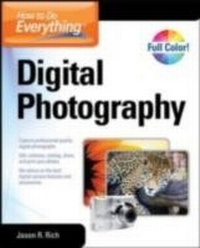
How to Do Everything Digital Photography
1st Edition
Published on 16. February 2011
415 pages
978-0-07-175472-9 (ISBN)
Description

Take Great Digital Photos Every Time! Filled with high-color photographs, How to Do Everything: Digital Photography shows you how to capture professional-quality photos using any digital camera--from a smartphone or point-and-shoot camera to an advanced digital SLR camera. Learn how to take better pictures right away using a variety of techniques for photo composition, lighting, and creativity. You'll also get tips on photo editing, printing, and archiving, as well as avoiding common mistakes that result in poor-quality images. Improve your photographic skills in no time with help from this comprehensive, hands-on guide. Learn digital camera basics and select the best camera, equipment, and accessories for your needs Master the fundamentals of photo composition Use professional lighting and flash techniques Shoot eye-catching outdoor photos in any weather condition Take portraits and candid shots of people and pets Capture stunning vacation photographs Take professional-quality photos of sporting and action-oriented events Shoot digital video and publish it online Transfer digital images to your computer Digitally fix, edit, and improve your images Use photo editing software, as well as plug-ins, add-ons, and accessories Print high-quality photos or publish your work on the Web Catalog, organize, back up, and archive your images
More details
Other editions
Additional editions
Jason Rich
How to Do Everything Digital Photography
Book
02/2011
Osborne/McGraw-Hill
€24.00
Article not available at the moment
Content
- Cover Page
- How to Do EverythingT Digital Photography
- Copyright Page
- Contents
- Acknowledgments
- Introduction
- PART I Get to Know Your Digital Camera
- Chapter 1 Digital Camera Basics: What You Should Know to Get Started
- Digital Camera Basics: No Film Required
- You, Too, Can Develop a Photographer's Eye
- Memory Cards Have Replaced Film
- A Camera's Resolution Impacts the Quality of Your Pictures
- Lens Quality Is Also Important
- Introducing Today's Digital Camera Technology
- Digital Point-and-Shoot Cameras
- Specialty Point-and-Shoot Cameras
- Digital SLR Cameras Offer Many Distinct Features and More Control
- Cell Phone, Smartphone, and Low-End Digital Cameras
- Your Goals as a Photographer
- Chapter 2 Buy Your New Digital Camera
- Buying a Digital Camera Is a Lot Like Buying a Computer
- Technological Considerations When Buying a Digital Camera
- A Camera's Durability Matters, Too
- Define Your Photography Needs and Budget
- Research Cameras by Visiting Manufacturer Websites
- The Latest and Greatest Digital Camera Features and Functions
- Limitations of Low-End Cameras
- Cost Considerations
- How and Where to Find the Best Deals
- Photography Specialty Stores
- Consumer Electronics Superstores and Mass-Market Retailers
- Online Photography Retailers
- Online Auction Sites (eBay.com)
- Protect Your Investment: Insurance and Extended Warranties
- Chapter 3 Digital Camera Accessories and How They're Used
- Everything You Need to Know About Memory Cards
- Memory Card Storage Capacity
- Read/Write Speed
- Caring for Your Memory Cards
- Camera Batteries
- Let's Focus on Lenses
- Technical Jargon Related to Lenses
- Types of Optional Lenses for Digital SLR Cameras
- External Flash Units
- Protect Your Equipment Investment with a Case
- Keep Your Camera Steady by Shooting with a Tripod
- Additional Photo Accessories Worth Considering
- Lens Filters
- White Balance Tools
- Light Reflectors and Diffusers
- Home Studio Light Kits and Studio Backgrounds
- PART II Tips and Strategies for Taking Professional-Quality Photos in Any Situation
- Chapter 4 Basic Photo Techniques for Shooting Like a Pro
- Get to Know Your Camera
- How and Where to Learn More About Your Specific Camera
- Create Your Photographer's Kit
- Practice Makes Perfect
- Why Photography Is a Skill and an Art Form
- An Introduction to Basic Photography Techniques
- The "Rule of Thirds"
- Choose the Right Lens and Equipment for Every Shot
- When to Use a Tripod
- White Balance 101
- Decide What, Where, and When to Shoot
- Choose Your Main Subjects, Plus Your Foreground and Background
- Framing Your Shots
- Consider Your Shooting Angle
- Always Take Lighting into Account
- Special Situations Require Special Shooting Techniques
- Chapter 5 Indoor and Nighttime Photos: Lighting and Flash Techniques
- When and How to Use Your Camera's Built-in Flash
- Using an External Flash Unit with Your Digital SLR Camera
- Home Studio Lighting Kits
- Home Studio Backgrounds and Other Necessary Equipment
- Take Great Pictures at Parties, Holiday Events, and Weddings
- Strike a Pose
- Preplanned Shots Tell a Story
- Candid Shots Capture Real Emotions and Atmosphere
- Chapter 6 Shoot Eye-Catching Outdoor Photos
- Equipment and Accessories You'll Need to Shoot Outdoors
- Protecting Your Camera in Extreme Weather Conditions
- Consider the Weather and Lighting Conditions When Shooting
- Use Reflectors, Diffusers, or a Soft Box When Shooting in Sunlight
- Take Advantage of Clouds and Overcast Skies
- Take Advantage of Water in Your Shots
- Avoiding or Using Glares
- Specialized Shooting Tips and Strategies
- Shooting Buildings and Architecture
- Capture Nature
- Photograph Landscapes and Panoramic Images
- Chapter 7 Portraits and Candid Pictures of People and Pets
- Unique Considerations When Shooting People and Pets
- Equipment and Accessories You May Need
- Setting the Scene, Choosing Your Background, and Framing Your Shots
- Lighting Considerations
- Posing Your Subjects
- Different Situations Call for Different Shooting Strategies
- Posed Portraits of Individual People
- Posed Portraits of Groups
- Posed Portraits of Infants and Kids
- Portraits of Pets
- Capture Memories with Candid Photos
- Tips for Editing Portraits of People
- Chapter 8 Vacation Photography and Preserving Memories
- Choose the Best Photo Equipment for Your Trip
- Be Sure to Pack Everything You'll Need to Take Great Pictures
- Protect Your Camera from Getting Dirty or Damaged
- Your Vacation Has Begun: Get Ready to Start Shooting
- Easy Strategies for Taking Professional-Quality Vacation Photos
- Simple Shooting Strategies for Vacationers
- Edit, Crop, and Archive Your Images After the Fact
- Chapter 9 Photograph Sports and Subjects in Motion
- Shutter Speed Is Important When Shooting Action
- Equipment You'll Need to Shoot Sports or Action-Oriented Events
- Choosing the Right Lens for the Task
- More Strategies for Shooting Movement or Action
- Practice Smooth Panning Technique
- Facial Expressions Make for Great Photos, Even in Action Shots
- Frame Your Shots Appropriately
- Set Your Camera's White Balance if Shooting Indoors
- Pay Attention to, but Don't Focus on, Your Background
- If You're a Participant, Keep Your Camera Handy
- Chapter 10 Shoot Digital Video and Publish It Online
- There's More to Video Than Moving Pictures
- Lights, Cameras, Action! Let's Start Shooting Video
- Use Video-Editing Software to Edit Your Videos
- Digital Video Capabilities Built into Digital Cameras
- Shoot Video with Your Smartphone, Cell Phone, or iPod
- Stand-Alone Digital Video Cameras
- Strategies for Shooting Videos to Share Online
- Why Resolution Matters
- Keep It Short and Entertaining
- Publishing Your Videos on YouTube
- Share Your Video with Just Friends and Family
- Promote Your Video on Facebook, Twitter, and Other Social Networking Sites
- PART III Edit and Digitally Enhance Your Photos
- Chapter 11 Transfer Digital Images to Your Computer
- File Transfer Options
- The Equipment You'll Need to Transfer Images
- Making the USB Connection
- Transfer Photos from Your Camera's Memory Card to Your Computer
- Transfer Photos from Your Camera Using Wi-Fi
- Properly Store and Label Your Images
- Avoid Common File Transfer Pitfalls
- Chapter 12 Digitally Fix, Edit, and Improve Your Images
- You Don't Need to Be a Computer Wiz to Edit Photos Like a Pro
- The Basics: What's Possible When Editing Photos
- Cropping Your Photos
- Improving Clarity and Sharpness
- Erasing Unwanted Elements in a Photo
- Color Enhancement or Correction
- Altering Exposure, Contrast, and Saturation
- Fixing Red Eye
- Adding Digital Special Effects to Your Photos
- Adding Digital Borders and Frames to Your Images
- Altering the File Size of Your Images
- Discover Photoshop Elements 9 for PC and Mac
- Edit Photos for Free Online Using Photoshop.com
- Other Consumer-Oriented Photo-Editing Applications
- Corel PaintShop Photo Express and PaintShop Photo Pro X3 (PC)
- Google's Picasa (Online Based, PC, and Mac)
- iPhoto '11 (Mac)
- Photo Editor X (PC and Mac)
- Photoscape (PC)
- Picture Window Pro (PC)
- Portrait Professional 9 (PC/Mac)
- Professional-Level Photo-Editing Applications
- Adobe Photoshop CS5 (PC and Mac)
- Apple's Aperture 3 (Mac)
- Chapter 13 Photo-Editing Software Plug-ins, Add-ons, and Accessories
- Plug-ins and Optional Add-on Software for Your Photo-Editing Program
- Requirements for Using Optional Plug-ins and Add-ons
- A Sampling of Add-ons and Plug-ins
- An Introduction to Pen Tablets
- Wacom's Pen Tablets
- Additional Computer Peripherals and Accessories for Photographers
- PART IV Showcase, Share, Present, and Store Your Photos
- Chapter 14 Show Off and Present Your Images
- Transform Digital Images into Traditional Prints
- Create Prints Using a Photo Printer That's Connected to Your Computer
- Ordering Prints Using a Professional Photo Lab
- Showcase Your Images in a Photo Album or Scrapbook
- Publish Professional-Quality Photo Books
- Create Photo Gifts That People Will Love
- Computer or Smartphone Wallpaper and Screensavers
- Digital Photo Frames
- Online-Based Photo Services
- Create Impressive Digital Slideshows
- Share Your Images via E-mail
- Publish Your Photos Online via Facebook or Twitter
- View Your Photos on TV
- Chapter 15 Catalog, Organize, Back Up, and Archive Your Images
- When You Think Like a Photographer, You'll Take More Photos
- Organizing Your Digital Images
- Use Specialized Photo Management Software
- Create Easy-to-Recognize Filenames
- Locating Images Quickly
- Why Backups Are Essential
- Create a Separate Backup Folder on Your Computer's Main Hard Drive
- External Hard Drive
- CD-ROMs and DVDs
- Online (Remote) Backup Services
- Online Photo Services
- Recovering Lost, Corrupted, or Accidently Deleted Images
- A Few Final Thoughts
- Index
