

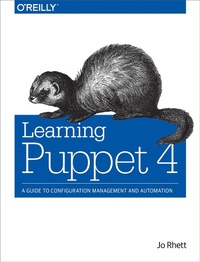
Learning Puppet 4
A Guide to Configuration Management and Automation
Published on 24. March 2016
594 pages
978-1-4919-0801-3 (ISBN)
Description

If you''re a system administrator, developer, or site reliability engineer responsible for handling hundreds or even thousands of nodes in your network, the Puppet configuration management tool will make your job a whole lot easier. This practical guide shows you what Puppet does, how it works, and how it can provide significant value to your organization.
Through hands-on tutorials, DevOps engineer Jo Rhett demonstrates how Puppet manages complex and distributed components to ensure service availability. You'll learn how to secure configuration consistency across servers, clients, your router, and even that computer in your pocket by setting up your own testing environment.
- Learn exactly what Puppet is, why it was created, and what problems it solves
- Tailor Puppet to your infrastructure with a design that meets your specific needs
- Write declarative Puppet policies to produce consistency in your systems
- Build, test, and publish your own Puppet modules
- Manage network devices such as routers and switches with puppet device and integrated Puppet agents
- Scale Puppet servers for high availability and performance
- Explore web dashboards and orchestration tools that supplement and complement Puppet
More details
Other editions
Additional editions
Book
04/2016
O'Reilly
€47.00
Shipment within 10-20 days
Content
- Cover
- Copyright
- Table of Contents
- Foreword
- Preface
- Who This Book Is For
- What to Expect from Me
- What You Will Need
- What You'll Find in This Book
- How to Use This Book
- IPv6 Ready
- SSL is now TLS
- Conventions Used in This Book
- Safari® Books Online
- How to Contact Us
- Content Updates
- February 9, 2018
- Acknowledgments
- Introduction
- What Is Puppet?
- Why Declarative
- How Puppet Works
- Why Use Puppet
- Is Puppet DevOps?
- Time to Get Started
- Part I. Controlling with Puppet Apply
- Chapter 1. Thinking Declarative
- Handling Change
- Using Idempotence
- Declaring Final State
- Reviewing Declarative Programming
- Chapter 2. Creating a Learning Environment
- Installing Vagrant
- Installing Vagrant on Mac
- Installing Git Tools on Windows
- Installing VirtualBox on Windows
- Installing Vagrant on Windows
- Starting a Bash Shell
- Downloading a Box
- Cloning the Learning Repository
- Install the Vagrant vbguest Plugin
- Initializing the Vagrant Setup
- Verifying the /vagrant Filesystem
- Initializing Non-Vagrant Systems
- Installing Some Helpful Utilities
- Choosing a Text Editor
- On the Virtual System
- On Your Desktop
- In Your Profile
- Reviewing the Learning Environment
- Chapter 3. Installing Puppet
- Adding the Package Repository
- What Is a Puppet Collection?
- Installing the Puppet Agent
- Reviewing Dependencies
- Reviewing Puppet 4 Changes
- Linux and Unix
- Windows
- Making Tests Convenient
- Running Puppet Without sudo
- Running Puppet with sudo
- Reviewing Puppet Installation
- Chapter 4. Writing Manifests
- Implementing Resources
- Applying a Manifest
- Declaring Resources
- Viewing Resources
- Executing Programs
- Was That Idempotent?
- Managing Files
- Finding File Backups
- Restoring Files
- Avoiding Imperative Manifests
- Testing Yourself
- Reviewing Writing Manifests
- Chapter 5. Using the Puppet Configuration Language
- Defining Variables
- Defining Numbers
- Creating Arrays and Hashes
- Mapping Hash Keys and Values
- Using Variables in Strings
- Redacting Sensitive Values
- Using Braces to Limit Problems
- Preventing Interpolation
- Using Unicode Characters
- Avoiding Redefinition
- Avoiding Reserved Words
- Learning More
- Finding Facts
- Calling Functions in Manifests
- Using Variables in Resources
- Defining Attributes with a Hash
- Declaring Multiple Resource Titles
- Declaring Multiple Resource Bodies
- Modifying with Operators
- Adding to Arrays and Hashes
- Removing from Arrays and Hashes
- Order of Operations
- Using Comparison Operators
- Evaluating Conditional Expressions
- Matching Regular Expressions
- Building Lambda Blocks
- Looping Through Iterations
- each()
- filter()
- map()
- reduce()
- slice()
- with()
- Capturing Extra Parameters
- Terminating Iteration Evaluation
- Iteration Wrap-Up
- Reviewing Puppet Configuration Language
- Chapter 6. Controlling Resource Processing
- Adding Aliases
- Specifying an Alias by Title
- Adding an Alias Metaparameter
- Preventing Action
- Auditing Changes
- Defining Log Level
- Filtering with Tags
- Skipping Tags
- Limiting to a Schedule
- Utilizing periodmatch
- Avoiding Dependency Failures
- Declaring Resource Defaults
- Reviewing Resource Processing
- Chapter 7. Expressing Relationships
- Managing Dependencies
- Referring to Resources
- Ordering Resources
- Assuming Implicit Dependencies
- Triggering Refresh Events
- Chaining Resources with Arrows
- Processing with Collectors
- Understanding Puppet Ordering
- Debugging Dependency Cycles
- Avoiding the Root User Trap
- Utilizing Stages
- Reviewing Resource Relationships
- Chapter 8. Upgrading from Puppet 3
- Replacing Deprecated Features
- Junking the Ruby DSL
- Upgrading Config Environments
- Removing Node Inheritence
- Disabling puppet kick
- Qualifying Relative Class Names
- Losing the Search Function
- Replacing Import
- Documenting Modules with Puppet Strings
- Installing the Tagmail Report Processor
- Querying PuppetDB
- Preparing for the Upgrade
- Validating Variable Names
- Quoting Strings
- Preventing Numeric Assignment
- Testing Boolean Facts
- Qualifying Defined Types
- Adding Declarative Permissions
- Removing Cron Purge
- Replacing MSI Package Provider
- Adjusting Networking Facts
- Testing with the Future Parser
- Using Directory Environments
- Duplicating a Master or Node
- Enhancing Older Manifests
- Adding else to unless
- Calling Functions in Strings
- Matching String Regexps
- Letting Expressions Stand Alone
- Chaining Assignments
- Chaining Expressions with a Semicolon
- Using Hash and Array Literals
- Configuring Error Reporting
- Chapter 9. Wrap-Up of Puppet Basics
- Best Practices for Writing Manifests
- Learning More About Puppet Manifests
- Part II. Creating Puppet Modules
- Chapter 10. Creating a Test Environment
- Verifying the Production Environment
- Creating the Test Environment
- Changing the Base Module Path
- Skipping Ahead
- Chapter 11. Separating Data from Code
- Introducing Hiera
- Selecting a Data Source
- Selecting a Hiera Backend
- Creating Hiera Data
- Configuring Hiera
- Version
- Defaults
- Hierarchy
- Merge Strategy
- Complete Example
- Looking Up Hiera Data
- Checking Hiera Values from the Command Line
- Performing Hiera Lookups in a Manifest
- Testing Merge Strategy
- Providing Global Data
- Chapter 12. Using Modules
- Finding Modules
- Puppet Forge
- Public GitHub Repositories
- Internal Repositories
- Evaluating Module Quality
- Puppet Supported
- Puppet Approved
- Quality Score
- Community Rating
- Installing Modules
- Installing from a Puppet Forge
- Installing from GitHub
- Testing a Single Module
- Defining Config with Hiera
- Assigning Modules to Nodes
- Using Hiera for Module Assignment
- Assigning Classes to Every Node
- Altering the Class List per Node
- Avoiding Node Assignments in Manifests
- Upgrading from Puppet 2 or 3
- Examining a Module
- Reviewing Modules
- Chapter 13. Designing a Custom Module
- Choosing a Module Name
- Avoiding Reserved Names
- Generating a Module Skeleton
- Modifying the Default Skeleton
- Understanding Module Structure
- Installing the Module
- Creating a Class Manifest
- What Is a Class?
- Declaring Class Resources
- Accepting Input
- Sharing Files
- Testing File Synchronization
- Synchronizing Directories
- Parsing Templates
- Common Syntax
- Using Puppet EPP Templates
- Using Ruby ERB Templates
- Creating Readable Templates
- Testing the Module
- Peeking Beneath the Hood
- Best Practices for Module Design
- Reviewing Custom Modules
- Chapter 14. Improving the Module
- Validating Input with Data Types
- Valid Types
- Validating Values
- Testing Values
- Comparing Strings with Regular Expressions
- Matching a Regular Expression
- Revising the Module
- Looking Up Input from Hiera
- Naming Parameters Keys Correctly
- Using Array and Hash Merges
- Understanding Lookup Merge
- Debugging Lookup
- Specifying Merge Strategy in Data
- Replacing Direct Hiera Calls
- Building Subclasses
- Creating New Resource Types
- Understanding Variable Scope
- Using Out-of-Scope Variables
- Understanding Top Scope
- Understanding Node Scope
- Understanding Parent Scope
- Tracking Resource Defaults Scope
- Avoiding Resource Default Bleed
- Redefining Variables
- Calling Other Modules
- Sourcing a Common Dependency
- Using a Different Module
- Ordering Dependencies
- Depending on Entire Classes
- Placing Dependencies Within Optional Classes
- Notifying Dependencies from Dynamic Resources
- Solving Unknown Resource Dependencies
- Containing Classes
- Creating Reusable Modules
- Avoiding Fixed Values in Attribute Values
- Ensuring Fixed Values for Resource Names
- Defining Defaults in a Params Manifest
- Best Practices for Module Improvements
- Reviewing Module Improvements
- Chapter 15. Extending Modules with Plugins
- Adding Custom Facts
- External Facts
- Custom (Ruby) Facts
- Debugging
- Understanding Implementation Issues
- Defining Functions
- Puppet Functions
- Ruby Functions
- Using Custom Functions
- Creating Puppet Types
- Defining Ensurable
- Accepting Params and Properties
- Validating Input Values
- Defining Implicit Dependencies
- Learning More About Puppet Types
- Adding New Providers
- Determining Provider Suitability
- Assigning a Default Provider
- Defining Commands for Use
- Ensure the Resource State
- Adjusting Properties
- Providing a List of Instances
- Taking Advantage of Caching
- Learning More About Puppet Providers
- Identifying New Features
- Binding Data Providers in Modules
- Using Data from Hiera
- Performing Lookup Queries
- Requirements for Module Plugins
- Reviewing Module Plugins
- Chapter 16. Documenting Modules
- Learning Markdown
- Writing a Good README
- Documenting the Classes and Types
- Installing YARD and Puppet Strings
- Fixing the Headers
- Listing Parameters
- Documenting Variable References
- Showing Examples
- Listing Authors and Copyright
- Documenting Functions
- Generating Documentation
- Updating Module Metadata
- Identifying the License
- Promoting the Project
- Indicating Compatibility
- Defining Requirements
- Listing Dependencies
- Identifying a Module Data Source
- Updating Old Metadata
- Maintaining the Change Log
- Evolving and Improving
- Best Practices for Documenting Modules
- Chapter 17. Testing Modules
- Installing Dependencies
- Installing Ruby
- Adding Beaker
- Bundling Dependencies
- Preparing Your Module
- Defining Fixtures
- Defining RSpec Unit Tests
- Defining the Main Class
- Passing Valid Parameters
- Failing Invalid Parameters
- Testing File Creation
- Validating Class Inclusion
- Using Facts in Tests
- Using Hiera Input
- Defining Parent Class Parameters
- Testing Functions
- Adding an Agent Class
- Testing Other Types
- Creating Acceptance Tests
- Installing Ruby for System Tests
- Defining the Nodeset
- Configuring the Test Environment
- Creating an Acceptance Test
- Running Acceptance Tests
- Using Skeletons with Testing Features
- Finding Documentation
- Reviewing Testing Modules
- Chapter 18. Publishing Modules
- Updating the Module Metadata
- Packaging a Module
- Uploading a Module to the Puppet Forge
- Publishing a Module on GitHub
- Automating Module Publishing
- Getting Approved Status from Puppet Labs
- Part III. Using a Puppet Server
- Chapter 19. Preparing for a Puppet Server
- Understanding the Catalog Builder
- Node
- Agent
- Server
- Planning for Puppet Server
- The Server Is Not the Node
- The Node Is Not the Server
- Store Server Data Files Separately
- Functions Run on the Server
- Choosing Puppet Master Versus Puppet Server
- Upgrading Easily with Puppet Master
- Embracing the Future with Puppet Server
- Why There's Really No Choice
- Ensuring a High-Performance Server
- Chapter 20. Creating a Puppet Master
- Starting the puppetmaster VM
- Installing the Puppet Master
- Configuring a Firewall for the Puppet Master
- Running the WEBrick Server
- Testing with the Puppet Master Service
- Scaling the Puppet Master with Passenger
- Installing Apache
- Installing Phusion Passenger
- Configuring the Puppet Master
- IPv6 Dual-Stack Puppet Master
- Debugging Puppet Master
- Chapter 21. Creating a Puppet Server
- Starting the puppetserver VM
- Installing Puppet Server
- Configuring a Firewall for Puppet Server
- Configuring Puppet Server
- Defining Server Paths
- Limiting Memory Usage
- Configuring TLS Certificates
- Avoiding Obsolete Settings
- Configuring Server Logs
- Configuring Server Authentication
- Running Puppet Server
- Adding Ruby Gems
- IPv6 Dual-Stack Puppet Server
- Chapter 22. Connecting a Node
- Creating a Key Pair
- Authorizing the Node
- Downloading the First Catalog
- Installing Hiera Data and Modules
- Testing with a Client Node
- Learning More About Puppet Server
- Chapter 23. Migrating an Existing Puppet Master
- Migrating the Puppet Master Config
- Synchronizing All Environments
- Copying Hiera Data
- Moving the MCollective Config Directory
- Removing Node Inheritance
- Testing a Client Node
- Upgrading Clients
- Chapter 24. Utilizing Advantages of a Puppet Server
- Using Server Data in Your Manifests
- Trusted Facts
- Server Facts
- Server Configuration Settings
- Backing Up Files Changed on Nodes
- Processing Puppet Node Reports
- Enabling Transmission of Reports
- Running Audit Inspections
- Storing Node Reports
- Logging Node Reports
- Transmitting Node Reports via HTTP
- Transmitting Node Reports to PuppetDB
- Emailing Node Reports
- Creating a Custom Report Processor
- Chapter 25. Managing TLS Certificates
- Reviewing Node Authentication
- Autosigning Agent Certificates
- Name-Based Autosigning
- Policy-Based Autosigning
- Naive Autosigning
- Using an External Certificate Authority
- Distributing Certificates Manually
- Installing Certificates on the Server
- Disabling CA on a Puppet Server
- Disabling CA on a Puppet Master
- Using Different CAs for Servers and Agents
- Distributing the CA Revocation List
- Learning More About TLS Authentication
- Chapter 26. Growing Your Puppet Deployment
- Using a Node Terminus
- Running an External Node Classifier
- Querying LDAP
- Starting with Community Examples
- Deploying Puppet Servers at Scale
- Keeping Distinct Domains
- Sharing a Single Puppet CA
- Using a Load Balancer
- Managing Geographically Dispersed Servers
- Managing Geographically Dispersed Nodes
- Falling Back to Cached Catalogs
- Making the Right Choice
- Best Practices for Puppet Servers
- Reviewing Puppet Servers
- Part IV. Integrating Puppet
- Chapter 27. Tracking Puppet Status with Dashboards
- Using Puppet Dashboard
- Installing Dashboard Dependencies
- Enabling Puppet Dashboard
- Viewing node status
- Using Dashboard as a Node Classifier
- Implementing Dashboard in Production
- Evaluating Alternative Dashboards
- Puppetboard
- Puppet Explorer
- PanoPuppet
- ENC Dashboard
- Foreman
- Upgrading to the Enterprise Console
- Viewing Status
- Classifying Nodes
- Inspecting Events
- Tracking Changes
- Controlling Access
- Evaluating Puppet Enterprise
- Finding Plugins and Tools
- Chapter 28. Running the Puppet Agent on Windows
- Creating a Windows Virtual Machine
- Creating a VirtualBox Windows VM
- Adding an Internal Network Adapter
- Connecting the Windows Installation Media
- Configuring the Internal Network Adapter
- Installing Puppet on Windows
- Configuring Puppet on Windows
- Running Puppet Interactively
- Starting the Puppet Service
- Debugging Puppet Problems
- Writing Manifests for Windows
- Finding Windows-Specific Modules
- Concluding Thoughts on Puppet Windows
- Chapter 29. Customizing Environments
- Understanding Environment Isolation
- Enabling Directory Environments
- Assigning Environments to Nodes
- Configuring an Environment
- Environment Configuration File
- Choosing a Manifest Path
- Disabling the Environment Cache
- Using Environment Data
- Removing Environment Paths from Global Data
- Utilizing Hiera Hierarchy in Environments
- Using Custom Backends in Environments
- Querying Environment Data from Hiera
- Strategizing How to Use Environments
- Promoting Change Through Layers
- Solving One-Off Problems Using Environments
- Supporting Diverse Teams with Environments
- Managing Environments with r10k
- Listing Modules in the Puppetfile
- Creating a Control Repository
- Configuring r10k Sources
- Adding New Environments
- Populating a New Installation
- Updating a Single Environment
- Replicating Hiera Data
- Invalidating the Environment Cache
- Restarting JRuby When Updating Plugins
- Reviewing Environments
- Chapter 30. Controlling Puppet with MCollective
- Configuring MCollective
- Enabling the Puppet Labs Repository
- Installing the MCollective Module
- Generating Passwords
- Configuring Hiera for MCollective
- Enabling the Middleware
- Connecting MCollective Servers
- Validating the Installation
- Creating Another Client
- Installing MCollective Agents and Clients
- Sharing Facts with Puppet
- Pulling the Puppet Strings
- Viewing Node Inventory
- Checking Puppet Status
- Disabling the Puppet Agent
- Invoking Ad Hoc Puppet Runs
- Limiting Targets with Filters
- Providing a List of Targets
- Limiting Concurrency
- Manipulating Puppet Resource Types
- Comparing to Puppet Application Orchestration
- Learning More About MCollective
- Chapter 31. Managing Network Infrastructure with Puppet
- Managing Network Devices with Puppet Device
- Enabling SSH on the Switch
- Configuring the Puppet Proxy Agent
- Installing the Device_Hiera Module
- Defining Resource Defaults in Hiera
- Centralizing VLAN Configuration
- Applying Default Configs to Interfaces
- Customizing Interface Configurations
- Testing Out the Switch Configuration
- Adding Resource Types and Providers
- Merging Defaults with Other Resources
- Using the NetDev Standard Library
- Finding NetDev Vendor Extensions
- Creating a NetDev Device Object
- Reducing Duplication with Device_Hiera
- Puppetizing Cisco Nexus Switches
- Configuring the Puppet Server
- Preparing the NX-OS Device
- Installing the NX-OS Puppet Agent
- Enabling the NX-OS Puppet Agent
- Managing Configuration
- Puppetizing Juniper Devices
- Supported Devices
- Installing Modules on the Puppet Server
- Preparing the Junos Device
- Installing the Junos Puppet Agent
- Creating the Puppet User
- Adjusting Physical Interface Settings
- Simplifying Layer-2 VLANs
- Enabling Link Aggregation
- Defining Ad Hoc Configuration Parameters
- Distributing Junos Event Scripts
- Running Puppet Automatically
- Troubleshooting
- Best Practices for Network Devices
- Reviewing Network Devices
- Chapter 32. Assimilating Puppet Best Practices
- Managing Change
- Expecting Change
- Controlling Rate of Change
- Tracking Change
- Choosing Puppet Apply Versus Puppet Server
- Benefits of Puppet Apply
- Benefits of Puppet Server
- Benefits Shared
- Summarizing the Differences
- Creating a Private Puppet Forge
- Pulp
- Puppet Forge Server
- Django Forge
- Good Practices
- Indenting Heredoc
- Splaying Puppet Agent Cron Jobs
- Cleaning Puppet Reports
- Trimming the File Bucket
- Drinking the Magic Monkey Juice
- Hating on Params.pp
- Disabling Environments
- Tracking Providers
- Breaking the Rules
- Working Good, Fast, Cheap
- Choosing Fight or Flight
- Letting the Strings Pull You
- Leveraging Puppet for Small Changes
- Tossing Declarative to the Wind
- Allowing Anyone to sudo puppet
- Chapter 33. Finding Support Resources
- Accessing Community Support
- Engaging Puppet Labs Support
- Contacting the Author
- Afterword
- Some Best Practices May Not Work for You
- Learning to Fail is the Secret to Success
- Appendix A. Installing Puppet on Other Platforms
- Debian and Ubuntu
- Fedora
- Other Platforms
- Appendix B. Configuring Firewalls on Other Platforms
- IP Tables
- Uncomplicated Firewall
- Appendix C. Installing Ruby
- Ruby for Mac
- Ruby for Windows
- Ruby for Linux
- Index
- About the Author
- Colophon
