
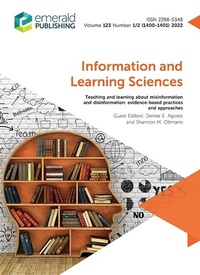
Teaching and Learning about Misinformation and Disinformation
Description
Alles über E-Books | Antworten auf Fragen rund um E-Books, Kopierschutz und Dateiformate finden Sie in unserem Info- & Hilfebereich.
More details
Content
- Cover
- The complexity of teaching and learning about Mis- and Dis- Information
- Teaching and confronting digital extremism: contexts, challenges and opportunities
- Examining instructional practices in news media literacy: shifts in instruction and co-construction
- Fighting misinformation in college: students learn to search and evaluate online information through flexible modules
- Information source and content: articulating two key concepts for information evaluation
- Disinformation detox: teaching and learning about mis- and disinformation using socio-technical system sresearch perspectives
- Default to truth in informationbehavior: a proposed frameworkfor understanding vulnerabilityto deceptive information

System requirements
File format: PDF
Copy-Protection: Adobe-DRM (Digital Rights Management)
System requirements:
- Computer (Windows; MacOS X; Linux): Install the free reader Adobe Digital Editions prior to download (see eBook Help).
- Tablet/smartphone (Android; iOS): Install the free app Adobe Digital Editions or the app PocketBook before downloading (see eBook Help).
- E-reader: Bookeen, Kobo, Pocketbook, Sony, Tolino and many more (only limited: Kindle).
The file format PDF always displays a book page identically on any hardware. This makes PDF suitable for complex layouts such as those used in textbooks and reference books (images, tables, columns, footnotes). Unfortunately, on the small screens of e-readers or smartphones, PDFs are rather annoying, requiring too much scrolling.
This eBook uses Adobe-DRM, a „hard” copy protection. If the necessary requirements are not met, unfortunately you will not be able to open the eBook. You will therefore need to prepare your reading hardware before downloading.
Please note: We strongly recommend that you authorise using your personal Adobe ID after installation of any reading software.
For more information, see our eBook Help page.