

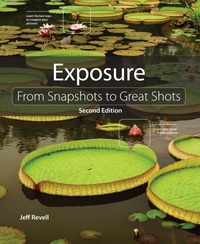
Exposure
From Snapshots to Great Shots
2nd Edition
Will be published approx. on 3. March 2014
264 pages
E-Book
978-0-13-376015-6 (ISBN)
Description

In this exciting update to the first edition of Exposure: From Snapshots to Great Shots (9780321741295)-which has sold over 20,000 net units since its 2010 release-Jeff Revell fully refreshes the book to include new images and new techniques.
Now that you've bought an amazing new DSLR, you need a book that goes beyond the camera manual to teach you how to take great shots, and that begins with understanding the fundamental principles of great photography. With Exposure: From Snapshots to Great Shots, popular photographer Jeff Revell starts with the basics of light, including how it works, and how to see it. In order to leverage this new understanding of light in your photography, Jeff walks the reader through one of the most important photographic principles-the exposure triangle: ISO, shutter speed, and aperture. Learning to apply these three elements together is the gateway to both technical and creative control of your photography. The book covers all key camera features that affect exposure (regardless of what type of DSLR you have) including Aperture Priority mode, Shutter Priority mode, and Exposure Compensation. Throughout the course of the book, the reader will gain an understanding of exposure for many different situations, such as taking portraits, action shots, landscapes, and more. Additionally, Jeff covers techniques that many DSLRs now have helpfully built into their hardware, such as panoramas, in-camera HDR, and even time-lapse photography.
Beautifully illustrated with large, vibrant photos, this book teaches you how to take control of your photography to get the image you want every time you pick up the camera.
Now that you've bought an amazing new DSLR, you need a book that goes beyond the camera manual to teach you how to take great shots, and that begins with understanding the fundamental principles of great photography. With Exposure: From Snapshots to Great Shots, popular photographer Jeff Revell starts with the basics of light, including how it works, and how to see it. In order to leverage this new understanding of light in your photography, Jeff walks the reader through one of the most important photographic principles-the exposure triangle: ISO, shutter speed, and aperture. Learning to apply these three elements together is the gateway to both technical and creative control of your photography. The book covers all key camera features that affect exposure (regardless of what type of DSLR you have) including Aperture Priority mode, Shutter Priority mode, and Exposure Compensation. Throughout the course of the book, the reader will gain an understanding of exposure for many different situations, such as taking portraits, action shots, landscapes, and more. Additionally, Jeff covers techniques that many DSLRs now have helpfully built into their hardware, such as panoramas, in-camera HDR, and even time-lapse photography.
Beautifully illustrated with large, vibrant photos, this book teaches you how to take control of your photography to get the image you want every time you pick up the camera.
More details
Series
Edition
2nd edition
Language
English
Place of publication
Berkeley
United States
Publishing group
Pearson Education (US)
Target group
College/higher education
File size
61,19 MB
ISBN-13
978-0-13-376015-6 (9780133760156)
Copyright in bibliographic data and cover images is held by Nielsen Book Services Limited or by the publishers or by their respective licensors: all rights reserved.
Schweitzer Classification
Other editions
Additional editions
Book
03/2014
2nd Edition
Peachpit Press Publications
€19.80
Article exhausted; check different version
Book
01/2011
Peachpit Press Publications
€19.80
Article exhausted; check for reprint
Person
Jeff Revell has been shooting professionally for more than 25 years, and has a wide range of expertise in everything from landscape photography to travel and urban photography. As an early adopter of digital technology, he has been on the leading edge of digital imaging technology, education and instruction. Perhaps best known as the photographer behind the popular "PhotoWalk Pro" blog, each weekday Jeff shares step-by-step tutorials on digital photography technique and editing of digital images. The worldwide appeal of Jeff's site, along with his live PhotoWalks have made him one of the most sought after and trusted sources for digital photography training and education. Jeff lives in the Washington, DC, area. Find him online at http://www.revellphotography.com/blog/.
Content
- Intro
- Title Page
- Copyright Page
- Dedication
- Acknowledgments
- Contents
- Introduction
- 1. What Is Exposure?
- Learning the Basics
- Poring Over the Picture
- Poring Over the Picture
- The Basic Definition
- How Is Exposure Calculated?
- Over- and Underexposure
- What Is a Proper Exposure?
- Chapter 1 Assignments
- 2. Exposure Tools
- How Your Camera Determines Exposure...and More
- Poring Over the Picture
- Poring Over the Picture
- Measuring Light
- Metering Modes
- The Value of the Histogram
- Check Your "Blinkies"
- Setting the Correct White Balance
- Using the Right Format: RAW vs. JPEG
- Chapter 2 Assignments
- 3. Shooting Modes
- Picking the Right Shooting Mode for the Job
- Poring Over the Picture
- Poring Over the Picture
- Program Mode
- Shutter Priority Mode
- Aperture Priority Mode
- Manual Mode
- A Few Words about Automatic Modes
- Chapter 3 Assignments
- 4. See the Light
- Understanding the Properties of Light and How to Use It
- Poring Over the Picture
- Poring Over the Picture
- Types of Light
- Quality of Light
- Direction of Light
- Chapter 4 Assignments
- 5. On the Move
- The Tricks to Shooting Sports and More
- Poring Over the Picture
- Poring Over the Picture
- Stop Right There!
- Using Shutter Priority Mode to Stop Motion
- Using Aperture Priority Mode to Isolate Your Subject
- Using Auto ISO the Right Way
- Keep Them in Focus with Continuous Focus and Focus Point Selection
- Manual Focus for Anticipated Action
- Keeping Up with the Continuous Shooting Mode
- A Sense of Motion
- Tips for Shooting Action
- Chapter 5 Assignments
- 6. Say Cheese!
- Settings and Features to Make Great Portraits
- Poring Over the Picture
- Poring Over the Picture
- Automatic Portrait Mode
- Using Aperture Priority Mode
- Metering Modes for Portraits
- Using the Exposure Lock Feature
- Focusing: The Eyes Have It
- Classic Black and White Portraits
- The Portrait Preset for Better Skin Tones
- Use Fill Flash for Reducing Shadows
- People on the Move
- Tips for Shooting Better Portraits
- Chapter 6 Assignments
- 7. Landscape Photography
- Tips, Tools, and Techniques to Get the Most Out of Your Landscape Photography
- Poring Over the Picture
- Poring Over the Picture
- Sharp and In Focus: Using Tripods
- Selecting the Proper ISO
- Selecting a White Balance
- Using the Landscape Picture Enhancement
- Taming Bright Skies with Exposure Compensation
- Shooting Beautiful Black and White Landscapes
- The Golden Light
- Where to Focus
- Easier Focusing
- Making Water Fluid
- Directing the Viewer: A Word about Composition
- Shooting Panoramas
- Chapter 7 Assignments
- 8. Mood Lighting
- Shooting When the Lights Get Low
- Poring Over the Picture
- Poring Over the Picture
- Raising the ISO: The Simple Solution
- Using Very High ISOs
- Stabilizing the Situation
- Focusing in Low Light
- Shooting Long Exposures
- Using the Built-In Flash
- Compensating for the Flash Exposure
- Reducing Red-Eye
- Rear Curtain Sync
- Flash and Glass
- A Few Words about External Flash
- Chapter 8 Assignments
- 9. Creative Compositions
- Improve Your Pictures with Sound Compositional Elements
- Poring Over the Picture
- Poring Over the Picture
- Depth of Field
- Angles
- Point of View
- Patterns
- Color
- Contrast
- Leading Lines
- Splitting the Frame
- Frames within Frames
- Chapter 9 Assignments
- 10. Advanced Techniques
- Impress Your Family and Friends
- Poring Over the Picture
- Poring Over the Picture
- Spot Meter for More Exposure Control
- Shooting High Dynamic Range (HDR) Images
- Manual Mode
- Avoiding Lens Flare
- Using the Sun Creatively
- Macro Photography
- Customize Your White Balance
- Shoot in Bursts for Steadier Images
- Shooting through Obstructions
- Zoom During Exposure
- Chapter 10 Assignments
- 11. Pimp My Ride
- Upgrades and Accessories to Expand Your Camera's Creative Potential
- Filters
- Tripods
- Cable Release
- Macro Photography Accessories
- Hot-Shoe Flashes
- Diffusers
- Camera Bags
- Bits and Pieces
- Conclusion
- Index
