

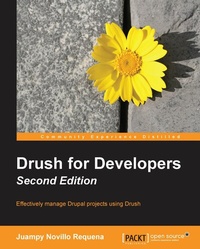
Drush for Developers - Second Edition
Effectively manage Drupal projects using Drush
Published on 7. October 2025
180 pages
978-1-78439-703-6 (ISBN)
Description

Key Features
Book DescriptionThis book is a best fit for backend developers with a basic knowledge of Drupal's APIs and some experience using the command line. Perhaps you already worked on one or two Drupal projects, but have never dived deep into Drush's toolset. In any case, this book will give you a lot of advice by covering real-world challenges in Drupal projects that can be solved using Drush.What you will learn
Who this book is for
Book DescriptionThis book is a best fit for backend developers with a basic knowledge of Drupal's APIs and some experience using the command line. Perhaps you already worked on one or two Drupal projects, but have never dived deep into Drush's toolset. In any case, this book will give you a lot of advice by covering real-world challenges in Drupal projects that can be solved using Drush.What you will learn
Who this book is for
All prices
More details
Edition
Digital original
Language
English
Place of publication
Birmingham
United Kingdom
Target group
Professional and scholarly
US School Grade: College Graduate Student
Edition type
Digital original
File size
1,59 MB
ISBN-13
978-1-78439-703-6 (9781784397036)
Copyright in bibliographic data and cover images is held by Nielsen Book Services Limited or by the publishers or by their respective licensors: all rights reserved.
Schweitzer Classification
Other editions
Additional editions
Persons
Novillo Requena Juan Pablo :
Juan started building PHP websites professionally in London after finishing his University studies in 2006. He spent some time using Symfony and Ruby on Rails and in 2010, back in Spain, he created his first website with Drupal. His commitment with the Drupal Community started a year later once he discovered how much fun and challenging it was to contribute. Currently, he maintains several modules such as Twitter and Oauth among others, he frequently submits and reviews patches for other projects (recently Drush), he participates in the Madrid and Spanish communities with talks and code sprints and overall he does his best to help Drupal evolve and become known to a wider audience. I would like to thank Lorena for her everyday support in my career and life. My family for believing in me and being so helpful. Also, thanks to my colleague Tushar Mahajan (http://drupal.org/user/398572), whose passion for Drupal and guidance was what got me into all this up to a level I could not even imagine. Juan's Drupal profile can be found at http://drupal.org/user/682736.
Juan started building PHP websites professionally in London after finishing his University studies in 2006. He spent some time using Symfony and Ruby on Rails and in 2010, back in Spain, he created his first website with Drupal. His commitment with the Drupal Community started a year later once he discovered how much fun and challenging it was to contribute. Currently, he maintains several modules such as Twitter and Oauth among others, he frequently submits and reviews patches for other projects (recently Drush), he participates in the Madrid and Spanish communities with talks and code sprints and overall he does his best to help Drupal evolve and become known to a wider audience. I would like to thank Lorena for her everyday support in my career and life. My family for believing in me and being so helpful. Also, thanks to my colleague Tushar Mahajan (http://drupal.org/user/398572), whose passion for Drupal and guidance was what got me into all this up to a level I could not even imagine. Juan's Drupal profile can be found at http://drupal.org/user/682736.
Content
Table of Contents
Installation and Basic Usage
Keeping database configuration and code together
Running periodic and one-off tasks
Debugging
Managing local and remote environments
Managing upgrades and patches
Installation and Basic Usage
Keeping database configuration and code together
Running periodic and one-off tasks
Debugging
Managing local and remote environments
Managing upgrades and patches

