

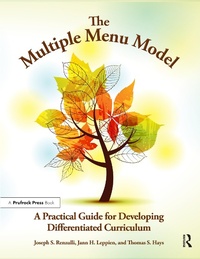
The Multiple Menu Model
A Practical Guide for Developing Differentiated Curriculum
Published on 28. April 2023
148 pages
978-1-000-94310-8 (ISBN)
Description

Based on constructivist learning theory, The Multiple Menu Model presents six practical menus that guide curriculum developers as they bring together an understanding of a discipline, its content and methodologies, and a vast array of instructional techniques. Teachers have successfully used this approach to challenge learners on all levels and make learning more meaningful, relevant, and engaging.
The Knowledge Menu aids educators as they locate a topic in the realm of knowledge, uncover the basic principles and concepts, and explore the methodology used by practicing professionals in the field. The Instructional Objectives and Student Activities Menu helps teachers address issues of balance between content and process objectives as they write curriculum. The Instructional Strategies Menu reminds educators of the wide range of teaching strategies they can use within a lesson or unit. The Instructional Sequences Menu helps educators organize and sequence a unit or lesson to maximize impact and outcomes. The Artistic Modification Menu encourages teachers to inject the curriculum with their own creative contributions, such as personal stories, collected memorabilia, and hobby materials. The Instructional Product Menu presents the outcomes of learning experiences.
Using the six menus, step-by-step planning guides, and reproducible templates, curriculum developers can:
challenge all students with opportunities for higher level learning;
place a premium on organization and pursuit of authentic knowledge;
use real-world investigative skills in the classroom;
blend advanced content and higher level thinking processes;
teach enduring concepts and principles instead of trendy topics and transitory information;
focus on representative topics that are used as a vehicle for process development;
inject personal stories, experiences, and realia into lessons to heighten motivation and engage imagination;
differentiate lessons to meet the needs of all students; and
engage students in pursuing topics of their own personal interest and producing authentic products of their own choosing.
Teachers using the Multiple Menu Model provide challenging curriculum opportunities for all students and guidance for exploring and applying knowledge in the real world.
The Knowledge Menu aids educators as they locate a topic in the realm of knowledge, uncover the basic principles and concepts, and explore the methodology used by practicing professionals in the field. The Instructional Objectives and Student Activities Menu helps teachers address issues of balance between content and process objectives as they write curriculum. The Instructional Strategies Menu reminds educators of the wide range of teaching strategies they can use within a lesson or unit. The Instructional Sequences Menu helps educators organize and sequence a unit or lesson to maximize impact and outcomes. The Artistic Modification Menu encourages teachers to inject the curriculum with their own creative contributions, such as personal stories, collected memorabilia, and hobby materials. The Instructional Product Menu presents the outcomes of learning experiences.
Using the six menus, step-by-step planning guides, and reproducible templates, curriculum developers can:
challenge all students with opportunities for higher level learning;
place a premium on organization and pursuit of authentic knowledge;
use real-world investigative skills in the classroom;
blend advanced content and higher level thinking processes;
teach enduring concepts and principles instead of trendy topics and transitory information;
focus on representative topics that are used as a vehicle for process development;
inject personal stories, experiences, and realia into lessons to heighten motivation and engage imagination;
differentiate lessons to meet the needs of all students; and
engage students in pursuing topics of their own personal interest and producing authentic products of their own choosing.
Teachers using the Multiple Menu Model provide challenging curriculum opportunities for all students and guidance for exploring and applying knowledge in the real world.
More details
Language
English
Place of publication
London
United Kingdom
Publishing group
Taylor & Francis Ltd
Target group
Professional and scholarly
File size
159,37 MB
ISBN-13
978-1-000-94310-8 (9781000943108)
Copyright in bibliographic data and cover images is held by Nielsen Book Services Limited or by the publishers or by their respective licensors: all rights reserved.
Schweitzer Classification
Other editions
Additional editions
Book
01/2000
1st Edition
Prufrock Press
€49.70
Shipment within 3-4 weeks
Person
Joseph Renzulli is a professor of educational psychology at the University of Connecticut, where he also has served as the director of the Renzulli Center For Creativity, Gifted Education, and Talent Development.
Content
Acknowledgments Foreword Introduction: A Sense of Things to Come Chapter 1: Blending Content with Instructional Technique Chapter 2: Understanding the Rationale of the Multiple Menu Model Chapter 3: The Structure of the Knowledge Menu Chapter 4: The Instructional Techniques Menus Chapter 5: Curriculum By Design: Putting It All Together Appendix A: Lesson Planning Guides Appendix B: Planning Guide Templates Appendix C: Knowledge Trees and Unit Overviews Appendix D: How-to Resources References Index
