

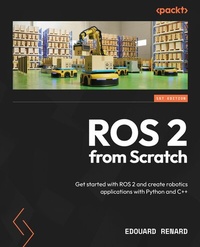
ROS 2 from Scratch
Description

- Leverage best practices to create scalable ROS 2 applications with Python and C++
- Follow a step-by-step process to create and simulate a custom robot using ROS 2
Book DescriptionROS 2 from Scratch, written by the cofounder of a robotics company with years of experience in teaching and engineering, will equip you with the skills necessary to develop cutting-edge robotic systems efficiently. This book will help you understand why you should use Robot Operating System (ROS), clarifying what ROS is and isn't. It focuses on applied learning-no unnecessary filler, no abstract theory, and no abrupt leaps into complex topics. You'll discover how to install ROS 2, set up your environment, and explore concepts through hands-on experiments, as well as create a ROS 2 application for a custom robot. The chapters expand upon core concepts such as nodes, communication via topics, client-server interactions with services, complex behaviors using actions, runtime configurations with parameters, and seamless node orchestration via launch files. Each concept is clearly explained with the help of real-life analogies and practical examples, using Python and C++. The book will also guide you through creating a real-world project that incorporates TFs, URDF, RViz, and Gazebo. By the end of this book, you'll be able to create new software for any robot in no time and easily join existing projects for new job roles, research endeavors, and beyond.What you will learn - Understand what ROS 2 is, when to use it, and how to use it
- Write ROS 2 programs using nodes, topics, services, actions, and custom interfaces
- Scale your application with parameters and launch files
- Get a complete overview of how TFs work for any ROS-powered robot
- Create a robot model (with URDF) and visualize TFs on RViz
- Adapt the URDF to spawn and control your robot in the Gazebo simulator
Who this book is forThis book is for engineers, researchers, teachers, students, and hobbyists eager to learn ROS 2 from scratch and build real-world robotics applications efficiently. If you're struggling to get started with ROS 2 or find existing tutorials overwhelming, then this book is for you. This book teaches you all the basics you need to create your own ROS 2 apps, without prior ROS knowledge. Basic Linux command line and Python programming skills (C++ optional for following the C++ code examples) are necessary.
All prices
More details
Other editions
Additional editions
Person
Edouard Renard is a software engineer, entrepreneur, and robotics teacher. In 2016, he cofounded a robotics start-up as CTO, developing and selling an educational 6-axis robotic arm based on Robot Operating System (ROS). Since 2019, he has been teaching robotics programming online. He is the best-selling instructor on Udemy for ROS 2 and has published many additional free tutorials on his website and YouTube channel (Robotics Back-End). He also leads offline workshops for professionals in Singapore and the US. His teaching philosophy is as follows: step by step, practical, and to the point.
Content
- Cover
- Title Page
- Copyright and credits page
- Contributors
- Table of Contents
- Preface
- Free Benefits with Your Book
- Part 1: Getting Started with ROS 2
- Chapter 1: Introduction to ROS 2 - What Is ROS 2?
- Terminology
- What is ROS, when should we use it, and why?
- Why ROS?
- What is ROS?
- When to use ROS
- ROS 1 versus ROS 2
- A quick story of ROS, and how we got to ROS 2
- Is ROS 1 dead already?
- Prerequisites for starting with ROS 2
- Knowledge prerequisites
- Hardware and software
- How to follow this book
- Summary
- Chapter 2: Installing and Setting Up ROS 2
- Which ROS 2 distribution to choose
- What is a ROS 2 distribution?
- LTS and non-LTS distributions
- How to choose a ROS distribution
- Installing the OS (Ubuntu)
- The relationship between ROS 2 and Ubuntu
- Installing Ubuntu 24.04 natively with a dual boot
- Installing Ubuntu 24.04 on a VM
- Installing ROS 2 on Ubuntu
- Setting the locale
- Setting up the sources
- Installing ROS 2 packages
- Setting up the environment for ROS 2
- Sourcing ROS 2 in the environment
- Adding the source line to the .bashrc file
- Extra tools for ROS development
- Visual Studio Code
- The Terminal and other tools
- Summary
- Chapter 3: Uncovering ROS 2 Core Concepts
- Running your first node
- Starting a node from the terminal with ros2 run
- Introspecting the nodes with rqt_graph
- Running a 2D robot simulation
- Recap - nodes
- Topics
- Running a topic publisher and subscriber
- A name and an interface (data type)
- More experimentation with topics
- Recap - topics
- Services
- Running a service server and client
- A name and an interface (data type)
- Sending a request from the terminal
- More experimentation with services
- Recap - services
- Actions
- Running an action server
- A name and an interface (data type)
- Sending a goal from the terminal
- Recap - actions
- Parameters
- Getting the parameters for a node
- Setting up a parameter value for a node
- Recap - parameters
- Launch files
- Starting a launch file
- Recap - launch files
- Summary
- Part 2: Developing with ROS 2 - Python and C++
- Chapter 4: Writing and Building a ROS 2 Node
- Technical requirements
- Creating and setting up a ROS 2 workspace
- Creating a workspace
- Building the workspace
- Sourcing the workspace
- Creating a package
- What is a ROS 2 package?
- Creating a Python package
- Creating a C++ package
- Building a package
- How are nodes organized in a package?
- Creating a Python node
- Creating a file for the node
- Writing a minimal ROS 2 Python node
- Building the node
- Running the node
- Improving the node - timer and callback
- Creating a C++ node
- Writing a C++ node
- Building and running the node
- Node template for Python and C++ nodes
- Template for a Python node
- Template for a C++ node
- Introspecting your nodes
- ros2 node command line
- Changing the node name at run time
- Summary
- Chapter 5: Topics - Sending and Receiving Messages between Nodes
- What is a ROS 2 topic?
- A publisher and a subscriber
- Multiple publishers and subscribers
- Multiple publishers and subscribers inside one node
- Wrapping things up
- Writing a topic publisher
- Writing a Python publisher
- Writing a C++ publisher
- Writing a topic subscriber
- Writing a Python subscriber
- Writing a C++ subscriber
- Running the Python and C++ nodes together
- Additional tools to handle topics
- Introspecting topics with rqt_graph
- The ros2 topic command line
- Changing a topic name at runtime
- Replaying topic data with bags
- Creating a custom interface for a topic
- Using existing interfaces
- Creating a new topic interface
- Topic challenge - closed-loop control
- Challenge
- Solution
- Summary
- Chapter 6: Services - Client/Server Interaction between Nodes
- What is a ROS 2 service?
- A server and a client
- Multiple clients for one service
- Another service example with robotics
- Wrapping things up
- Creating a custom service interface
- Finding an existing interface for our service
- Creating a new service interface
- Writing a service server
- Writing a Python service server
- Writing a C++ service server
- Writing a service client
- Writing a Python service client
- Running the client and server nodes together
- Writing a C++ service client
- Additional tools to handle services
- Listing and introspecting services
- Sending a service request
- Changing a service name at runtime
- Service challenge - client and server
- Challenge
- Solution
- Summary
- Chapter 7: Actions - When Services Are Not Enough
- What is a ROS 2 action?
- Why actions?
- How do actions work?
- Wrapping things up
- Creating a custom action interface
- Defining the application and the interface we need
- Creating a new action interface
- Writing an action server
- Writing a Python action server
- Writing a C++ action server
- Writing an action client
- Writing a Python action client
- Creating an action client
- Writing a C++ action client
- Taking advantage of all the action mechanisms
- Adding the feedback mechanism
- Adding the cancel mechanism
- Additional tools to handle actions
- Listing and introspecting actions
- Sending a goal from the Terminal
- Topics and services inside actions
- Summary
- Chapter 8: Parameters - Making Nodes More Dynamic
- What is a ROS 2 parameter?
- Why parameters?
- Example of a node with parameters
- ROS 2 parameters - wrapping things up
- Using parameters in your nodes
- Declaring, getting, and using parameters with Python
- Providing parameters at runtime
- Parameters with C++
- Storing parameters in YAML files
- Loading parameters from a YAML file
- Parameters for multiple nodes
- Recapping all parameters' data types
- Additional tools for handling parameters
- Getting parameters' values from the terminal
- Exporting parameters into YAML
- Setting a parameter's value from the terminal
- Parameter services
- Updating parameters with parameter callbacks
- Python parameter callback
- C++ parameter callback
- Parameter challenge
- Challenge
- Solution
- Summary
- Chapter 9: Launch Files - Starting All Your Nodes at Once
- What is a ROS 2 launch file?
- Why launch files?
- Example of a launch file with seven nodes
- Creating and installing an XML launch file
- Setting up a package for launch files
- Writing an XML launch file
- Installing and starting a launch file
- Creating a Python launch file - XML or Python for launch files?
- Writing a Python launch file
- XML versus Python for launch files
- Configuring nodes inside a launch file
- Renaming nodes and communications
- Parameters in a launch file
- Namespaces
- Launch file challenge
- Challenge
- Solution
- Summary
- Part 3: Creating and Simulating a Custom Robot with ROS 2
- Chapter 10: Discovering TFs with RViz
- Technical requirements
- Visualizing a robot model in RViz
- Installation and setup
- Starting RViz with a robot model
- What are TFs?
- Links
- TFs
- Relationship between TFs
- Parent and child
- The /tf topic
- Visualizing the TF tree
- What problem are we trying to solve with TFs?
- What we want to achieve
- How to compute TFs
- Summary
- Chapter 11: Creating a URDF for a Robot
- Creating a URDF with a link
- Setting up a URDF file
- Creating a link
- Customizing the link visual
- The process of assembling links and joints
- Step 1 - adding a second link
- Step 2 - adding a joint
- Step 3 - fixing the joint origin
- Step 4 - setting up the joint type
- Step 5 - fixing the visual origin
- Recap - the process to follow every time
- Writing a URDF for a mobile robot
- What we want to achieve
- Adding the wheels
- Adding the caster wheel
- Extra link - base footprint
- Improving the URDF with Xacro
- Making a URDF file compatible with Xacro
- Xacro properties
- Xacro macros
- Including a Xacro file in another file
- Summary
- Chapter 12: Publishing TFs and Packaging the URDF
- Understanding how to publish TFs with our URDF
- The robot_state_publisher node
- Inputs for the robot_state_publisher
- Recap - how to publish TFs
- Starting all nodes from the terminal
- Publishing the TFs from the terminal
- Visualizing the robot model in RViz
- Creating a package to install the URDF
- Adding a new workspace
- Creating a _description package
- Installing the URDF and other files
- Writing a launch file to publish TFs and visualize the robot
- The XML launch file
- The Python launch file
- Summary
- Chapter 13: Simulating a Robot in Gazebo
- Technical requirements
- How Gazebo works
- Clarifying - Gazebo versus RViz
- Starting Gazebo
- How Gazebo works with ROS 2
- Adapting the URDF for Gazebo
- Inertial tags
- Collision tags
- Spawning the robot in Gazebo
- Spawning the robot from the terminal
- Spawning the robot from a launch file
- Controlling the robot in Gazebo
- What do we need to do?
- Adding Gazebo systems
- Bridging Gazebo and ROS 2 communications
- Testing the robot
- Summary
- Chapter 14: Going Further - What To Do Next
- ROS 2 roadmap - exploration phase
- Common stacks and frameworks
- More exploration topics
- Learning for a specific goal
- What to learn for a project?
- What to learn to get a job?
- Summary
- Index
- Other Books You May Enjoy
Preface
In 2016, while cofounding a robotics start-up, I was searching for tools and technologies to build the software for a new six-axis robotic arm, and I stumbled upon ROS. Somehow, I got the intuition that ROS seemed to be exactly what I was looking for. Yet, I couldn't really comprehend what it was, or what it was doing.
It took me a long time to understand ROS, and as I was learning about it, I realized how painful the process was. There was-and still is-a lack of clear teaching materials and online resources, especially for beginners. As I continued to use ROS over the years, I also realized it was not just me-many other developers were still lost. This led me to create online courses to teach ROS and other related topics, with the goal of making ROS more accessible to everyone.
A few years forward, this book is a continuation of this process. With more experience using and teaching ROS (or ROS 2-the difference will be explained later), I wrote the book I wish I had when I first got started. When working on the book, I tried as much as possible to place myself in a beginner's shoes and to avoid two common obstacles to learning.
First, in tech circles, you can sometimes see toxic behavior shown by some experts who look down on you, and say stuff like "How can you not already know how to do that-it's so basic?", or explain things to you very fast while using jargon, and then make you feel stupid when you don't understand. This behavior is not helpful, and won't motivate you to learn.
Second, I don't know why, but so many people like to overcomplicate things, and this is not just related to ROS or even technology. Most of the time, once concepts are clearly understood, they can be explained in very simple steps. There's no need to make them sound complicated if it's not needed, and there's no need to spend one hour explaining something if it can be done in five minutes. That creates noise and confusion.
In this book, I want to do the opposite: teach without judgment over a lack of skills, and give priority to clear and simple explanations. With this, I hope you can learn efficiently, and finish this book being less confused than you are now, and more motivated to continue your journey with ROS 2 and robotics.
Who this book is for
This book is for engineers, researchers, students, teachers, developers, and hobbyists who want to learn ROS 2 from scratch in an efficient way, without wasting any time.
Even though you don't have to be an expert in anything, this book is not for complete beginners in software engineering. You need some good basics in Linux and Python-C++ is optional. Having a good grasp and some experience with those technologies will make your learning much easier.
No ROS (or ROS 1) experience is required.
What this book covers
Chapter 1, Introduction to ROS 2 - What is ROS 2?, explains what ROS 2 is exactly, and clears most of the doubts and confusions you could have.
Chapter 2, Installing and Setting Up ROS 2, leads you through the installation and set up of Ubuntu, ROS 2, and additional tools, so you have everything you need to work with ROS 2.
Chapter 3, Uncovering ROS 2 Core Concepts, introduces the main ROS 2 concepts through experimentation and hands-on discovery, the goal being to develop an intuition of how things work.
Chapter 4, Writing and Building a ROS 2 Node, shows you how to write ROS 2 programs, install them, and run them. Both Python and C++ are used, and additional challenges are given to make you practice more (the same applies to the following chapters).
Chapter 5, Topics - Sending and Receiving Messages between Nodes, explains how to communicate between two nodes with topics. We start with an explanation of the concept using a real-life analogy and then dive into the code.
Chapter 6, Services - Client/Server Interaction between Nodes, follows the same outline as the previous chapter-this time to work on the second most important communication type in ROS 2.
Chapter 7, Actions - When Services Are Not Enough, introduces the third and last ROS 2 communication type. This chapter is a bit more advanced and can be skipped during the first read.
Chapter 8, Parameters - Making Nodes More Dynamic, shows you how to add parameters to your nodes, in order to provide different settings at runtime.
Chapter 9, Launch Files - Starting All Your Nodes at Once, provides you with a way to start a complete ROS 2 application from a single file.
Chapter 10, Discovering TFs with RViz, introduces you to one of the most important concepts, so you can track the different coordinates of a robot over time. That will be the backbone of almost any ROS 2 application you create.
Chapter 11, Creating a URDF for a Robot, has you start a new project in which you create a custom robot with ROS 2. With URDF, you can create the robot description.
Chapter 12, Publishing TFs and Packaging the URDF, explains how to correctly package your application and generate the required TFs thanks to the URDF you have created.
Chapter 13, Simulating a Robot in Gazebo, teaches you how to adapt a robot for Gazebo (3D simulation tool), how to spawn the robot, and how to control it, so as to get a simulation that's as close as possible to a real robot.
Chapter 14, Going Further - What to Do Next, gives you more perspectives on the different paths you can take after finishing this book, depending on your personal goals.
To get the most out of this book
You need basic knowledge of the following:
- Linux, especially on how to use the command line (with auto-completion) and write code with text editors, and you should understand a bit about the file system and how the environment works (with files such as .bashrc).
- Python programming: most of the code will be in Python 3, using object-oriented programming. The better your Python skills, the easier it will be.
- C++ programming: you could decide to only start by following the Python examples, and thus you don't need C++. If you want to follow C++ examples as well, of course, C++ is needed.
Regarding software and operating systems, you will need to install Ubuntu on your computer (better as a dual boot, and also works with a virtual machine). This book targets Ubuntu 24.04 and ROS 2 Jazzy, but you should be able to get the most out of it with the later versions as well. Step-by-step instructions on how to install Ubuntu (in a virtual machine) and ROS 2 will be provided in the book.
If you are using the digital version of this book, we advise you to type the code yourself or access the code from the book's GitHub repository (a link is available in the next section). Doing so will help you avoid any potential errors related to the copying and pasting of code.
Download the example code files
You can download the example code files for this book from GitHub at https://github.com/PacktPublishing/ROS-2-from-Scratch. If there's an update to the code, it will be updated in the GitHub repository.
We also have other code bundles from our rich catalog of books and videos available at https://github.com/PacktPublishing/. Check them out!
Conventions used
There are a number of text conventions used throughout this book.
Code in text: Indicates code words in text, database table names, folder names, filenames, file extensions, pathnames, dummy URLs, user input, and Twitter handles. Here is an example: "For example, if you want to install the abc_def package on ROS Jazzy, then you will need to run sudo apt install ros-jazzy-abc-def."
A block of code is set as follows:
#!/usr/bin/env python3 import rclpy from rclpy.node import NodeWhen we wish to draw your attention to a particular part of a code block, the relevant lines or items are set in bold:
entry_points={ 'console_scripts': [ "test_node = my_py_pkg.my_first_node:main" ], },Any command-line input or output is written as follows:
$ sudo apt update $ sudo apt upgradeBold: Indicates a new term, an important word, or words that you see onscreen. For instance, words in menus or dialog boxes appear in bold. Here is an example: "To start the VM, double click on it in VirtualBox Manager, or select it...
