

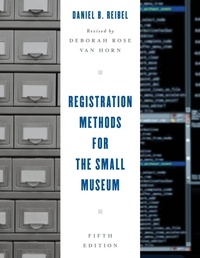
Registration Methods for the Small Museum
5th Edition
Published on 13. July 2017
158 pages
978-1-4422-7713-7 (ISBN)
Description

Registration Methods for the Small Museum has been the definitive guide to registration methodology for small museums since 1978. The book covers all aspects of the registration process and provides practical solutions for the small museum professional in a concise, readable manner. This step-by-step guide begins with developing policy and takes the reader through acquisition, numbering, accessioning, documentation, loans, and deaccessioning. It is a great introduction to both manual and computer systems and can help those that are unfamiliar with museum registration systems learn more about their collections. The fifth edition updates the handbook to fit the registration systems in today's small museums and provides additional forms that weren't in previous additions of the book.
Features include:
Easy to understand forms and templatesOverviews of both manual and computer registration systemsOverview of the acquisition processOverview of the cataloging processOverviews of museum loansExamples of a collections policy and registration manual for a small museumGuidance for small museums on how to create a new registration system or interpret the one they have
Features include:
Easy to understand forms and templatesOverviews of both manual and computer registration systemsOverview of the acquisition processOverview of the cataloging processOverviews of museum loansExamples of a collections policy and registration manual for a small museumGuidance for small museums on how to create a new registration system or interpret the one they have
More details
Series
Edition
5th edition
Language
English
Place of publication
New York
United States
Publishing group
Bloomsbury Publishing Plc
Target group
Professional and scholarly
Illustrations
7 b/w illustrations;4 b/w photos; 1 table; 15 textboxes
ISBN-13
978-1-4422-7713-7 (9781442277137)
Copyright in bibliographic data and cover images is held by Nielsen Book Services Limited or by the publishers or by their respective licensors: all rights reserved.
Schweitzer Classification
Other editions
Additional editions
Daniel B. Reibel
Registration Methods for the Small Museum
Book
07/2017
5th Edition
Rowman & Littlefield Publishers
€57.00
Shipment within 10-20 days
Person
Daniel B. Reibel worked in the museum field for over fifty years as a curator or director. His career began at the Detroit Historical Museum and he went on to work at the Allen County - Fort Wayne Historical Society and the Old Barracks Museum giving him his experience with small museums. He had a twenty-five-year career with the Pennsylvania Historical and Museum Commission as director of Old Economy Village, the Landis Valley Museum, and Washington Crossing Historic Park and as a regional director.
Content
Chapter 1Why Have a Museum Registration System?
Chapter 2Acquisition
Chapter 3The Accession Number
Chapter 4Accessioning
Chapter 5Documentation
Chapter 6The Catalog
Chapter 7Loans
Chapter 8Computers
Conclusion: The Final Word
Appendix AForms
Appendix BA Registration Manual for a Volunteer-Run Museum
Appendix CExample of a Museum Collection Policy for a Museum with Professional Staff
Chapter 2Acquisition
Chapter 3The Accession Number
Chapter 4Accessioning
Chapter 5Documentation
Chapter 6The Catalog
Chapter 7Loans
Chapter 8Computers
Conclusion: The Final Word
Appendix AForms
Appendix BA Registration Manual for a Volunteer-Run Museum
Appendix CExample of a Museum Collection Policy for a Museum with Professional Staff
