

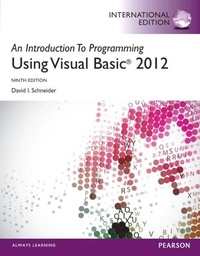
Introduction to Programming with Visual Basic 2012, An
Description

Schneider's "tried and true" text - consistently praised by both students and instructors - is designed for students with no prior computer programming experience. Now updated for Visual Basic 2012, Schneider focuses on teaching problem-solving skills and sustainable programming skills. A broad range of real-world examples, section-ending exercises, case studies, and programming projects gives students more hands-on experience than any other Visual Basic book on the market.
NEW! This edition is available with MyProgrammingLab, an innovative online homework and assessment tool. Through the power of practice and immediate personalized feedback, MyProgrammingLab helps students fully grasp the logic, semantics, and syntax of programming.
Note: If you are purchasing the standalone text or electronic version, MyProgrammingLab does not come automatically packaged with the text. To purchase MyProgrammingLab, please visit: myprogramminglab.com or you can purchase a package of the physical text + MyProgrammingLab by searching the Pearson Higher Education web site. MyProgrammingLab is not a self-paced technology and should only be purchased when required by an instructor.
All prices
More details
Other editions
Additional editions
Content
Chapter 1 An Introduction to Computers and Problem Solving
1.1 An Introduction to Computing and Visual Basic
1.2 Program Development Cycle
1.3 Programming Tools
Chapter 2 Visual Basic Controls and Events
2.1 An Introduction to Visual Basic 2012
2.2 Visual Basic Controls
2.3 Visual Basic Events
Summary
Chapter 3 Variables, Input, and Output
3.1 Numbers
3.2 Strings
3.3 Input and Output
Summary
Programming Projects
Chapter 4 Decisions
4.1 Relational and Logical Operators
4.2 If Blocks
4.3 Select Case Blocks
4.4 Input via User Selection
Summary
Programming Projects
Chapter 5 General Procedures
5.1 Function Procedures
5.2 Sub Procedures, Part I
5.3 Sub Procedures, Part II
5.4 Modular Design
5.5 A Case Study: Weekly Payroll
Summary
Programming Projects
Chapter 6 Repetition
6.1 Do Loops
6.2 For...Next Loops
6.3 List Boxes and Loops
Summary
Programming Projects
Chapter 7 Arrays
7.1 Creating and Accessing Arrays
7.2 Using LINQ with Arrays
7.3 Arrays of Structures
7.4 Two-Dimensional Arrays
7.5 A Case Study: Analyze a Loan
Summary
Programming Projects
Chapter 8 Text Files
8.1 Managing Text Files
8.2 StreamReaders, StreamWriters, Structured Exception Handling
8.3 XML
8.4 A Case Study: Recording Checks and Deposits
Summary
Programming Projects
Chapter 9 Additional Controls and Objects9.1 List Boxes and Combo Boxes
9.2 Eight Additional Controls and Objects
9.3 Multiple-Form Programs
9.4 Graphics
Summary
Programming Projects
Chapter 10 Databases10.1 An Introduction to Databases
10.2 Editing and Designing Databases
Summary
Programming Projects
Chapter 11 Object-Oriented Programming11.1 Classes and Objects
11.2 Working with Objects
11.3 Inheritance
Summary
Programming Projects
Appendices
Appendix A ANSI Values
Appendix B How To
Appendix C Folders and Files
Appendix D Visual Basic Debugging Tools
Answers to Selected Odd-Numbered Exercises
Index
