

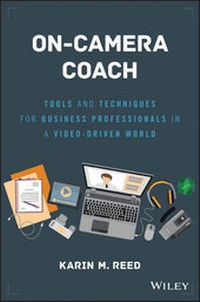
On-Camera Coach
Tools and Techniques for Business Professionals in a Video-Driven World
Published on 17. February 2017
272 pages
978-1-119-32472-0 (ISBN)
Description

The invaluable handbook for acing your on-camera appearance
On-Camera Coach is your personal coach for becoming great on camera. From Skype interviews and virtual conferences to shareholder presentations and television appearances, this book shows you how to master the art of on-camera presentation to deliver your message clearly, effectively, and with confidence. Fear of public speaking is common, but even the most seasoned speakers freeze in front of a single lens--being on camera demands an entirely new set of skills above and beyond the usual presentation to an audience you can actually see. It requires special attention to the way you move, the way you speak, and even the way you dress. This book provides the guidance and tools you need to ace it every time.
Video is powerful, and it is everywhere; corporate YouTube channels, webinars, virtual meetings, TedTalks, and more are increasingly turning the lens on those who typically remain behind the scenes. This relatively recent trend will continue to expand as media plays a larger role in business, and the ability to appear confident, authoritative, and polished is becoming a necessary job skill. This book shows you everything you need to know about being on camera, from preparation through presentation and beyond.
* Learn how to prepare for an on-camera appearance
* Tailor your presentation to on-camera demands
* Discover how the camera interprets wardrobe and body language
* Appear dynamic, confident, and engaged when the lens points your way
The lens captures everything--the awkward pauses, the nervous fidgets, poor posture, and every false start and mistake is captured for posterity. Is that the image you want to present? You want to get your message across and be heard; to do that, you must portray authority, energy, and confidence--even when you don't feel it. On-Camera Coach provides the expert instruction and insider secrets that help you make your message sing.
More details
Other editions
Additional editions
Karin M. Reed
On-Camera Coach
Tools and Techniques for Business Professionals in a Video-Driven World
Book
05/2017
Wiley
€33.00
Shipment within 15-20 days
Person
KARIN M. REED is the CEO of Speaker Dynamics, a communications firm based in Raleigh, North Carolina. She has made a career out of communicating on camera as an award-winning broadcast journalist, spokesperson, and executive communications specialist.
Karin has been a trusted trainer and consultant for organizations ranging from early-stage start-ups to Fortune 500 companies. She empowers her clients, whether they come from the C-suite or the sales force, to speak with ease to any audience on any platform. Her methodology is based on more than 20 years of personal presentation prowess and the understanding that the best speakers are steeped in authenticity.
Content
1 - On-Camera Coach [Seite 3]
2 - Wiley & SAS Business Series [Seite 4]
3 - Contents [Seite 11]
4 - Preface [Seite 19]
5 - Acknowledgments [Seite 21]
6 - Section One The Inescapable Reality-We All Have to Communicate through a Camera [Seite 25]
6.1 - Chapter 1 Why You Need to Read This Book [Seite 27]
6.1.1 - The Power and Pervasiveness of Video [Seite 29]
6.1.2 - The Decline of the Professional Spokesperson [Seite 30]
6.1.3 - The Global Communication Tool of Choice [Seite 31]
6.1.4 - Hiring by Skype [Seite 32]
6.1.5 - The Perils of Video [Seite 33]
6.1.6 - How Reading This Book Can Improve Your On-Camera Performance [Seite 33]
6.1.6.1 - What You Will Need [Seite 34]
6.1.6.2 - Topics to Be Discussed [Seite 34]
6.1.7 - Chapter Takeaways [Seite 35]
6.1.8 - Notes [Seite 35]
6.2 - Chapter 2 Why the Camera Changes Everything [Seite 37]
6.2.1 - My "Aha!" Moment [Seite 40]
6.2.2 - A Camera Changes Everything [Seite 41]
6.2.2.1 - No Immediate Feedback [Seite 41]
6.2.2.2 - Your Own Worst Critic [Seite 42]
6.2.2.3 - Recorded for Posterity [Seite 43]
6.2.2.4 - Unfamiliar Territory [Seite 44]
6.2.3 - The Archenemy of Performance Success: You [Seite 45]
6.2.4 - The Key to On-Camera Success: Authenticity [Seite 46]
6.2.5 - ChapterTakeaways [Seite 48]
7 - Section Two The MVPs of Performance Success [Seite 49]
7.1 - Chapter 3 M-Mental Mind-set: The Prep before the Performance [Seite 51]
7.1.1 - Reaching the Real Audience [Seite 52]
7.1.1.1 - Visualize the Viewer [Seite 53]
7.1.1.2 - Video Chat: Now You See Me, Now You Don't [Seite 54]
7.1.1.3 - Embrace Your Nervousness [Seite 56]
7.1.1.3.1 - Passion Play [Seite 57]
7.1.1.3.2 - Beware of Brain Cramps [Seite 57]
7.1.2 - The Bottom Line: It's Not about You [Seite 59]
7.1.3 - Chapter Takeaways [Seite 62]
7.1.4 - Note [Seite 63]
7.2 - Chapter 4 V-Vocal Variety: Pacing and Pausing with Purpose [Seite 65]
7.2.1 - TheMusicality of Your Delivery-What's Your Range? [Seite 66]
7.2.1.1 - What Is Vocal Variety? [Seite 66]
7.2.1.2 - Natural versus On-Camera Inflection [Seite 67]
7.2.2 - Setting Your Pace with the Viewer in Mind [Seite 68]
7.2.3 - Finishing Your Thoughts [Seite 69]
7.2.4 - Using the Power of the Pause [Seite 69]
7.2.4.1 - Pause for You [Seite 69]
7.2.4.2 - Filler Words as Placeholders [Seite 71]
7.2.4.3 - Pause for Them [Seite 71]
7.2.5 - The Lowdown on Uptalk [Seite 69]
7.2.5.1 - The Most CommonUptalk Trouble Spot [Seite 74]
7.2.6 - Chapter Takeaways [Seite 69]
7.2.7 - Note [Seite 69]
7.3 - Chapter 5 P-Physical Factors: On-Camera Movement with Meaning [Seite 79]
7.3.1 - On-Camera Gesturing: An Out-of-Body Experience [Seite 80]
7.3.2 - Getting Familiar with Frame Size [Seite 82]
7.3.2.1 - Gestures for a Tight Shot [Seite 82]
7.3.2.2 - Gestures for a Medium Shot [Seite 82]
7.3.2.3 - Gestures for a Wide Shot [Seite 83]
7.3.2.4 - Gestures as a Retention Tool [Seite 84]
7.3.3 - The Role of Off-Camera Movement [Seite 85]
7.3.4 - Posture Pointers [Seite 85]
7.3.4.1 - Standing While on Camera [Seite 86]
7.3.4.1.1 - The Metronome Effect [Seite 86]
7.3.4.1.2 - Going for a Walk [Seite 86]
7.3.4.2 - Sitting While on Camera [Seite 87]
7.3.4.2.1 - Crossed Legs [Seite 88]
7.3.4.2.2 - Leaning In or Out [Seite 88]
7.3.4.2.3 - Step In to Start [Seite 89]
7.3.5 - Making Eye Contact When You Can't See Your Audience [Seite 90]
7.3.5.1 - Look Away [Seite 90]
7.3.5.2 - Performance Pitfalls: Eye Contact Errors [Seite 91]
7.3.5.3 - Vary Your Angle [Seite 92]
7.3.5.4 - Look Up [Seite 92]
7.3.6 - Chapter Takeaways [Seite 96]
7.3.7 - Notes [Seite 96]
8 - Section Three Ready to Wear . . . or Not [Seite 97]
8.1 - Chapter 6 Looking the Part-Wardrobe 101 [Seite 99]
8.1.1 - Match Audience Expectations [Seite 101]
8.1.2 - Boring Is Best [Seite 102]
8.1.3 - Spin the Color Wheel [Seite 102]
8.1.3.1 - Special Consideration: Green-Screen Shoots [Seite 103]
8.1.3.2 - Solids: A Solid Choice [Seite 104]
8.1.4 - Putting on the Pounds [Seite 106]
8.1.5 - Dress Right for the Mic [Seite 106]
8.1.5.1 - Pack Placement [Seite 107]
8.1.5.2 - Microphone Placement [Seite 107]
8.1.5.3 - Jewelry Jukebox and Light Show [Seite 108]
8.1.6 - Your Fifth Appendage: A Smartphone [Seite 109]
8.1.7 - Additional Considerations for Men [Seite 109]
8.1.7.1 - Sock Style [Seite 110]
8.1.7.2 - The Uniform Look [Seite 111]
8.1.7.3 - To Button or Not to Button? [Seite 111]
8.1.8 - Chapter Takeaways [Seite 112]
8.1.9 - Notes [Seite 112]
8.2 - Chapter7 Hair and Makeup [Seite 113]
8.2.1 - Hair Hassles [Seite 115]
8.2.2 - On-Camera Makeup Musts for Women [Seite 116]
8.2.3 - What You Need in Your Kit [Seite 117]
8.2.3.1 - Moisturizer [Seite 117]
8.2.3.2 - Foundation [Seite 117]
8.2.3.3 - Powder [Seite 118]
8.2.3.4 - Eye Makeup [Seite 118]
8.2.3.5 - Cheeks [Seite 118]
8.2.3.6 - Lip Color [Seite 119]
8.2.4 - Makeup for Men [Seite 119]
8.2.5 - Glasses or No Glasses [Seite 120]
8.2.6 - Chapter Takeaways [Seite 121]
9 - Section Four Best Practices for Creating Your On-Camera Message [Seite 123]
9.1 - Chapter 8 Organizing for the Ear [Seite 125]
9.1.1 - The Rule of Three [Seite 126]
9.1.1.1 - Applying the Rule of Three On Camera [Seite 127]
9.1.1.1.1 - Rule of Three via Skype [Seite 128]
9.1.1.1.2 - Your Core Message [Seite 129]
9.1.1.2 - The Rule of Three Expanded [Seite 130]
9.1.2 - Repetition, Repetition, Repetition [Seite 131]
9.1.3 - Chapter Takeaways [Seite 132]
9.1.4 - Note [Seite 132]
9.2 - Chapter 9 Writing for the Spoken Word [Seite 133]
9.2.1 - The Challenges of Reading Written Prose Aloud [Seite 134]
9.2.2 - Why the Whisper Test Won't Work [Seite 135]
9.2.3 - Writing Tip 1: Keep It Short [Seite 135]
9.2.4 - Writing Tip 2: Don't Fear the Grammar Police [Seite 136]
9.2.5 - Writing Tip 3: See Spot . . . Be Bored [Seite 137]
9.2.6 - Exercises for Writing the Way You Speak [Seite 137]
9.2.7 - Chapter Takeaways [Seite 140]
9.2.8 - Note [Seite 141]
10 - Section five How to Read without Sounding Like You Are [Seite 143]
10.1 - Chapter 10 Marking Your Script [Seite 145]
10.1.1 - Step One: Smooth Out the Script [Seite 147]
10.1.2 - Step Two: Add Phonetics Where Appropriate [Seite 147]
10.1.3 - Step Three: Mark with Meaning [Seite 149]
10.1.3.1 - New vs. Old [Seite 150]
10.1.3.2 - The Name Stress Principle [Seite 152]
10.1.3.3 - How to Mark Your Copy for Emphasis [Seite 153]
10.1.3.4 - Emphasis Obstacles [Seite 154]
10.1.3.4.1 - Beware of Connotations [Seite 154]
10.1.3.4.2 - Too Much Stress [Seite 155]
10.1.4 - Step Four: Place Your Pauses [Seite 155]
10.1.4.1 - The Short Pause [Seite 156]
10.1.4.2 - The Power Pause [Seite 156]
10.1.4.3 - Marking Your Pauses [Seite 158]
10.1.4.4 - Pause Practice Example [Seite 158]
10.1.4.5 - Pause Pitfalls [Seite 159]
10.1.4.6 - It All Comes Down to This . . . [Seite 160]
10.1.5 - Chapter Takeaways [Seite 161]
10.1.6 - Script Marking Exercises AnswerKey [Seite 162]
10.1.7 - Notes [Seite 164]
10.2 - Chapter 11 Tackling theTeleprompter [Seite 165]
10.2.1 - Lessons Learned from Michael Bay's Implosion [Seite 167]
10.2.1.1 - Lesson 1: Know Your Content [Seite 167]
10.2.1.2 - Lesson 2: Know Your Script [Seite 167]
10.2.1.3 - Lesson 3: Stay in the Moment [Seite 168]
10.2.2 - Teleprompter-Friendly Copy: Best Practices [Seite 168]
10.2.2.1 - Read Your Script in the Prompterbefore Your Performance [Seite 169]
10.2.2.2 - Effective Visual Cues in Teleprompter Copy [Seite 170]
10.2.2.2.1 - Options for Marking Emphasis [Seite 170]
10.2.2.2.2 - Options for Marking Pauses [Seite 171]
10.2.2.3 - Visual Cues Are Guides, Not Absolutes [Seite 173]
10.2.3 - The Role of the TeleprompterOperator [Seite 173]
10.2.3.1 - A Second Set of Eyes [Seite 174]
10.2.3.2 - Adjusting Font Size [Seite 174]
10.2.3.3 - Following the Leader [Seite 174]
10.2.3.4 - Editing on the Fly [Seite 175]
10.2.3.5 - No Mind Reading [Seite 175]
10.2.3.6 - Adjusting the Read Line [Seite 176]
10.2.4 - Prompter Practice Made Possible [Seite 176]
10.2.4.1 - The Proliferation of PrompterSoftware [Seite 177]
10.2.4.2 - Control the Scroll [Seite 177]
10.2.4.3 - Watch Yourself [Seite 178]
10.2.5 - Lost in the Teleprompter [Seite 178]
10.2.6 - Chapter Takeaways [Seite 179]
10.2.7 - Note [Seite 179]
11 - Section Six The Most Common On-Camera Performance Scenarios [Seite 181]
11.1 - Chapter 12 Presenting Directly to the Camera in a StudioSetting [Seite 183]
11.1.1 - Considerations for Corporate Video [Seite 185]
11.1.1.1 - A Lesson from TV News [Seite 185]
11.1.1.2 - Does Length Matter? [Seite 186]
11.1.1.3 - How Much Face Time Is Too Much? [Seite 187]
11.1.2 - Preparing for the Shoot [Seite 188]
11.1.2.1 - Creating Your Content [Seite 188]
11.1.2.1.1 - Identifying Your Viewer [Seite 188]
11.1.2.1.2 - Writing the Way You Speak [Seite 189]
11.1.2.1.3 - Marking for Meaning [Seite 189]
11.1.2.2 - Practice, Practice, Practice [Seite 190]
11.1.2.3 - Looking the Part [Seite 191]
11.1.2.3.1 - Microphone Matters [Seite 191]
11.1.2.3.2 - Hair Issues [Seite 192]
11.1.2.4 - Getting Rid of Your Fifth Appendage [Seite 192]
11.1.3 - Orienting Yourself to the Studio [Seite 193]
11.1.3.1 - Meet the Crew [Seite 193]
11.1.3.1.1 - The Floor Director [Seite 193]
11.1.3.1.2 - The Audio Technician [Seite 194]
11.1.3.1.3 - The Camera Operator [Seite 194]
11.1.3.1.4 - The Teleprompter Operator [Seite 195]
11.1.3.1.5 - The Crew's Mission [Seite 195]
11.1.3.2 - Give Yourself the Once-Over [Seite 196]
11.1.3.3 - Getting Familiar with Your Performance Space [Seite 196]
11.1.3.4 - The Crew's Final Prep [Seite 197]
11.1.4 - Pulling Off a Great Performance [Seite 197]
11.1.4.1 - Stay Focused Despite Distractions [Seite 198]
11.1.4.2 - The Most Dangerous Part of Your Performance [Seite 200]
11.1.4.2.1 - The Runaway Train Ramble [Seite 200]
11.1.4.2.2 - Mentally Moving On [Seite 200]
11.1.4.2.3 - Stopping the Performance before the Real End [Seite 201]
11.1.5 - Reviewing Your Performance [Seite 202]
11.1.6 - Chapter Takeaways [Seite 202]
11.2 - Chapter 13 Videoconferencing and Interviews via VideoChat [Seite 205]
11.2.1 - Changes in Where and How You Work [Seite 206]
11.2.2 - Hiring by Skype [Seite 208]
11.2.2.1 - Travel Cost Savings [Seite 209]
11.2.2.2 - Fewer Scheduling Headaches [Seite 209]
11.2.3 - Why You Want to Turn on Your Webcam [Seite 210]
11.2.4 - Best Practices for VC [Seite 211]
11.2.4.1 - Technical Considerations [Seite 211]
11.2.4.2 - Setting Considerations [Seite 213]
11.2.4.3 - Performance Considerations [Seite 215]
11.2.5 - Recording a Videoconference [Seite 217]
11.2.6 - Chapter Takeaways [Seite 221]
11.2.7 - Notes [Seite 222]
11.3 - Chapter 14 Webcasts-Best Practices for Panelists and Moderators [Seite 223]
11.3.1 - Why a Webcast Is Easier to Master [Seite 224]
11.3.2 - Best Practices for Panelists [Seite 226]
11.3.2.1 - Prepare Your Points [Seite 226]
11.3.2.2 - Plan Your Wardrobe [Seite 227]
11.3.2.3 - Take Advantage of Rehearsal Time [Seite 227]
11.3.2.4 - Focus on the Action [Seite 228]
11.3.2.5 - Where You Should Look [Seite 229]
11.3.2.5.1 - When Someone Asks You a Question [Seite 229]
11.3.2.5.2 - When Presenting Uninterrupted to Viewers [Seite 229]
11.3.2.5.3 - When Others Are Speaking [Seite 230]
11.3.2.6 - Opting Out of Using a Teleprompter [Seite 231]
11.3.2.7 - Handling the Unexpected Question [Seite 232]
11.3.3 - Best Practices for Moderators [Seite 232]
11.3.3.1 - Directing the Conversation [Seite 233]
11.3.3.2 - Preparing to Be a Moderator [Seite 233]
11.3.3.3 - Encouraging the Conversation [Seite 234]
11.3.3.4 - Being the Ultimate Editor [Seite 235]
11.3.4 - Staying Hydrated [Seite 236]
11.3.5 - Chapter Takeaways [Seite 237]
11.3.6 - Notes [Seite 237]
11.4 - Chapter 15 Broadcast Interview Basics [Seite 239]
11.4.1 - Before the TV Interview [Seite 240]
11.4.1.1 - Find Out the Focus [Seite 241]
11.4.1.2 - Simplify Your Talking Points [Seite 242]
11.4.1.3 - Seek to Speak in Sound Bites [Seite 243]
11.4.1.4 - Practice with a Peer [Seite 243]
11.4.2 - During the TV Interview [Seite 244]
11.4.2.1 - Establishing a Friendly Rapport [Seite 244]
11.4.2.2 - Checking Yourself in the Mirror [Seite 244]
11.4.2.3 - Realizing When the Camera Is On [Seite 245]
11.4.2.4 - Orally Editing Your Sound Bite [Seite 245]
11.4.2.5 - Controlling the Controllables [Seite 246]
11.4.2.5.1 - Pause to Ponder [Seite 246]
11.4.2.5.2 - Press Your Own Reset Button [Seite 246]
11.4.2.5.3 - Keep Your Cool [Seite 247]
11.4.2.5.4 - Answer Every Question as Best You Can [Seite 247]
11.4.3 - After the TV Interview [Seite 248]
11.4.4 - Interviews by Satellite [Seite 249]
11.4.4.1 - Introducing the IFB [Seite 250]
11.4.4.2 - Managing the Monitor [Seite 250]
11.4.4.3 - Waiting for the All-Clear [Seite 251]
11.4.5 - Chapter Takeaways [Seite 253]
11.4.6 - Notes [Seite 254]
12 - Conclusion: Embrace Communicating through theCamera [Seite 255]
13 - About the Author [Seite 257]
14 - Index [Seite 259]
15 - EULA [Seite 266]
2 - Wiley & SAS Business Series [Seite 4]
3 - Contents [Seite 11]
4 - Preface [Seite 19]
5 - Acknowledgments [Seite 21]
6 - Section One The Inescapable Reality-We All Have to Communicate through a Camera [Seite 25]
6.1 - Chapter 1 Why You Need to Read This Book [Seite 27]
6.1.1 - The Power and Pervasiveness of Video [Seite 29]
6.1.2 - The Decline of the Professional Spokesperson [Seite 30]
6.1.3 - The Global Communication Tool of Choice [Seite 31]
6.1.4 - Hiring by Skype [Seite 32]
6.1.5 - The Perils of Video [Seite 33]
6.1.6 - How Reading This Book Can Improve Your On-Camera Performance [Seite 33]
6.1.6.1 - What You Will Need [Seite 34]
6.1.6.2 - Topics to Be Discussed [Seite 34]
6.1.7 - Chapter Takeaways [Seite 35]
6.1.8 - Notes [Seite 35]
6.2 - Chapter 2 Why the Camera Changes Everything [Seite 37]
6.2.1 - My "Aha!" Moment [Seite 40]
6.2.2 - A Camera Changes Everything [Seite 41]
6.2.2.1 - No Immediate Feedback [Seite 41]
6.2.2.2 - Your Own Worst Critic [Seite 42]
6.2.2.3 - Recorded for Posterity [Seite 43]
6.2.2.4 - Unfamiliar Territory [Seite 44]
6.2.3 - The Archenemy of Performance Success: You [Seite 45]
6.2.4 - The Key to On-Camera Success: Authenticity [Seite 46]
6.2.5 - ChapterTakeaways [Seite 48]
7 - Section Two The MVPs of Performance Success [Seite 49]
7.1 - Chapter 3 M-Mental Mind-set: The Prep before the Performance [Seite 51]
7.1.1 - Reaching the Real Audience [Seite 52]
7.1.1.1 - Visualize the Viewer [Seite 53]
7.1.1.2 - Video Chat: Now You See Me, Now You Don't [Seite 54]
7.1.1.3 - Embrace Your Nervousness [Seite 56]
7.1.1.3.1 - Passion Play [Seite 57]
7.1.1.3.2 - Beware of Brain Cramps [Seite 57]
7.1.2 - The Bottom Line: It's Not about You [Seite 59]
7.1.3 - Chapter Takeaways [Seite 62]
7.1.4 - Note [Seite 63]
7.2 - Chapter 4 V-Vocal Variety: Pacing and Pausing with Purpose [Seite 65]
7.2.1 - TheMusicality of Your Delivery-What's Your Range? [Seite 66]
7.2.1.1 - What Is Vocal Variety? [Seite 66]
7.2.1.2 - Natural versus On-Camera Inflection [Seite 67]
7.2.2 - Setting Your Pace with the Viewer in Mind [Seite 68]
7.2.3 - Finishing Your Thoughts [Seite 69]
7.2.4 - Using the Power of the Pause [Seite 69]
7.2.4.1 - Pause for You [Seite 69]
7.2.4.2 - Filler Words as Placeholders [Seite 71]
7.2.4.3 - Pause for Them [Seite 71]
7.2.5 - The Lowdown on Uptalk [Seite 69]
7.2.5.1 - The Most CommonUptalk Trouble Spot [Seite 74]
7.2.6 - Chapter Takeaways [Seite 69]
7.2.7 - Note [Seite 69]
7.3 - Chapter 5 P-Physical Factors: On-Camera Movement with Meaning [Seite 79]
7.3.1 - On-Camera Gesturing: An Out-of-Body Experience [Seite 80]
7.3.2 - Getting Familiar with Frame Size [Seite 82]
7.3.2.1 - Gestures for a Tight Shot [Seite 82]
7.3.2.2 - Gestures for a Medium Shot [Seite 82]
7.3.2.3 - Gestures for a Wide Shot [Seite 83]
7.3.2.4 - Gestures as a Retention Tool [Seite 84]
7.3.3 - The Role of Off-Camera Movement [Seite 85]
7.3.4 - Posture Pointers [Seite 85]
7.3.4.1 - Standing While on Camera [Seite 86]
7.3.4.1.1 - The Metronome Effect [Seite 86]
7.3.4.1.2 - Going for a Walk [Seite 86]
7.3.4.2 - Sitting While on Camera [Seite 87]
7.3.4.2.1 - Crossed Legs [Seite 88]
7.3.4.2.2 - Leaning In or Out [Seite 88]
7.3.4.2.3 - Step In to Start [Seite 89]
7.3.5 - Making Eye Contact When You Can't See Your Audience [Seite 90]
7.3.5.1 - Look Away [Seite 90]
7.3.5.2 - Performance Pitfalls: Eye Contact Errors [Seite 91]
7.3.5.3 - Vary Your Angle [Seite 92]
7.3.5.4 - Look Up [Seite 92]
7.3.6 - Chapter Takeaways [Seite 96]
7.3.7 - Notes [Seite 96]
8 - Section Three Ready to Wear . . . or Not [Seite 97]
8.1 - Chapter 6 Looking the Part-Wardrobe 101 [Seite 99]
8.1.1 - Match Audience Expectations [Seite 101]
8.1.2 - Boring Is Best [Seite 102]
8.1.3 - Spin the Color Wheel [Seite 102]
8.1.3.1 - Special Consideration: Green-Screen Shoots [Seite 103]
8.1.3.2 - Solids: A Solid Choice [Seite 104]
8.1.4 - Putting on the Pounds [Seite 106]
8.1.5 - Dress Right for the Mic [Seite 106]
8.1.5.1 - Pack Placement [Seite 107]
8.1.5.2 - Microphone Placement [Seite 107]
8.1.5.3 - Jewelry Jukebox and Light Show [Seite 108]
8.1.6 - Your Fifth Appendage: A Smartphone [Seite 109]
8.1.7 - Additional Considerations for Men [Seite 109]
8.1.7.1 - Sock Style [Seite 110]
8.1.7.2 - The Uniform Look [Seite 111]
8.1.7.3 - To Button or Not to Button? [Seite 111]
8.1.8 - Chapter Takeaways [Seite 112]
8.1.9 - Notes [Seite 112]
8.2 - Chapter7 Hair and Makeup [Seite 113]
8.2.1 - Hair Hassles [Seite 115]
8.2.2 - On-Camera Makeup Musts for Women [Seite 116]
8.2.3 - What You Need in Your Kit [Seite 117]
8.2.3.1 - Moisturizer [Seite 117]
8.2.3.2 - Foundation [Seite 117]
8.2.3.3 - Powder [Seite 118]
8.2.3.4 - Eye Makeup [Seite 118]
8.2.3.5 - Cheeks [Seite 118]
8.2.3.6 - Lip Color [Seite 119]
8.2.4 - Makeup for Men [Seite 119]
8.2.5 - Glasses or No Glasses [Seite 120]
8.2.6 - Chapter Takeaways [Seite 121]
9 - Section Four Best Practices for Creating Your On-Camera Message [Seite 123]
9.1 - Chapter 8 Organizing for the Ear [Seite 125]
9.1.1 - The Rule of Three [Seite 126]
9.1.1.1 - Applying the Rule of Three On Camera [Seite 127]
9.1.1.1.1 - Rule of Three via Skype [Seite 128]
9.1.1.1.2 - Your Core Message [Seite 129]
9.1.1.2 - The Rule of Three Expanded [Seite 130]
9.1.2 - Repetition, Repetition, Repetition [Seite 131]
9.1.3 - Chapter Takeaways [Seite 132]
9.1.4 - Note [Seite 132]
9.2 - Chapter 9 Writing for the Spoken Word [Seite 133]
9.2.1 - The Challenges of Reading Written Prose Aloud [Seite 134]
9.2.2 - Why the Whisper Test Won't Work [Seite 135]
9.2.3 - Writing Tip 1: Keep It Short [Seite 135]
9.2.4 - Writing Tip 2: Don't Fear the Grammar Police [Seite 136]
9.2.5 - Writing Tip 3: See Spot . . . Be Bored [Seite 137]
9.2.6 - Exercises for Writing the Way You Speak [Seite 137]
9.2.7 - Chapter Takeaways [Seite 140]
9.2.8 - Note [Seite 141]
10 - Section five How to Read without Sounding Like You Are [Seite 143]
10.1 - Chapter 10 Marking Your Script [Seite 145]
10.1.1 - Step One: Smooth Out the Script [Seite 147]
10.1.2 - Step Two: Add Phonetics Where Appropriate [Seite 147]
10.1.3 - Step Three: Mark with Meaning [Seite 149]
10.1.3.1 - New vs. Old [Seite 150]
10.1.3.2 - The Name Stress Principle [Seite 152]
10.1.3.3 - How to Mark Your Copy for Emphasis [Seite 153]
10.1.3.4 - Emphasis Obstacles [Seite 154]
10.1.3.4.1 - Beware of Connotations [Seite 154]
10.1.3.4.2 - Too Much Stress [Seite 155]
10.1.4 - Step Four: Place Your Pauses [Seite 155]
10.1.4.1 - The Short Pause [Seite 156]
10.1.4.2 - The Power Pause [Seite 156]
10.1.4.3 - Marking Your Pauses [Seite 158]
10.1.4.4 - Pause Practice Example [Seite 158]
10.1.4.5 - Pause Pitfalls [Seite 159]
10.1.4.6 - It All Comes Down to This . . . [Seite 160]
10.1.5 - Chapter Takeaways [Seite 161]
10.1.6 - Script Marking Exercises AnswerKey [Seite 162]
10.1.7 - Notes [Seite 164]
10.2 - Chapter 11 Tackling theTeleprompter [Seite 165]
10.2.1 - Lessons Learned from Michael Bay's Implosion [Seite 167]
10.2.1.1 - Lesson 1: Know Your Content [Seite 167]
10.2.1.2 - Lesson 2: Know Your Script [Seite 167]
10.2.1.3 - Lesson 3: Stay in the Moment [Seite 168]
10.2.2 - Teleprompter-Friendly Copy: Best Practices [Seite 168]
10.2.2.1 - Read Your Script in the Prompterbefore Your Performance [Seite 169]
10.2.2.2 - Effective Visual Cues in Teleprompter Copy [Seite 170]
10.2.2.2.1 - Options for Marking Emphasis [Seite 170]
10.2.2.2.2 - Options for Marking Pauses [Seite 171]
10.2.2.3 - Visual Cues Are Guides, Not Absolutes [Seite 173]
10.2.3 - The Role of the TeleprompterOperator [Seite 173]
10.2.3.1 - A Second Set of Eyes [Seite 174]
10.2.3.2 - Adjusting Font Size [Seite 174]
10.2.3.3 - Following the Leader [Seite 174]
10.2.3.4 - Editing on the Fly [Seite 175]
10.2.3.5 - No Mind Reading [Seite 175]
10.2.3.6 - Adjusting the Read Line [Seite 176]
10.2.4 - Prompter Practice Made Possible [Seite 176]
10.2.4.1 - The Proliferation of PrompterSoftware [Seite 177]
10.2.4.2 - Control the Scroll [Seite 177]
10.2.4.3 - Watch Yourself [Seite 178]
10.2.5 - Lost in the Teleprompter [Seite 178]
10.2.6 - Chapter Takeaways [Seite 179]
10.2.7 - Note [Seite 179]
11 - Section Six The Most Common On-Camera Performance Scenarios [Seite 181]
11.1 - Chapter 12 Presenting Directly to the Camera in a StudioSetting [Seite 183]
11.1.1 - Considerations for Corporate Video [Seite 185]
11.1.1.1 - A Lesson from TV News [Seite 185]
11.1.1.2 - Does Length Matter? [Seite 186]
11.1.1.3 - How Much Face Time Is Too Much? [Seite 187]
11.1.2 - Preparing for the Shoot [Seite 188]
11.1.2.1 - Creating Your Content [Seite 188]
11.1.2.1.1 - Identifying Your Viewer [Seite 188]
11.1.2.1.2 - Writing the Way You Speak [Seite 189]
11.1.2.1.3 - Marking for Meaning [Seite 189]
11.1.2.2 - Practice, Practice, Practice [Seite 190]
11.1.2.3 - Looking the Part [Seite 191]
11.1.2.3.1 - Microphone Matters [Seite 191]
11.1.2.3.2 - Hair Issues [Seite 192]
11.1.2.4 - Getting Rid of Your Fifth Appendage [Seite 192]
11.1.3 - Orienting Yourself to the Studio [Seite 193]
11.1.3.1 - Meet the Crew [Seite 193]
11.1.3.1.1 - The Floor Director [Seite 193]
11.1.3.1.2 - The Audio Technician [Seite 194]
11.1.3.1.3 - The Camera Operator [Seite 194]
11.1.3.1.4 - The Teleprompter Operator [Seite 195]
11.1.3.1.5 - The Crew's Mission [Seite 195]
11.1.3.2 - Give Yourself the Once-Over [Seite 196]
11.1.3.3 - Getting Familiar with Your Performance Space [Seite 196]
11.1.3.4 - The Crew's Final Prep [Seite 197]
11.1.4 - Pulling Off a Great Performance [Seite 197]
11.1.4.1 - Stay Focused Despite Distractions [Seite 198]
11.1.4.2 - The Most Dangerous Part of Your Performance [Seite 200]
11.1.4.2.1 - The Runaway Train Ramble [Seite 200]
11.1.4.2.2 - Mentally Moving On [Seite 200]
11.1.4.2.3 - Stopping the Performance before the Real End [Seite 201]
11.1.5 - Reviewing Your Performance [Seite 202]
11.1.6 - Chapter Takeaways [Seite 202]
11.2 - Chapter 13 Videoconferencing and Interviews via VideoChat [Seite 205]
11.2.1 - Changes in Where and How You Work [Seite 206]
11.2.2 - Hiring by Skype [Seite 208]
11.2.2.1 - Travel Cost Savings [Seite 209]
11.2.2.2 - Fewer Scheduling Headaches [Seite 209]
11.2.3 - Why You Want to Turn on Your Webcam [Seite 210]
11.2.4 - Best Practices for VC [Seite 211]
11.2.4.1 - Technical Considerations [Seite 211]
11.2.4.2 - Setting Considerations [Seite 213]
11.2.4.3 - Performance Considerations [Seite 215]
11.2.5 - Recording a Videoconference [Seite 217]
11.2.6 - Chapter Takeaways [Seite 221]
11.2.7 - Notes [Seite 222]
11.3 - Chapter 14 Webcasts-Best Practices for Panelists and Moderators [Seite 223]
11.3.1 - Why a Webcast Is Easier to Master [Seite 224]
11.3.2 - Best Practices for Panelists [Seite 226]
11.3.2.1 - Prepare Your Points [Seite 226]
11.3.2.2 - Plan Your Wardrobe [Seite 227]
11.3.2.3 - Take Advantage of Rehearsal Time [Seite 227]
11.3.2.4 - Focus on the Action [Seite 228]
11.3.2.5 - Where You Should Look [Seite 229]
11.3.2.5.1 - When Someone Asks You a Question [Seite 229]
11.3.2.5.2 - When Presenting Uninterrupted to Viewers [Seite 229]
11.3.2.5.3 - When Others Are Speaking [Seite 230]
11.3.2.6 - Opting Out of Using a Teleprompter [Seite 231]
11.3.2.7 - Handling the Unexpected Question [Seite 232]
11.3.3 - Best Practices for Moderators [Seite 232]
11.3.3.1 - Directing the Conversation [Seite 233]
11.3.3.2 - Preparing to Be a Moderator [Seite 233]
11.3.3.3 - Encouraging the Conversation [Seite 234]
11.3.3.4 - Being the Ultimate Editor [Seite 235]
11.3.4 - Staying Hydrated [Seite 236]
11.3.5 - Chapter Takeaways [Seite 237]
11.3.6 - Notes [Seite 237]
11.4 - Chapter 15 Broadcast Interview Basics [Seite 239]
11.4.1 - Before the TV Interview [Seite 240]
11.4.1.1 - Find Out the Focus [Seite 241]
11.4.1.2 - Simplify Your Talking Points [Seite 242]
11.4.1.3 - Seek to Speak in Sound Bites [Seite 243]
11.4.1.4 - Practice with a Peer [Seite 243]
11.4.2 - During the TV Interview [Seite 244]
11.4.2.1 - Establishing a Friendly Rapport [Seite 244]
11.4.2.2 - Checking Yourself in the Mirror [Seite 244]
11.4.2.3 - Realizing When the Camera Is On [Seite 245]
11.4.2.4 - Orally Editing Your Sound Bite [Seite 245]
11.4.2.5 - Controlling the Controllables [Seite 246]
11.4.2.5.1 - Pause to Ponder [Seite 246]
11.4.2.5.2 - Press Your Own Reset Button [Seite 246]
11.4.2.5.3 - Keep Your Cool [Seite 247]
11.4.2.5.4 - Answer Every Question as Best You Can [Seite 247]
11.4.3 - After the TV Interview [Seite 248]
11.4.4 - Interviews by Satellite [Seite 249]
11.4.4.1 - Introducing the IFB [Seite 250]
11.4.4.2 - Managing the Monitor [Seite 250]
11.4.4.3 - Waiting for the All-Clear [Seite 251]
11.4.5 - Chapter Takeaways [Seite 253]
11.4.6 - Notes [Seite 254]
12 - Conclusion: Embrace Communicating through theCamera [Seite 255]
13 - About the Author [Seite 257]
14 - Index [Seite 259]
15 - EULA [Seite 266]
